eternityspring


From the README
How to use reelbench-skills
reelbench-skills
Claude Code / Codex skills for working with video.
English | 中文 | Telegram @ahao_dev | X @eternityspring
Skills · Install · Example · What it looks like
❤️ Sponsor
Click to collapse
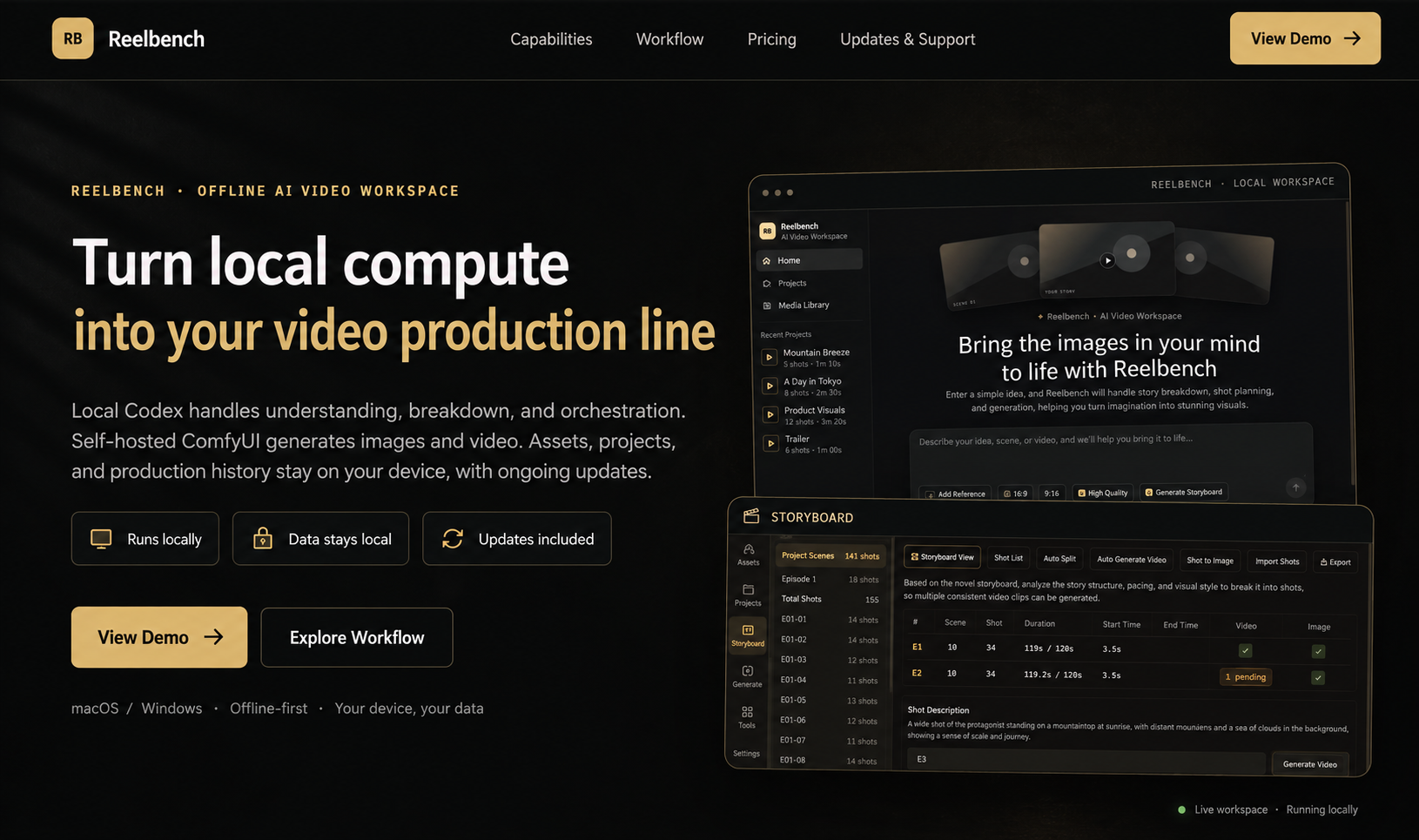 |
Reelbench Studio is a paid AI video workspace built by the author of these skills, delivered as source code that runs offline. Local Codex handles understanding, breakdown and orchestration, a self-hosted ComfyUI generates the images and video, and your assets and projects stay on your own machine. |
 |
赛博班底 is a WeChat mini program built by the author of these skills: reference images for AI short video, covering characters, costumes, expressions and more, filterable by category and tag. Every image comes with a Chinese prompt you can copy in one tap, and you can long-press the full-size image to save it. Scan the code on the left in WeChat to open it. |
Skills
| skill | what it does |
|---|---|
| video-shots | Shot breakdown: turns a finished film into a shot-by-shot table — duration, shot size, category, camera move, frame description, rhythm role. Cuts and durations are measured by ffmpeg; the model only judges what it should; 15 quality gates check every call. |
| video-sync | Composites a video with the shot data alongside it: footage on one side, the current shot's data on the other, switching at every cut with the list scrolling and highlighting itself. Landscape stacks, portrait sits side by side; the layout is one CSS file. |
| video-scrub | Strips metadata: rebuilds the film as a clean file carrying only picture and sound — GPS, device, account IDs and telemetry tracks all left behind. The hard part is the three layers ffprobe cannot see: SEI, the AAC DSE, and compressorname. Byte-for-byte picture by default, verified by 12 byte-level gates. |
AI video community
I run a paid group about AI video — workflows, tools, and how this stuff actually gets done.
Interested? Message me on Telegram @ahao_dev and mention github.
Install
git clone https://github.com/eternityspring/reelbench-skills.git
cd reelbench-skills
./scripts/install.sh
This symlinks the skills into ~/.claude/skills/ and/or ~/.codex/skills/ (whichever exists),
so git pull takes effect immediately.
./scripts/install.sh --claude      # Claude Code only
./scripts/install.sh --codex       # codex only
./scripts/install.sh video-shots   # one skill only
./scripts/install.sh --uninstall   # remove the symlinks
Requirements: node >= 18 and ffmpeg / ffprobe (macOS: brew install node ffmpeg).
No npm dependencies, no API keys — it runs on your current session.
Prefer a copy over a symlink? cp -r skills/video-shots ~/.claude/skills/ —
each skill is self-contained.
Example
demo-report/ is the real output of running the skill on demo-video.mp4
(a 202.9-second AI-generated short film, 啥是AI): 53 shots, 3.83 s average shot length,
15.7 cuts per minute, all 15 gates green. demo-report-en/ is the same pipeline run on a
287.4-second English excerpt with --lang en — an entirely English report: 46 shots, 6.25 s
average, and one 46.92 s take that scene detection never cut, because it genuinely never cuts.

The report is a single interactive page: an embedded player (playback highlights the current shot, click a shot to jump), a pace strip, a shot list you can search, filter and sort (list or card view, first and last keyframe side by side, click a frame to enlarge), distributions, cast, and the quality gates. No external dependencies — double-click it offline.

demo-report/
├── shots-report.html   ← clone and double-click
├── shots.json          ← the breakdown data for all 53 shots
├── shots.md            ← Markdown shot list
├── track.json          ← frame-difference motion curve (the machine's evidence)
└── frames/             ← first and last keyframe of every shot, 106 files
demo-scrub/ is what video-scrub produces — four pieces of text and no video, because its
output looks exactly like the source, which is the whole point. What is worth reading is the
reconciliation, above all half.txt: the textbook recipe leaves ffprobe
looking spotless while the bitstream still carries x264's encoder-settings SEI in 4 places and the
AAC DSE in 8 — no ffprobe command shows either of them.
What video-sync produces is at the bottom of this page — as a video, not a screenshot.
What it looks like
A 287.4-second English excerpt with its 46-shot breakdown, 1280×1296 (the source is 640×360,
blown up with --scale 2). The panel switches with every cut; the list scrolls up and the
highlight rides along:
If the player does not load, grab the file: demo-sync/demo-en-sync.mp4
Questions
What is eternityspring/reelbench-skills?
Learning notes and tooling skills for AI video - AI 视频相关的学习与工具 skill
How do I install reelbench-skills?
Run "npx skills add eternityspring/reelbench-skills" and choose the skills you want. Many packs also document their own install path (for example a Claude Code plugin marketplace) in the README below.
How many skills are in reelbench-skills?
3 SKILL.md skills. Alyn lists 3 of them with their own pages.