 thedotmack


From the README
How to use claude-mem



🇨🇳 中文 • 🇹🇼 繁體中文 • 🇯🇵 日本語 • 🇵🇹 Português • 🇧🇷 Português • 🇰🇷 한국어 • 🇪🇸 Español • 🇩🇪 Deutsch • 🇫🇷 Français • 🇮🇱 עברית • 🇸🇦 العربية • 🇷🇺 Русский • 🇵🇱 Polski • 🇨🇿 Čeština • 🇳🇱 Nederlands • 🇹🇷 Türkçe • 🇺🇦 Українська • 🇻🇳 Tiếng Việt • 🇵🇭 Tagalog • 🇮🇩 Indonesia • 🇹🇭 ไทย • 🇮🇳 हिन्दी • 🇧🇩 বাংলা • 🇵🇰 اردو • 🇷🇴 Română • 🇸🇪 Svenska • 🇮🇹 Italiano • 🇬🇷 Ελληνικά • 🇭🇺 Magyar • 🇫🇮 Suomi • 🇩🇰 Dansk • 🇳🇴 Norsk
Your coding agent forgets everything between sessions. Claude-Mem remembers for it.




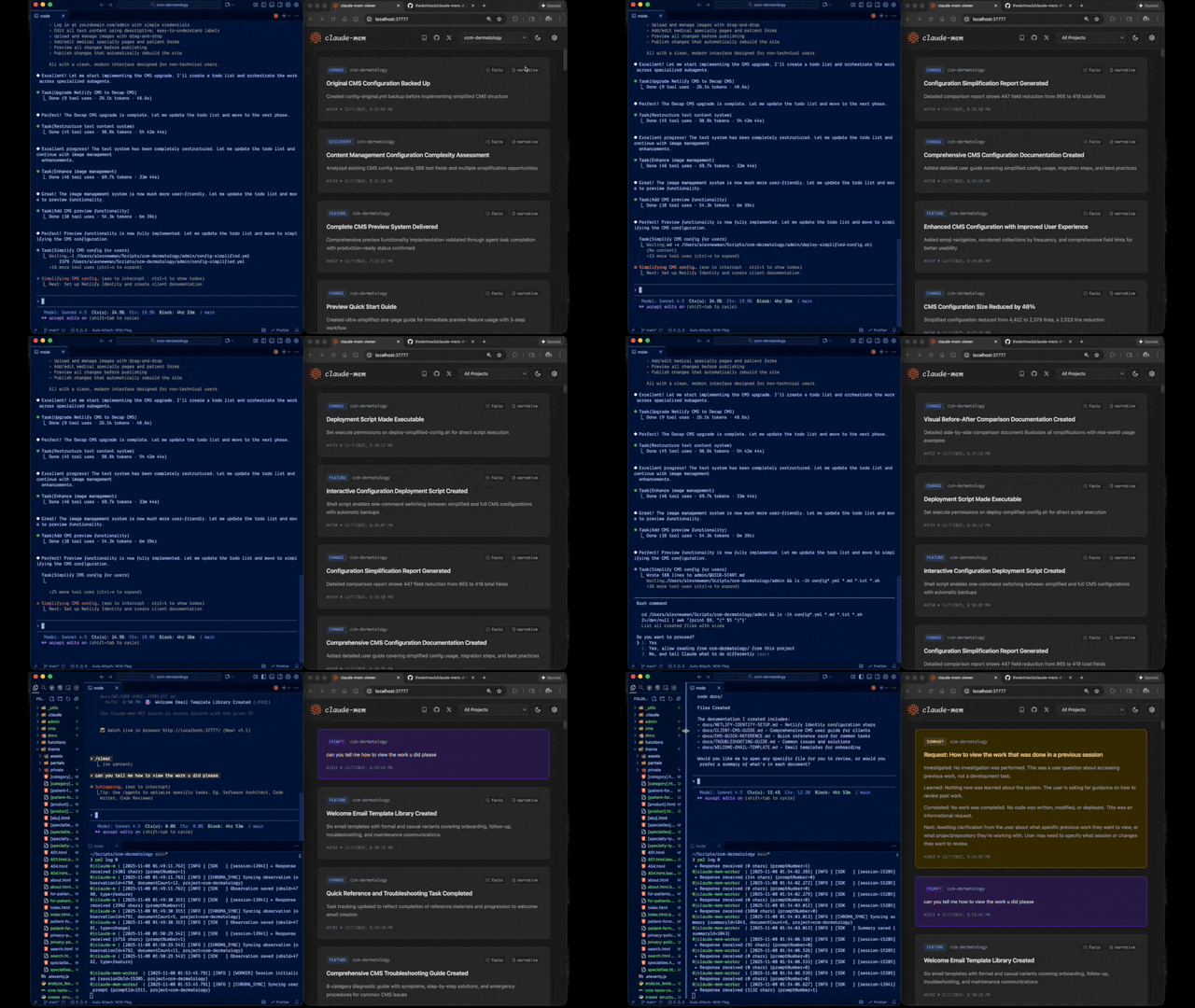
|
|
Quick Start • How It Works • Search Tools • Documentation • Configuration • Troubleshooting • License
Every new session, your agent starts from zero. It re-reads the same files, re-asks the same questions, and walks back into mistakes you already fixed together.
Claude-Mem runs a second agent beside it that takes notes while it works. The next session starts with a short index of what matters, and pulls in the details only when it needs them. Works with Claude Code, Codex, Cursor, OpenCode and 11 more agents. Copilot CLI, Goose, Roo Code and Warp can search your memory, but their sessions aren't recorded.
Quick Start
Installing for someone as an AI agent? Run npx claude-mem install --runtime worker on their computer in an interactive terminal (enable PTY in your shell tool). It first asks in the terminal which agents to set up and, for Claude Code, whether to disable native auto-memory (and whether to overwrite an existing install). Relay each question to the user and type their answer, or pass --ide <id> to skip the first one. Keep the installer running. When it prints Continue setup in your browser, open that URL in the user's browser if the installer hasn't already opened it. Let the user go through setup and make their own choices, including the usage-analytics question the installer may ask at the end. If you can't run an interactive terminal on their computer, give them the command to run locally.
npx claude-mem install
The installer finds the agents on your machine and asks which ones to set up. Then just start working: observations stream in from your first prompt, and your second session in a project opens with memory from the first. (Copilot CLI, Goose, Roo Code and Warp get memory search only, so their sessions don't add to it.)
The installer sets everything up first, then asks you to sign in to claude-mem in your browser (email magic link, no card required to sign in). Choosing the claude-mem observer then starts its 30 Day Free Trial on a checkout page that asks for a payment method; once it completes, the installer saves your memory key. With the observer, memory runs off-plan, so you get up to 100% more usage from your plan. When the free trial ends, memory automatically falls back to your Anthropic plan unless you subscribe. After sign-in you pick your memory provider: the claude-mem observer, your own OpenRouter or Gemini key, or your Anthropic plan.
Prefer to skip the sign-in? Pass an explicit --provider flag, set CLAUDE_MEM_ONLINE_OPTIN=false, or run in CI/non-interactive shells — the installer completes without any account interaction.
Your memory lives in ~/.claude-mem on your machine. Cloud sync is opt-in. Anonymous usage analytics are on by default; npx claude-mem telemetry disable turns them off (what's collected).
Or install from the plugin marketplace inside Claude Code:
/plugin marketplace add thedotmack/claude-mem

/plugin install claude-mem
Restart Claude Code. Context from previous sessions will automatically appear in new sessions.
Note: Claude-Mem is also published on npm, but
npm install -g claude-meminstalls the SDK/library only — it does not register the plugin hooks or set up the worker service. Always install vianpx claude-mem installor the/plugincommands above.
Other agents
npx claude-mem install covers every supported agent. To set up one agent directly, pass --ide.
OpenCode (1.3.4 or later, including OpenCode 2). Restart OpenCode after installing.
npx claude-mem install --ide opencode
T3 Code (Codex and Claude Code providers). The installer discovers T3 Code's enabled providers, registers native Claude-Mem plugins in their configured homes, and supports T3-managed Codex. Restart T3 Code, trust the provider's hooks when prompted, and start a new thread. See the T3 Code integration guide for custom server settings, status, and removal.
npx claude-mem install --ide t3code
Antigravity CLI (setup guide):
npx claude-mem install --ide antigravity
OMP (Oh My Pi):
npx claude-mem install --ide omp
Pi and DeepSeek Harness use the worker runtime. See native harness setup for capture, recall, and troubleshooting.
npx claude-mem install --ide pi
npx claude-mem install --ide dsh --dsh-profile tui
Grok Bot: see Grok Bot below.
npx claude-mem install --ide grok-bot
The full list of --ide values is in npx claude-mem --help.
Grok Bot
Grok Bot has no host hooks, so we watch the chat log files. Default is CMEM Pro, the hosted memory. Local observer is opt-in: --provider host. Installing this plugin does not install Cursor.
Opt-in awareness push: needle observations (decision, bugfix, security_alert, sensitive) are appended as dated - YYYY-MM-DD [awareness] … lines into that bot's memory/log/YYYY-MM.md. Grok Bot already re-reads the log from disk. This does not write profile.md, user-memory, or project memory. Enable with CLAUDE_MEM_GROK_BOT_AWARENESS_ENABLED=true and set CLAUDE_MEM_GROK_BOT_AWARENESS_AGENT_IDS to your agent UUIDs (empty by default).
🦞 OpenClaw Gateway
Install claude-mem as a persistent memory plugin on OpenClaw gateways with a single command:
curl -fsSL https://install.cmem.ai/openclaw.sh | bash
The installer handles dependencies, plugin setup, AI provider configuration, worker startup, and optional real-time observation feeds to Telegram, Discord, Slack, and more. See the OpenClaw Integration Guide for details.
What You Get
- 🧠 The next session starts where the last one left off. Each session opens with a compact index of past observations, layered so the agent opens full details only when it needs them, and the header can show what each layer costs in tokens.
- 🔍 Find anything you worked on. The mem-search skill searches your project history in three steps (index, timeline, details), so the agent spends tokens only on what it opens.
- 🖥️ Watch it work, and keep track of yours. My Work shows live requests, progress, human handoffs and a saved review queue at the worker URL printed on startup. Guide. Memory, sessions and settings remain at
/viewer. - 👥 Share with your team, if you want. TeamBrain is an optional shared workspace beside My Work, with real team work lists, member attribution and linked findings. Each person chooses what to share; personal requests and review notes stay separate. Set up a team.
- 💻 Search from Claude Desktop. Search your memory from Claude Desktop conversations.
- 🔒 Keep secrets out. Wrap anything in
<private>tags and it never gets stored. - 🖼️ Screenshots, kept by default. Keep converted copies of tool screenshots under
~/.claude-mem/media-v1/and show them in My Work, upload them to cmem.ai only when Cloud Sync is on, and send them to the observer model only when image inference is separately enabled. Turn it off with the "Keep images" switch in Settings (details). - ⚙️ Choose what gets injected. Fine-grained settings for what context a new session starts with.
- 🤖 Nothing to remember to do. It runs on its own once installed.
- 🔗 Point back to past work. Every observation has an ID you can cite through the worker API or open in the web viewer.
Documentation
📚 View Full Documentation - Browse on official website
Getting Started
- Installation Guide - Quick start & advanced installation
- Usage Guide - How Claude-Mem works automatically
- Search Tools - Query your project history with natural language
- Cloud Sync - Back up your memory to cmem.ai — no daemon, the worker syncs on write
Best Practices
- Context Engineering - AI agent context optimization principles
- Progressive Disclosure - Philosophy behind Claude-Mem's context priming strategy
Architecture
- Overview - System components & data flow
- Architecture Evolution - The journey from v3 to v5
- Hooks Architecture - How Claude-Mem uses lifecycle hooks
- Hooks Reference - Every hook entry explained
- Worker Service - HTTP API & Bun management
- Database - SQLite schema & FTS5 search
- Search Architecture - Hybrid search with Chroma vector database
Configuration & Development
- Configuration - Environment variables & settings
- Development - Building, testing, contributing
- Troubleshooting - Common issues & solutions
How It Works
- Your agent works. Hooks in your agent hand each tool call (what it reads, edits and runs) to a small local worker.
- The observer takes notes. A second agent turns that activity into short observations, and writes a summary when the session ends.
- The next session starts with them. When a session starts, your agent gets a compact index of the observations that matter for this project, and fetches full details only when it needs them.
Memory injection starts on your second session in a project. To front-load a whole repo instead, run /learn-codebase (~5 minutes on a typical repo, optional).
See Architecture Overview for details.
How it fits together
For contributors, the main parts and where they live:
- The
claude-memcommand (src/npx-cli/index.ts): install, repair, doctor, start, search and the rest. The installer puts a small launcher on PATH so hooks can runclaude-memdirectly. - Hooks (
src/cli/hook-command.ts, one adapter per agent insrc/cli/adapters/): each agent event runs one shell-free command, such asclaude-mem hook claude-code <event>. For Claude Code that's Setup (claude --init/--maintenance), SessionStart, UserPromptSubmit, PreToolUse, PostToolUse, PostToolUseFailure, Stop, SubagentStop and SessionEnd. - The worker (
src/services/worker-service.ts, routes insrc/services/worker/http/routes/): a local HTTP service managed by Bun. It takes tool activity from the hooks, runs the observer, and serves the viewer and search. - The observer (prompts in
src/sdk/, one provider per model source insrc/services/worker/, such asClaudeProvider.tsandOpenRouterProvider.ts): turns tool activity into observations and summaries. - Storage (
src/services/sqlite/): SQLite at~/.claude-mem/claude-mem.dbholds sessions, observations and summaries. Chroma adds semantic search on top of SQLite's keyword search (src/services/worker/search/). - Context (
src/services/context/): builds the block a new session starts with. - Search (
src/servers/mcp-server.ts,plugin/skills/mem-search/): the MCP tools and the mem-search skill that drives them. - The viewer (
src/ui/viewer/at/viewer,src/ui/my-work/at/): memory, sessions and settings, plus My Work. - The built plugin (
plugin/): written bynpm run build; editsrc/, not the generated scripts.
The words we use for each of these, and the story they tell, are in docs/story.md.
MCP Search Tools
Search runs through three MCP tools in a token-efficient three-step workflow. The mem-search skill drives it for you:
The three steps:
search- Get compact index with IDs (~50-100 tokens/result)timeline- Get chronological context around interesting resultsget_observations- Fetch full details ONLY for filtered IDs (~500-1,000 tokens/result)
Step by step:
- Your agent uses MCP tools to search your memory
- Start with
searchto get an index of results - Use
timelineto see what was happening around specific observations - Use
get_observationsto fetch full details for relevant IDs - ~10x token savings by filtering before fetching details
Available MCP Tools:
search- Search memory index with full-text queries, filters by type/date/projecttimeline- Get chronological context around a specific observation or queryget_observations- Fetch full observation details by IDs (always batch multiple IDs)
Example Usage:
// Step 1: Search for index
search(query="authentication bug", type="bugfix", limit=10)

// Step 2: Review index, identify relevant IDs (e.g., #123, #456)

// Step 3: Fetch full details
get_observations(ids=[123, 456])
The worker also offers tools for code navigation (smart_search, smart_outline, smart_unfold), saving a note on purpose (save_memory) and tracking work in progress. See Search Tools Guide for detailed examples.
System Requirements
- Node.js: 20.19 or later in the 20.x line, or 22.12 or later
- A supported agent: Claude Code (latest, with plugin support) or any agent in Other agents
- Bun: JavaScript runtime and process manager (auto-installed if missing)
- uv: Python package manager for vector search (auto-installed if missing)
- SQLite 3: For persistent storage (bundled)
Windows Setup Notes
If you see an error like:
npm : The term 'npm' is not recognized as the name of a cmdlet
Make sure Node.js and npm are installed and added to your PATH. Download the latest Node.js installer from https://nodejs.org and restart your terminal after installation.
Claude Code hooks do not need Git Bash. Each hook runs claude-mem directly, and npx claude-mem install places that launcher at %LOCALAPPDATA%\claude-mem\bin\claude-mem.exe and adds the folder to your user Path. Restart your terminal or IDE afterwards so Claude Code picks up the new Path. If hooks report Executable not found in $PATH: "claude-mem", run npx claude-mem doctor and see Troubleshooting.
Configuration
Settings are managed in ~/.claude-mem/settings.json (auto-created with defaults on first run). Configure AI model, worker port, data directory, log level, and context injection settings.
To include observations from every harness in Claude Code and Codex SessionStart context, set "CLAUDE_MEM_SESSION_START_INCLUDE_ALL_SOURCES": "true" in that file, or enable Include all sources at session start in the viewer settings. The default is "false", which limits startup context to the current harness. The observation count limit still applies across the selected sources.
See the Configuration Guide for all available settings and examples.
Mode & Language Configuration
Claude-Mem supports multiple workflow modes and languages via the CLAUDE_MEM_MODE setting.
This option controls both:
- The workflow behavior (e.g. code, chill, investigation)
- The language used in generated observations
How to Configure
Edit your settings file at ~/.claude-mem/settings.json:
{
  "CLAUDE_MEM_MODE": "code--zh"
}
Modes are defined in plugin/modes/. To see all available modes locally:
ls ~/.claude/plugins/marketplaces/thedotmack/plugin/modes/
Available Modes
| Mode | Description |
|---|---|
code |
Default English mode |
code--chill |
Records fewer observations, keeping only what would be painful to rediscover |
code--[lang] |
Same as code, with observations and summaries written in another language |
Built-in language codes: ar, bn, cs, da, de, el, es, fi, fr, he, hi, hu, id, it, ja, ko, nl, no, pl, pt-br, ro, ru, sv, th, tr, uk, ur, vi, zh. For example, code--ko writes observations and summaries in Korean.
See Modes for each language's name, the email investigation mode, and custom modes.
Note: All of these modes are built in. No additional installation or plugin update is required.
After Changing Mode
Restart Claude Code to apply the new mode configuration.
Development
See the Development Guide for build instructions, testing, and contribution workflow.
Troubleshooting
Start with npx claude-mem doctor. It checks Bun, uv, the hook launcher and the worker, and tells you what to fix.
See the Troubleshooting Guide for common issues and solutions.
Bug Reports
Create comprehensive bug reports with the automated generator:
cd ~/.claude/plugins/marketplaces/thedotmack
npm run bug-report
Contributing
Contributions are welcome! Please:
- Fork the repository
- Create a feature branch
- Make your changes with tests
- Update documentation (user-facing words follow docs/story.md)
- Submit a Pull Request against
main
Releases ship from main and are published to npm.
See Development Guide for contribution workflow.
License
Claude-Mem is licensed under the Apache License 2.0.
We chose Apache-2.0 because durable agentic memory should be easy to embed in developer tools, local agents, MCP servers, enterprise systems, robotics stacks, and production agent harnesses.
See the LICENSE file for full details. See docs/license.md and docs/ip-boundary.md for licensing scope and the open/commercial boundary.
Support
- Documentation: docs/
- Issues: GitHub Issues
- Repository: github.com/thedotmack/claude-mem
- Official X Account: @Claude_Memory
- Official Discord: Join Discord
- Author: Alex Newman (@thedotmack)
Built with Claude Agent SDK | Works with Claude Code, Codex, Cursor, OpenCode and more | Made with TypeScript
What About CMEM?
CMEM is a token created by a 3rd party but officially embraced by the creator of Claude-Mem (Alex Newman, @thedotmack). The token acts as a community catalyst for growth and a vehicle for bringing CMEM to the developers and knowledge workers that need it most.
Official BASE CA: 0x76b1967eec0ccaeb001bbbb2b40dc4badba31ba3
Questions
What is thedotmack/claude-mem?
Persistent Context Across Sessions for Every Agent – Captures everything your agent does during sessions, compresses it with AI, and injects relevant context back into future sessions. Works with…
How do I install claude-mem?
Run "npx skills add thedotmack/claude-mem" and choose the skills you want. Many packs also document their own install path (for example a Claude Code plugin marketplace) in the README below.
How many skills are in claude-mem?
44 SKILL.md skills. Alyn lists 30 of them with their own pages.