 LinklyAI
Install Best Skills
Pick your agent. Every command is ready to paste.
npx skills add LinklyAI/best-skillsThe open skills CLI detects your agents (Claude Code, Cursor, Codex and 70+ more) and installs to the right folder. Add -g to install globally.
01
Install it
Run the command above, or upload the folder in Claude.
02
Ask naturally
Describe the task. Your agent loads best-skills when the request matches its description.
03
Name it if needed
If it does not trigger, say “use the best-skills skill”. In Codex, type $best-skills.
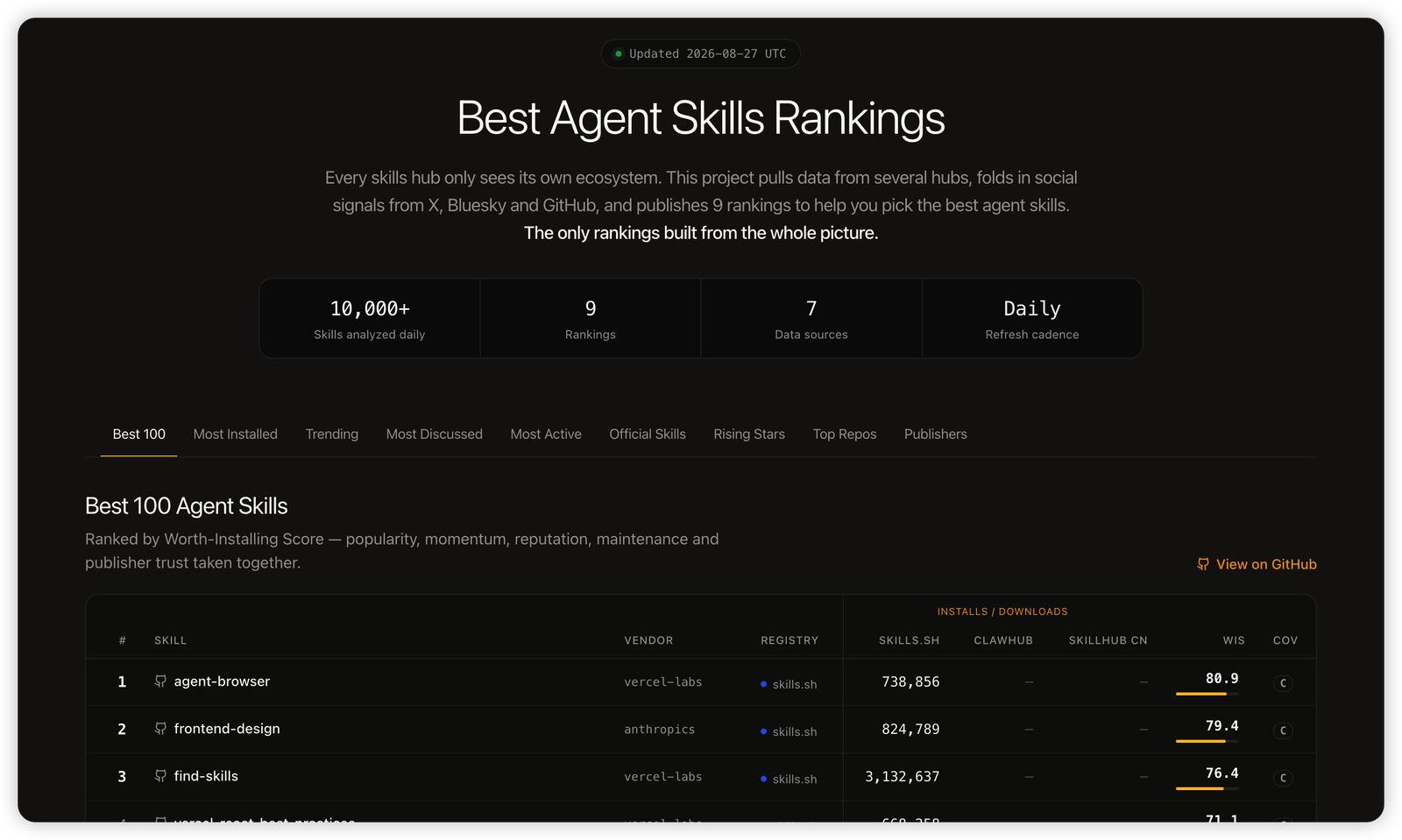
Best Agent Skills
Nine Top-100 lists, refreshed daily, with the raw per-platform numbers kept next to every score. Full guide and column dictionary: https://raw.githubusercontent.com/LinklyAI/best-skills/main/llms.txt
When to use
- "Which skill should I install for browser automation / PDF / …" →
best-100.csv, filter bydescriptionandskill - "What is trending / new this week" →
trending-7d.csv,rising-stars.csv - "Is
<skill>popular, maintained, official?" →best-100.csv(score and dimensions),official-100.csv,most-active.csv - "Compare A and B" → look both up by
skill_key, cite raw counts per platform
Not for: installing skills (hand the user the install command), full-text search of every skill in existence (only the Top 100 per list is published; the raw snapshots under data/latest/raw/ go deeper), judging quality beyond the published counts.
Workflow
- Fetch
https://raw.githubusercontent.com/LinklyAI/best-skills/main/llms.txtfirst. It is the current column dictionary and the rules; do not rely on a cached copy. - Pick the list, fetch
https://raw.githubusercontent.com/LinklyAI/best-skills/main/data/latest/rankings/<list>.csv(4–90 KB, ≤100 rows). Parse by header name; an empty cell means "not measured", not zero. - Answer with rank, the raw numbers,
installandurl. Showvendornext toskill: same-name skills from different vendors are different skills. - For history, replace
latestwithYYYY-MM-DD(daily since 2026-08-16).
Lists
best-100 (overall score), top-installs, trending-7d, social-buzz, most-active, official-100, official-vendors, top-repos, rising-stars.
Rules
- Never add install counts across platforms; present them side by side.
- Absent from a list ≠ zero; lists are truncated at 100.
- Attribute republished data: "Data from Best Skills (https://github.com/LinklyAI/best-skills) — CC BY 4.0".
Tips for Best Skills
- • Start a fresh session after installing so your agent picks up the new skill.
- • If two skills overlap, mention the one you want by name.
Questions about Best Skills
What does the Best Skills skill do?
Daily cross-platform rankings of AI agent skills (skills.sh, ClawHub, Tencent SkillHub, GitHub, X/HN/Bluesky). Use when the user asks which agent skill to install, what is trending, whether a skill is popular or trusted, or wants to compare skills. Read-only public CSV data; it recommends and links, it does not install anything.
How do I install Best Skills?
Run "npx skills add LinklyAI/best-skills" in your project. The skills CLI installs it for Claude Code, Cursor, Codex and 70+ other agents. In Claude on the web, upload the skill folder as a ZIP under Customize > Skills.
Does Best Skills work in Cursor and Codex?
Yes. Best Skills uses the open SKILL.md format, so it works in Claude Code, Claude, Cursor, OpenAI Codex, Gemini CLI, GitHub Copilot and other agents that support agent skills.
Is Best Skills free?
Best Skills is open source on GitHub. It is free to install; check the license before commercial use.
Who made Best Skills?
Best Skills is published by LinklyAI in the LinklyAI/best-skills repository.




