 tradermonty
Install Exposure Coach
Pick your agent. Every command is ready to paste.
npx skills add tradermonty/claude-trading-skills --skill exposure-coachThe open skills CLI detects your agents (Claude Code, Cursor, Codex and 70+ more) and installs to the right folder. Add -g to install globally.
01
Install it
Run the command above, or upload the folder in Claude.
02
Ask naturally
Describe the task. Your agent loads exposure-coach when the request matches its description.
03
Name it if needed
If it does not trigger, say “use the exposure-coach skill”. In Codex, type $exposure-coach.
Exposure Coach
Overview
Exposure Coach synthesizes outputs from market-breadth-analyzer, uptrend-analyzer, macro-regime-detector, market-top-detector, ftd-detector, theme-detector, sector-analyst, and institutional-flow-tracker into a unified control-plane decision. The skill answers the solo trader's core question: "How much capital should I commit to equities right now?" before any individual stock analysis begins.
When to Use
- Before initiating any new stock positions to determine appropriate capital commitment
- At the start of each trading week to calibrate portfolio exposure
- When multiple market signals conflict and a unified posture is needed
- After significant macro or market events to reassess exposure ceiling
- When transitioning between market regimes (broadening, concentration, contraction)
Prerequisites
- Python 3.9+
- FMP API key (set
FMP_API_KEYenvironment variable) for institutional-flow-tracker data - Input JSON files from upstream skills (see Workflow Step 1)
- Standard library +
argparse,json,datetime
Workflow
Step 1: Gather Upstream Skill Outputs
Collect the most recent JSON outputs from integrated skills. Each file provides a specific signal dimension:
| Skill | Output File Pattern | Signal Provided |
|---|---|---|
| market-breadth-analyzer | breadth_*.json |
Advance/decline ratios, new highs/lows |
| uptrend-analyzer | uptrend_*.json |
Uptrend participation percentage |
| macro-regime-detector | regime_*.json |
Current regime (Concentration, Broadening, etc.) |
| market-top-detector | top_risk_*.json |
Distribution day count, top probability score |
| ftd-detector | ftd_*.json |
Follow-Through Day quality (market bottom confirmation) |
| theme-detector | theme_detector_*.json or theme_*.json |
Active investment themes and rotation |
| sector-analyst | sector_*.json |
Sector performance rankings |
| institutional-flow-tracker | institutional_*.json |
Net institutional buying/selling |
Step 2: Run Exposure Scoring Engine
Execute the exposure scoring script with paths to upstream outputs:
python3 skills/exposure-coach/scripts/calculate_exposure.py \
  --breadth reports/breadth_latest.json \
  --uptrend reports/uptrend_latest.json \
  --regime reports/regime_latest.json \
  --top-risk reports/top_risk_latest.json \
  --ftd reports/ftd_latest.json \
  --theme reports/theme_latest.json \
  --sector reports/sector_latest.json \
  --institutional reports/institutional_latest.json \
  --output-dir reports/
The script accepts partial inputs; missing files reduce confidence but do not block execution.
Canonical macro-regime reports must include nested regime.confidence and
composite.data_quality with valid integer component counts. Missing or malformed
availability metadata, very_low confidence, and zero usable components are
treated as missing critical input. They do not contribute a regime score or bias,
and the normal missing-input haircut and confidence cap apply. Never override this
degradation by manually copying the report's regime label into the exposure decision.
Verification pitfall: After each run, inspect the generated JSON fields inputs_provided and inputs_missing. If a file you passed on the CLI still appears in inputs_missing (for example a theme-detector JSON that the exposure engine did not recognize), report the affected dimension as degraded and keep confidence capped; do not assume the supplied input was incorporated just because the CLI argument was present.
Theme-detector ingestion caveat: The theme detector commonly emits theme_detector_YYYY-MM-DD_HHMMSS.json with a themes object. If that file is not recognized by calculate_exposure.py and theme remains in inputs_missing, do not fold theme strength into the exposure ceiling manually. Instead, keep the Exposure Coach confidence capped, state that the theme dimension was not incorporated, and summarize theme/sector findings separately in the broader trading brief.
Step 3: Interpret the Market Posture Summary
Review the generated posture report containing:
- Exposure Ceiling -- Maximum recommended equity allocation (0-100%)
- Bias Direction -- Growth vs Value tilt based on regime and flow
- Participation Assessment -- Broad (healthy) vs Narrow (fragile) market
- Action Recommendation -- NEW_ENTRY_ALLOWED, REDUCE_ONLY, or CASH_PRIORITY
- Confidence Level -- HIGH, MEDIUM, or LOW based on input completeness
Step 4: Apply Exposure Guidance
Map the posture recommendation to portfolio actions:
| Recommendation | Action |
|---|---|
| NEW_ENTRY_ALLOWED | Proceed with stock-level analysis and new positions |
| REDUCE_ONLY | No new entries; trim existing positions on strength |
| CASH_PRIORITY | Raise cash aggressively; avoid all new commitments |
Output Format
JSON Report
{
  "schema_version": "1.0",
  "generated_at": "2026-03-16T07:00:00Z",
  "exposure_ceiling_pct": 70,
  "bias": "GROWTH",
  "participation": "BROAD",
  "recommendation": "NEW_ENTRY_ALLOWED",
  "confidence": "HIGH",
  "component_scores": {
    "breadth_score": 65,
    "uptrend_score": 72,
    "regime_score": 80,
    "top_risk_score": 25,
    "ftd_score": 10,
    "theme_score": 68,
    "sector_score": 70,
    "institutional_score": 75
  },
  "inputs_provided": ["breadth", "uptrend", "regime", "top_risk"],
  "inputs_missing": ["ftd", "theme", "sector", "institutional"],
  "rationale": "Broad participation with low top risk supports elevated exposure."
}
Markdown Report
The markdown report provides a one-page summary suitable for quick review:
# Market Posture Summary
**Date:** 2026-03-16 | **Confidence:** HIGH

## Exposure Ceiling: 70%

| Dimension | Score | Status |
|-----------|-------|--------|
| Breadth | 65 | Healthy |
| Uptrend Participation | 72% | Broad |
| Regime | Broadening | Favorable |
| Top Risk | 25 | Low |

## Recommendation: NEW_ENTRY_ALLOWED

**Bias:** Growth > Value
**Participation:** Broad (healthy internals)

### Rationale
Broad participation with low distribution day count supports elevated equity exposure.
New positions allowed within the 70% ceiling.
Reports are saved to reports/ with filenames exposure_posture_YYYY-MM-DD_HHMMSS.{json,md}.
Resources
scripts/calculate_exposure.py-- Main orchestrator that scores and synthesizes inputsreferences/exposure_framework.md-- Scoring rules and threshold definitionsreferences/regime_exposure_map.md-- Regime-to-exposure ceiling mappings
Key Principles
- Safety First -- Default to lower exposure when inputs are incomplete or conflicting
- Regime Alignment -- Let macro regime set the baseline; breadth adjusts within bounds
- Actionable Output -- Always produce a clear recommendation, not just data aggregation
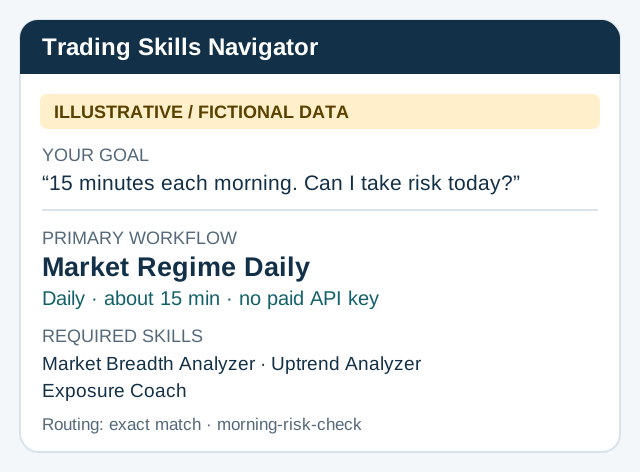
Strict provenance for market-regime-daily
Add --require-provenance --run-id daily-20261017-unique --as-of 2026-10-17T13:00:00Z --max-age-days 3 to validate breadth and uptrend
before scoring. Both producers must receive the same unique run ID; pass their
exact printed JSON paths. --as-of is the timezone-aware evaluation instant,
not an override of the source business date.
The gate checks schema 1.0, expected run ID, UTC retrieval no later than evaluation, nonfuture source date and configured age. Default three calendar days is a conservative policy, not an exchange holiday calendar. Failure stops before report output. Successful output records accepted lineage and verification limits. Optional top-risk/other inputs and auxiliary summary dates remain outside this gate; unknown quality flags stay false. Legacy mode retains its existing schema. Run IDs are consistency markers, not authenticity or point-in-time proof.
Tips for Exposure Coach
- • Start a fresh session after installing so your agent picks up the new skill.
- • This skill ships scripts. Read them before the first run, and run it in a project without secrets first.
- • It bundles reference files. The agent reads them only when needed, so they cost no context until then.
- • It is part of a pack with 30 skills. Install only the ones you need with --skill to keep triggers precise.
- • If two skills overlap, mention the one you want by name.
Questions about Exposure Coach
What does the Exposure Coach skill do?
Generate a one-page Market Posture summary with net exposure ceiling, growth-vs-value bias, participation breadth, and new-entry-allowed vs cash-priority recommendation by integrating signals from breadth, regime, and flow analysis skills.
How do I install Exposure Coach?
Run "npx skills add tradermonty/claude-trading-skills --skill exposure-coach" in your project. The skills CLI installs it for Claude Code, Cursor, Codex and 70+ other agents. In Claude on the web, upload the skill folder as a ZIP under Customize > Skills.
Does Exposure Coach work in Cursor and Codex?
Yes. Exposure Coach uses the open SKILL.md format, so it works in Claude Code, Claude, Cursor, OpenAI Codex, Gemini CLI, GitHub Copilot and other agents that support agent skills.
Is Exposure Coach free?
Exposure Coach is open source on GitHub under the MIT license. It is free to install; check the license before commercial use.
Who made Exposure Coach?
Exposure Coach is published by tradermonty in the tradermonty/claude-trading-skills repository, together with 29 other skills.







