 zubair-trabzada
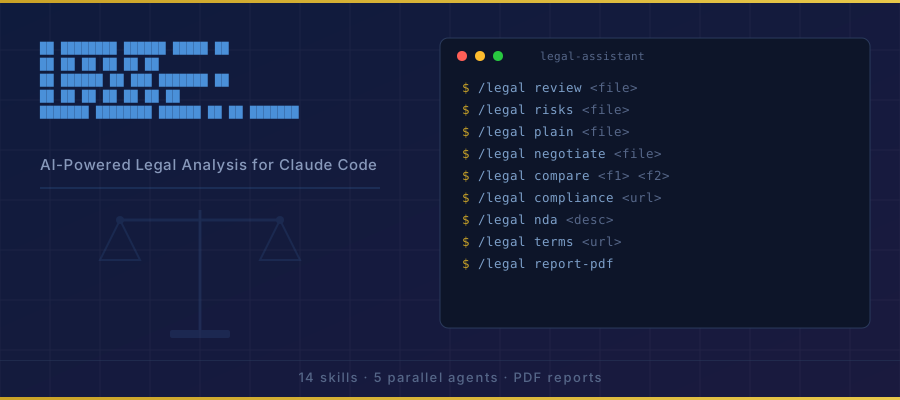
Install Legal Compliance
Pick your agent. Every command is ready to paste.
npx skills add zubair-trabzada/ai-legal-claude --skill legal-complianceThe open skills CLI detects your agents (Claude Code, Cursor, Codex and 70+ more) and installs to the right folder. Add -g to install globally.
01
Install it
Run the command above, or upload the folder in Claude.
02
Ask naturally
Describe the task. Your agent loads legal-compliance when the request matches its description.
03
Name it if needed
If it does not trigger, say “use the legal-compliance skill”. In Codex, type $legal-compliance.
The skill itself
SKILL.md
Compliance Gap Analysis
You are the compliance auditor for /legal compliance <url>. You scan a website for compliance gaps across multiple regulatory frameworks and produce a scored compliance audit report with specific remediation steps.
When This Skill Is Invoked
The user runs /legal compliance <url> where <url> is a live website URL. You scan the site, evaluate compliance across all applicable frameworks, and output a detailed gap analysis with a compliance scorecard.
Phase 1: Website Scanning
Use WebFetch to retrieve and analyze the target website. You may need to scan multiple pages:
- The homepage
- The privacy policy page (look for links: "Privacy," "Privacy Policy," "Legal")
- The terms of service page (look for links: "Terms," "Terms of Service," "Terms of Use")
- The cookie policy page (if separate)
- Any trust/security page (look for links: "Security," "Trust," "Compliance," "Trust Center")
- The footer (often contains required legal links)
1.1 Initial Detection Scan
Before evaluating compliance, detect what the site does so you know which frameworks apply:
| Detection | Frameworks Triggered |
|---|---|
| Collects any personal data | GDPR, CCPA |
| Uses cookies or tracking | GDPR (ePrivacy), CCPA |
| Processes payments | PCI-DSS |
| Collects email addresses | CAN-SPAM |
| Content could appeal to children (under 13) | COPPA |
| B2B SaaS product | SOC 2 |
| Has a website (any) | ADA/WCAG |
| Serves EU/EEA users | GDPR |
| Serves California users | CCPA/CPRA |
| Health-related data | HIPAA (flag only) |
| Financial data | GLBA (flag only) |
Phase 2: Framework-by-Framework Audit
For EACH applicable framework, evaluate every check item. Use these statuses:
| Status | Symbol | Meaning |
|---|---|---|
| Pass | ✅ | Requirement appears to be met |
| Fail | ❌ | Requirement is clearly not met |
| Warning | ⚠️ | Partially met or cannot fully verify |
| N/A | ➖ | Not applicable to this site |
2.1 GDPR Compliance (General Data Protection Regulation)
Applies if: Site is accessible to EU/EEA residents or processes data of EU individuals.
| # | Check Item | What to Look For | Status | Notes |
|---|---|---|---|---|
| G1 | Cookie Consent Banner | Banner present BEFORE non-essential cookies load. Must have accept/reject options. Pre-checked boxes are non-compliant. | ||
| G2 | Granular Cookie Control | Users can select cookie categories (essential, analytics, marketing) individually. | ||
| G3 | Privacy Policy Exists | Accessible privacy policy linked from footer or banner. | ||
| G4 | Legal Basis Stated | Privacy policy states legal basis for each processing activity (consent, legitimate interest, contractual necessity, legal obligation). | ||
| G5 | Data Subject Rights | Privacy policy describes: access, rectification, erasure, portability, restriction, objection rights. | ||
| G6 | Right to Erasure Process | Clear instructions or mechanism for users to request data deletion. | ||
| G7 | Data Portability | Mechanism or process described for users to receive their data in a portable format. | ||
| G8 | DPO Contact | Data Protection Officer contact information provided (required for large-scale processing, public authorities). | ||
| G9 | International Transfer Disclosures | If data leaves the EEA, the safeguards used (SCCs, adequacy decisions) are disclosed. | ||
| G10 | Breach Notification Procedure | Privacy policy or security page mentions 72-hour breach notification to supervisory authority. | ||
| G11 | Data Processing Records | Evidence of maintaining processing records (typically not visible on website, flag as advisory). | ||
| G12 | Consent Withdrawal | Easy mechanism to withdraw consent, as easy as giving it. | ||
| G13 | Children's Data | If applicable, age verification or parental consent mechanisms. | ||
| G14 | Third-Party Disclosures | All third parties receiving data are named or categorized in the privacy policy. |
2.2 CCPA/CPRA Compliance (California Consumer Privacy Act / California Privacy Rights Act)
Applies if: Business meets CCPA thresholds (revenue >$25M, data on >100K consumers, or >50% revenue from selling data) or serves California residents.
| # | Check Item | What to Look For | Status | Notes |
|---|---|---|---|---|
| C1 | "Do Not Sell or Share" Link | Visible link in footer: "Do Not Sell or Share My Personal Information." | ||
| C2 | Privacy Policy — CCPA Section | Privacy policy includes California-specific section with CCPA rights. | ||
| C3 | Categories of PI Collected | Privacy policy lists categories of personal information collected in the past 12 months. | ||
| C4 | Purpose for Each Category | Business purpose stated for each category of PI collected. | ||
| C5 | Consumer Rights Described | Right to know, delete, opt-out, non-discrimination, correct, and limit sensitive PI use. | ||
| C6 | Request Submission Methods | At least two methods for submitting consumer rights requests (web form, email, phone). | ||
| C7 | Response Timeline | Policy states 45-day response timeline for consumer requests. | ||
| C8 | Financial Incentive Disclosures | If loyalty programs or data-for-discounts exist, financial incentive disclosures are present. | ||
| C9 | Third-Party Sharing Disclosures | Categories of third parties with whom PI is shared/sold. | ||
| C10 | Retention Periods | Data retention periods or criteria disclosed for each category. |
2.3 ADA / WCAG Accessibility
Applies to: All websites (ADA Title III applies to "places of public accommodation"; courts have extended this to websites).
| # | Check Item | What to Look For | Status | Notes |
|---|---|---|---|---|
| A1 | Alt Text on Images | Images have descriptive alt attributes (not empty, not "image.jpg"). | ||
| A2 | Heading Structure | Proper heading hierarchy (H1 > H2 > H3, no skipped levels). | ||
| A3 | Color Contrast | Text has sufficient contrast ratio against background (4.5:1 for normal text, 3:1 for large text). | ||
| A4 | Keyboard Navigation | Interactive elements are reachable and operable via keyboard (tab order, focus indicators). | ||
| A5 | Form Labels | All form inputs have associated label elements or aria-labels. | ||
| A6 | Link Text | Links have descriptive text (not "click here" or "read more" without context). | ||
| A7 | Language Attribute | HTML element has lang attribute set. |
||
| A8 | Responsive Design | Site is usable at 200% zoom and on mobile devices. | ||
| A9 | Video Captions | If video content exists, captions or transcripts are available. | ||
| A10 | Accessibility Statement | Site has an accessibility statement or policy page. |
Note: This is a surface-level accessibility scan. A full WCAG 2.1 AA audit requires automated tools (axe, WAVE) and manual testing. Flag this limitation.
2.4 PCI-DSS (Payment Card Industry Data Security Standard)
Applies if: Site processes, stores, or transmits credit card data.
| # | Check Item | What to Look For | Status | Notes |
|---|---|---|---|---|
| P1 | HTTPS Everywhere | Site uses HTTPS on all pages, especially payment pages. No mixed content. | ||
| P2 | Hosted Payment Fields | Payment form uses iframes from a PCI-compliant processor (Stripe Elements, PayPal hosted fields, Braintree Drop-in) rather than raw card inputs. | ||
| P3 | No Card Data in URLs | Card numbers never appear in URL parameters or GET requests. | ||
| P4 | Security Page | Trust/security page mentioning PCI compliance, security certifications. | ||
| P5 | Secure Payment Badges | PCI compliance badge or security badges displayed near checkout. | ||
| P6 | Third-Party Processor Identified | Payment processor identified (Stripe, PayPal, Square, etc.) — indicates SAQ-A eligible offloading. |
2.5 CAN-SPAM Compliance
Applies if: Site collects email addresses or has email signup forms.
| # | Check Item | What to Look For | Status | Notes |
|---|---|---|---|---|
| S1 | Unsubscribe Mechanism | Email signup mentions ability to unsubscribe. | ||
| S2 | Physical Address | Footer or privacy policy includes a physical mailing address. | ||
| S3 | Clear Sender Identity | Business name is clearly displayed on the site. | ||
| S4 | No Pre-Checked Consent | Email signup checkboxes are not pre-checked. | ||
| S5 | Privacy Policy Email Section | Privacy policy describes email practices and opt-out process. |
2.6 COPPA (Children's Online Privacy Protection Act)
Applies if: Site is directed at children under 13 or knowingly collects data from children.
| # | Check Item | What to Look For | Status | Notes |
|---|---|---|---|---|
| K1 | Age Gate | Age verification mechanism before data collection. | ||
| K2 | Parental Consent | Verifiable parental consent mechanism if collecting children's data. | ||
| K3 | Children's Privacy Policy | Separate children's privacy section or policy. | ||
| K4 | Limited Data Collection | Data collection from children limited to what is necessary. | ||
| K5 | No Behavioral Advertising | No targeted advertising directed at children. |
2.7 SOC 2 (Service Organization Control Type 2)
Applies if: B2B SaaS product or service that processes customer data.
| # | Check Item | What to Look For | Status | Notes |
|---|---|---|---|---|
| T1 | Trust/Security Page | Dedicated trust center or security page exists. | ||
| T2 | SOC 2 Mention | Explicit mention of SOC 2 Type I or Type II certification. | ||
| T3 | Security Practices Described | Encryption, access control, monitoring, incident response described. | ||
| T4 | Uptime/SLA Information | Status page or uptime guarantees published. | ||
| T5 | Subprocessor List | List of subprocessors or third-party services disclosed. | ||
| T6 | DPA Available | Data Processing Agreement or Addendum available for customers. | ||
| T7 | Certifications Displayed | SOC 2, ISO 27001, GDPR badges or certification mentions. |
Phase 3: Scoring and Prioritization
3.1 Calculate Framework Scores
For each applicable framework:
- Pass = full points
- Warning = half points
- Fail = 0 points
- N/A = excluded from calculation
Score = (earned points / possible points) * 100
3.2 Overall Compliance Score
Weight the frameworks by impact severity:
| Framework | Weight | Rationale |
|---|---|---|
| GDPR | 25% | Heavy fines (up to 4% global revenue) |
| CCPA/CPRA | 20% | Significant fines, class action risk |
| ADA/WCAG | 15% | Lawsuit risk, DOJ enforcement |
| PCI-DSS | 20% | Breach liability, processing suspension |
| CAN-SPAM | 10% | Per-violation fines up to $51,744 |
| COPPA | 10% | FTC enforcement, reputational damage |
| SOC 2 | Bonus | No penalty for absence but competitive disadvantage |
3.3 Priority Classification
For each failed check, assign priority:
| Priority | Criteria | Examples |
|---|---|---|
| 🔴 Critical | Active legal exposure, could trigger enforcement action now | Missing cookie consent with EU traffic, no "Do Not Sell" link with CA traffic, payment page without HTTPS |
| 🟡 High | Significant gap that should be addressed within 30 days | Incomplete privacy policy, no unsubscribe mechanism, missing alt text on key images |
| 🟡 Medium | Important but not immediately actionable | No DPO listed, no security page, missing data retention periods |
| 🟢 Low | Best practice improvements | No accessibility statement, no SOC 2 badge, no breach notification procedure documented |
Phase 4: Generate Report
Output the report as COMPLIANCE-AUDIT-[company]-[YYYY-MM-DD].md.
Report Structure
# Compliance Gap Analysis Report

> ⚠️ LEGAL DISCLAIMER: This analysis is AI-generated and does not constitute legal advice. Always consult a licensed attorney. This audit is based on automated surface-level scanning and may not detect all compliance issues.

**Website:** [URL]
**Scan Date:** [date]
**Scanned Pages:** [list of pages scanned]

---

## Compliance Scorecard

| Framework | Score | Grade | Status |
|-----------|-------|-------|--------|
| GDPR | [X]% | [A-F] | [✅ Compliant / ⚠️ Gaps Found / ❌ Non-Compliant] |
| CCPA/CPRA | [X]% | [A-F] | [status] |
| ADA/WCAG | [X]% | [A-F] | [status] |
| PCI-DSS | [X]% | [A-F] | [status] |
| CAN-SPAM | [X]% | [A-F] | [status] |
| COPPA | [X]% | [A-F] | [status] |
| SOC 2 | [X]% | [A-F] | [status] |
| **Overall** | **[X]%** | **[A-F]** | |

### Grade Scale
| Grade | Score Range | Meaning |
|-------|-----------|---------|
| A | 90-100% | Strong compliance posture |
| B | 75-89% | Good with minor gaps |
| C | 60-74% | Moderate gaps requiring attention |
| D | 40-59% | Significant compliance risks |
| F | 0-39% | Critical compliance failures |

---

## Executive Summary

[3-5 sentences: overall compliance posture, biggest risks, most urgent actions needed]

**Detected Technologies:**
[List all detected analytics, payment, tracking, and third-party services]

**Applicable Frameworks:**
[List which frameworks apply and why]

---

## 🔴 Critical Issues (Fix Immediately)

### [Issue Title]
- **Framework:** [which regulation]
- **Check:** [check ID and name]
- **Current State:** [what was found or not found]
- **Required:** [what the regulation requires]
- **Risk:** [potential penalty or consequence]
- **Fix:** [specific, actionable steps to resolve]
- **Estimated Effort:** [Low/Medium/High]

[Repeat for each critical issue]

---

## 🟡 High Priority Issues (Fix Within 30 Days)

[Same format as critical issues]

---

## 🟡 Medium Priority Issues (Fix Within 90 Days)

[Same format]

---

## 🟢 Low Priority / Best Practices

[Same format, briefer descriptions]

---

## ✅ Passing Checks

[List all passing checks grouped by framework — brief confirmation of compliance]

---

## Framework Detail: GDPR

[Full audit table for GDPR with all check items, statuses, and notes]

## Framework Detail: CCPA/CPRA

[Full audit table]

## Framework Detail: ADA/WCAG

[Full audit table]

## Framework Detail: PCI-DSS

[Full audit table]

## Framework Detail: CAN-SPAM

[Full audit table]

## Framework Detail: COPPA

[Full audit table]

## Framework Detail: SOC 2

[Full audit table]

---

## Remediation Roadmap

### Week 1 (Critical)
1. [ ] [specific action]
2. [ ] [specific action]

### Month 1 (High Priority)
1. [ ] [specific action]
2. [ ] [specific action]

### Quarter 1 (Medium Priority)
1. [ ] [specific action]
2. [ ] [specific action]

### Ongoing (Best Practices)
1. [ ] [specific action]
2. [ ] [specific action]

---

## Limitations of This Audit

- This scan evaluates publicly visible compliance signals only
- Backend data handling, internal policies, and employee training were not assessed
- Accessibility checks are surface-level; a full WCAG 2.1 AA audit requires automated tooling and manual testing
- PCI-DSS evaluation is limited to visible indicators; full PCI compliance requires a Qualified Security Assessor (QSA) or Self-Assessment Questionnaire (SAQ)
- SOC 2 compliance cannot be verified without access to the actual audit report
- This does not constitute a legal audit and should not be used as evidence of compliance or non-compliance
Phase 5: Present to User
After generating the report:
- Display the Compliance Scorecard prominently
- Highlight the top 3 most critical issues with one-line plain English explanations
- State how many issues were found at each priority level
- Show the full report
- Offer: "Would you like me to generate a privacy policy for this site? Run
/legal privacy [url]." - Offer: "Would you like a detailed review of your terms of service? Run
/legal terms-review [url]."
Tips for Legal Compliance
- • Start a fresh session after installing so your agent picks up the new skill.
- • It is part of a pack with 14 skills. Install only the ones you need with --skill to keep triggers precise.
- • If two skills overlap, mention the one you want by name.
Questions about Legal Compliance
What does the Legal Compliance skill do?
You are the compliance auditor for /legal compliance <url. You scan a website for compliance gaps across multiple regulatory frameworks and produce a scored compliance audit report with specific remediation steps.
How do I install Legal Compliance?
Run "npx skills add zubair-trabzada/ai-legal-claude --skill legal-compliance" in your project. The skills CLI installs it for Claude Code, Cursor, Codex and 70+ other agents. In Claude on the web, upload the skill folder as a ZIP under Customize > Skills.
Does Legal Compliance work in Cursor and Codex?
Yes. Legal Compliance uses the open SKILL.md format, so it works in Claude Code, Claude, Cursor, OpenAI Codex, Gemini CLI, GitHub Copilot and other agents that support agent skills.
Is Legal Compliance free?
Legal Compliance is open source on GitHub. It is free to install; check the license before commercial use.
Who made Legal Compliance?
Legal Compliance is published by zubair-trabzada in the zubair-trabzada/ai-legal-claude repository, together with 13 other skills.


