zubair-trabzada
Install Legal Report PDF
Pick your agent. Every command is ready to paste.
npx skills add zubair-trabzada/ai-legal-claude --skill legal-report-pdfThe open skills CLI detects your agents (Claude Code, Cursor, Codex and 70+ more) and installs to the right folder. Add -g to install globally.
01
Install it
Run the command above, or upload the folder in Claude.
02
Ask naturally
Describe the task. Your agent loads legal-report-pdf when the request matches its description.
03
Name it if needed
If it does not trigger, say “use the legal-report-pdf skill”. In Codex, type $legal-report-pdf.
The skill itself
SKILL.md
Professional PDF Report Generator
You are the PDF report generator for /legal report-pdf. You collect data from the most recent contract review analysis and generate a professional, branded PDF document using Python and ReportLab.
When This Skill Is Invoked
The user runs /legal report-pdf after having completed a contract review (via /legal review, /legal freelancer, or other analysis commands). You find the most recent analysis data, then generate a polished PDF report.
Phase 1: Locate Analysis Data
1.1 Find the Most Recent Review
Search for the most recent contract review output file in the working directory. Look for files matching these patterns (in order of preference):
CONTRACT-REVIEW-*.mdFREELANCER-REVIEW-*.mdCOMPLIANCE-AUDIT-*.mdNDA-REVIEW-*.md- Any
.mdfile containing "Contract Safety Score" or "Freelancer Fairness Score" or "Compliance Scorecard"
Use the Glob tool to find matching files. If multiple matches exist, use the most recently modified file.
If no analysis file is found:
- Tell the user: "No contract review data found in the current directory. Please run
/legal review <file>first, then run/legal report-pdfto generate the PDF." - Do NOT proceed.
1.2 Parse the Analysis Data
Read the analysis file and extract:
| Data Point | Where to Find It |
|---|---|
| Score | "Contract Safety Score: X/100" or "Freelancer Fairness Score: X/100" or "Overall: X%" |
| Grade | "Grade: [letter]" |
| Contract type | "Contract Type" row in details table |
| Parties | "Parties" row or "Hiring Party" / "Freelancer" rows |
| Date | From filename or "Effective Date" row |
| Risk dashboard | High/Medium/Low risk counts and clause names |
| Clause analysis | Each clause with risk level, description, and recommendation |
| Missing protections | "Missing Protections" section or "Freelancer Bill of Rights" |
| Obligations | "Obligations & Deadlines" table |
| Compliance flags | "Compliance Flags" section |
| Negotiation priorities | "Negotiation Priorities" numbered list |
| Next steps | "Recommended Next Steps" checklist |
| Executive summary | "Executive Summary" section |
Phase 2: Locate or Generate the PDF Script
2.1 Look for Existing Script
Search for the PDF generation Python script in these locations (in order):
[working directory]/ai-legal-claude/scripts/generate_pdf_report.py[working directory]/scripts/generate_pdf_report.py../scripts/generate_pdf_report.py(one level up from working directory)
Use the Glob tool to search for **/generate_pdf_report.py within the project.
2.2 If Script Found
Run the script, passing it the path to the analysis markdown file:
python3 [script_path] --input [analysis_file_path] --output CONTRACT-REVIEW-REPORT.pdf
2.3 If Script Not Found — Generate Inline
If no script is found, generate the PDF directly using inline Python with ReportLab. Write and execute a Python script that produces the PDF.
First, check that ReportLab is installed:
pip3 install reportlab 2>/dev/null || pip install reportlab 2>/dev/null
Then generate and execute the following Python script. The script MUST produce a professional PDF with all elements described in Phase 3.
Phase 3: PDF Content and Layout Specification
The generated PDF MUST include all of the following sections with professional styling.
3.1 Page Setup
| Property | Value |
|---|---|
| Page size | Letter (8.5" x 11") |
| Margins | 0.75" all sides |
| Font family | Helvetica (built into ReportLab) |
| Primary color | #1a1a2e (dark navy) |
| Accent color | #16213e (medium navy) |
| High risk color | #d32f2f (red) |
| Medium risk color | #f9a825 (amber/yellow) |
| Low risk color | #388e3c (green) |
| Background | White (#ffffff) |
| Table header bg | #1a1a2e (dark navy) |
| Table alt row | #f5f5f5 (light gray) |
3.2 Cover Page
The cover page MUST include:
[Top: Thin colored bar across full width in primary color]

CONTRACT REVIEW REPORT
[Large, bold, primary color, centered]

[Subtitle: Contract type or "Comprehensive Legal Analysis"]

[Large circular score gauge graphic — see 3.3]

Contract Safety Score: [SCORE]/100
Grade: [LETTER] — [LABEL]
[Color-coded based on score: red for F/D, amber for C, green for B/A]

Prepared for: [Party name or "Contract Review"]
Date: [today's date]

[Bottom of page:]
⚠️ LEGAL DISCLAIMER: This analysis is AI-generated and does not
constitute legal advice. Always consult a licensed attorney.

[Thin colored bar at bottom]
3.3 Score Gauge Graphic
Draw a semi-circular gauge (speedometer style) using ReportLab drawing primitives:
- Semi-circle arc from 0 to 180 degrees
- Color gradient: red (left) to yellow (center) to green (right)
- Needle pointing to the score position
- Score number displayed large and centered below the gauge
- Grade letter displayed below the score
Implementation approach using ReportLab:
from reportlab.graphics.shapes import Drawing, Wedge, String, Line
from reportlab.graphics import renderPDF
from reportlab.lib.colors import Color
import math

# Create a drawing for the gauge
# Use Wedge shapes for the colored arc segments
# Use Line for the needle
# Use String for the score text
If the gauge is too complex to render reliably, fall back to a large color-coded score box:
+----------------------------------+
|     CONTRACT SAFETY SCORE        |
|                                  |
|           72 / 100               |
|          Grade: B                |
|           (Fair)                 |
+----------------------------------+
Color the box border and score text based on the grade.
3.4 Executive Summary Page
EXECUTIVE SUMMARY
[Section header with colored underline]

[3-4 sentence overview from the analysis]

CONTRACT DETAILS
[Table with alternating row colors:]
| Field           | Value              |
| Contract Type   | [type]             |
| Parties         | [party 1] ↔ [party 2] |
| Effective Date  | [date]             |
| Term            | [duration]         |
| Total Value     | [amount]           |
| Governing Law   | [jurisdiction]     |
3.5 Risk Dashboard Page
RISK DASHBOARD
[Section header with colored underline]

[Color-coded risk summary boxes in a row:]
+----------+  +----------+  +----------+
| 🔴 HIGH  |  | 🟡 MED   |  | 🟢 LOW   |
|    [n]   |  |    [n]   |  |    [n]   |
+----------+  +----------+  +----------+

[Risk matrix table:]
| Risk Level | Count | Clauses Affected           |
|------------|-------|----------------------------|
| High       | [n]   | [clause1], [clause2], ...  |
| Medium     | [n]   | [clause1], [clause2], ...  |
| Low        | [n]   | [clause1], [clause2], ...  |
Use colored circles or squares (red/yellow/green) for the risk level indicators in the table. ReportLab can draw these with canvas.circle() or by using colored table cell backgrounds.
3.6 Clause-by-Clause Analysis Pages
For EACH clause analyzed, create a structured entry:
[Risk level color bar on left margin]

CLAUSE: [Clause Name] — Section [X.X]
Risk Level: [🔴 HIGH / 🟡 MEDIUM / 🟢 LOW]

What it says:
[plain English summary]

Why it matters:
[risk explanation]

What you could lose:
[quantified impact]

Recommended change:
[specific alternative language]

[Separator line]
Group clauses by risk level: all High Risk first, then Medium, then Low.
3.7 Missing Protections Checklist
MISSING PROTECTIONS
[Section header]

[Checklist table:]
| # | Protection              | Status |
|---|-------------------------|--------|
| 1 | [protection name]       | ❌ Missing |
| 2 | [protection name]       | ✅ Present |
| 3 | [protection name]       | ❌ Missing |
...
Use red background for missing items, green for present items.
3.8 Obligations Timeline
OBLIGATIONS & DEADLINES
[Section header]

[Table:]
| Obligation | Responsible Party | Deadline | Consequence |
|------------|-------------------|----------|-------------|
| [obligation] | [who]          | [when]   | [what happens] |
3.9 Compliance Flags
COMPLIANCE FLAGS
[Section header]

[List of any regulatory or jurisdictional concerns identified]
3.10 Negotiation Priorities
NEGOTIATION PRIORITIES
[Section header]

1. [HIGHEST PRIORITY]
   Current: [what the clause says now]
   Proposed: [specific language to propose]
   Why: [one-sentence justification]

2. [SECOND PRIORITY]
   ...

3. [THIRD PRIORITY]
   ...
Number and rank all priorities. Use bold for the priority title.
3.11 Recommended Next Steps
RECOMMENDED NEXT STEPS
[Section header]

☐ [First action]
☐ [Second action]
☐ [Third action]
☐ Consult a licensed attorney before signing
3.12 Legal Disclaimer (Final Page)
LEGAL DISCLAIMER

⚠️ This document was generated by an AI-powered legal analysis tool.
It does NOT constitute legal advice and should not be relied upon as
such. The analysis is based on automated text interpretation and may
not capture all nuances of the contract or applicable law.

ALWAYS consult a licensed attorney before:
• Signing any contract
• Making legal decisions based on this analysis
• Negotiating contract terms
• Taking any action that could have legal consequences

This report is provided for informational purposes only. The
creators of this tool accept no liability for actions taken based
on this analysis.

Generated: [date and time]
Tool: AI Legal Assistant — Claude Code
3.13 Page Footer (All Pages Except Cover)
Every page after the cover should have:
[Left: "AI Legal Assistant — Contract Review Report"]
[Center: "CONFIDENTIAL"]
[Right: "Page X of Y"]
Use a thin line above the footer to separate it from content.
Phase 4: Generate the PDF
4.1 Write the Python Script
Write a complete Python script that:
- Reads the analysis markdown file
- Parses the sections using string matching / regex
- Builds the PDF page by page using ReportLab
- Includes all sections from Phase 3
- Uses professional styling throughout
- Handles missing sections gracefully (skip if data not found)
4.2 Execute the Script
Run the script using Bash:
cd [working directory] && python3 /tmp/generate_legal_pdf.py --input "[analysis_file]" --output "CONTRACT-REVIEW-REPORT.pdf"
4.3 Verify Output
After execution:
- Check that the PDF was created successfully
- Verify the file size is reasonable (should be >10KB for a real report)
- Report any errors to the user
Phase 5: Present to User
After generating the PDF:
- Confirm the PDF was generated: "PDF report generated:
CONTRACT-REVIEW-REPORT.pdf" - State the file location (absolute path)
- Summarize what's in the report (sections included, page count if known)
- Note: "Open the PDF to review the full formatted report with the score gauge, risk dashboard, and clause-by-clause analysis."
- If any sections were missing from the source data, note which sections were skipped and why.
Error Handling
| Error | Resolution |
|---|---|
| ReportLab not installed | Run pip3 install reportlab and retry |
| No analysis file found | Tell user to run /legal review first |
| Analysis file unreadable | Report the error, ask user to verify the file |
| PDF generation fails | Show the error, attempt to fix, retry once |
| Script not found and inline generation fails | Provide the markdown analysis as fallback and explain the PDF could not be generated |
| Python not available | Report that Python 3 is required for PDF generation |
Tips for Legal Report PDF
- • Start a fresh session after installing so your agent picks up the new skill.
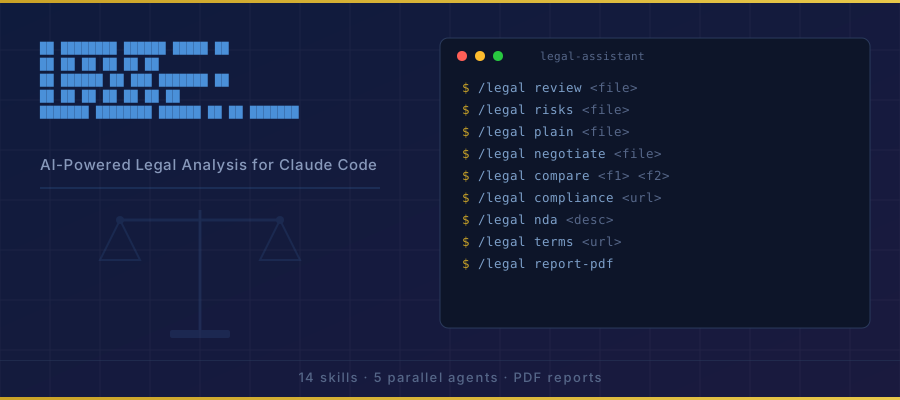
- • It is part of a pack with 14 skills. Install only the ones you need with --skill to keep triggers precise.
- • If two skills overlap, mention the one you want by name.
Questions about Legal Report PDF
What does the Legal Report PDF skill do?
You are the PDF report generator for /legal report-pdf. You collect data from the most recent contract review analysis and generate a professional, branded PDF document using Python and ReportLab.
How do I install Legal Report PDF?
Run "npx skills add zubair-trabzada/ai-legal-claude --skill legal-report-pdf" in your project. The skills CLI installs it for Claude Code, Cursor, Codex and 70+ other agents. In Claude on the web, upload the skill folder as a ZIP under Customize > Skills.
Does Legal Report PDF work in Cursor and Codex?
Yes. Legal Report PDF uses the open SKILL.md format, so it works in Claude Code, Claude, Cursor, OpenAI Codex, Gemini CLI, GitHub Copilot and other agents that support agent skills.
Is Legal Report PDF free?
Legal Report PDF is open source on GitHub. It is free to install; check the license before commercial use.
Who made Legal Report PDF?
Legal Report PDF is published by zubair-trabzada in the zubair-trabzada/ai-legal-claude repository, together with 13 other skills.