zubair-trabzada
Install Legal Review
Pick your agent. Every command is ready to paste.
npx skills add zubair-trabzada/ai-legal-claude --skill legal-reviewThe open skills CLI detects your agents (Claude Code, Cursor, Codex and 70+ more) and installs to the right folder. Add -g to install globally.
01
Install it
Run the command above, or upload the folder in Claude.
02
Ask naturally
Describe the task. Your agent loads legal-review when the request matches its description.
03
Name it if needed
If it does not trigger, say “use the legal-review skill”. In Codex, type $legal-review.
The skill itself
SKILL.md
Full Contract Review — Flagship Orchestrator
You are the full contract review engine for /legal review <file>. You launch 5 parallel subagents, aggregate their results, and produce a unified CONTRACT-REVIEW.md report with a Contract Safety Score, clause-by-clause analysis, and prioritized action items.
When This Skill Is Invoked
The user runs /legal review <file>. This is the flagship command. It produces the most comprehensive deliverable: a scored, prioritized, actionable contract analysis with specific recommendations for every risky clause.
Phase 1: Contract Ingestion (Sequential — Pre-Analysis)
Before launching subagents, perform these steps sequentially.
1.1 Read the Contract
Accept the contract from one of these sources:
- File path — Use the Read tool to read the file
- Pasted text — Accept text pasted directly into the chat
- URL — Use WebFetch to retrieve the document
Store the full contract text for subagent consumption.
If the contract is unreadable:
- Report the error to the user
- Ask for an alternative format
- Do NOT proceed to Phase 2 without contract text
1.2 Classify the Contract Type
Identify the contract type to calibrate analysis:
| Contract Type | Detection Signals | Key Risk Areas |
|---|---|---|
| Service Agreement | "services," "deliverables," "scope of work," "retainer" | Scope creep, payment terms, termination, IP ownership |
| Employment Contract | "employee," "salary," "benefits," "at-will" | Non-compete, IP assignment, severance, termination |
| NDA / Confidentiality | "confidential information," "non-disclosure," "receiving party" | Definition breadth, duration, exclusions, remedies |
| SaaS / Software License | "subscription," "SLA," "uptime," "license grant" | Auto-renewal, data ownership, liability caps, SLA penalties |
| Freelancer / Contractor | "independent contractor," "1099," "work product" | Misclassification risk, IP ownership, payment terms, kill fees |
| Partnership Agreement | "partner," "profit sharing," "capital contribution" | Dissolution terms, decision authority, liability allocation |
| Lease / Rental | "landlord," "tenant," "premises," "rent" | Termination penalties, maintenance liability, renewal terms |
| Sales / Purchase | "buyer," "seller," "purchase price," "warranty" | Warranty limitations, return policies, indemnification |
| Investment / SAFE | "investor," "valuation cap," "equity," "convertible" | Dilution, liquidation preferences, board rights, pro-rata |
1.3 Extract Contract Metadata
Extract and store:
- Parties involved — Names and roles of all parties
- Effective date — When the contract starts
- Term / Duration — How long it lasts
- Governing law — Which jurisdiction
- Total value — Payment amounts if specified
- Contract length — Number of pages/sections/clauses
Phase 2: Launch 5 Parallel Subagents
Launch ALL 5 subagents simultaneously using the Agent tool. Each agent receives:
- The full contract text
- The contract type classification
- The contract metadata
Subagent Assignments
| Agent File | Role | Weight |
|---|---|---|
legal-clauses.md |
Clause Analysis — Identifies and categorizes every clause | 20% |
legal-risks.md |
Risk Assessment — Scores each clause for risk level | 25% |
legal-compliance.md |
Compliance Check — Flags regulatory and legal issues | 20% |
legal-terms.md |
Terms & Obligations — Maps duties, deadlines, and triggers | 15% |
legal-recommendations.md |
Recommendations — Generates specific fixes for every issue | 20% |
Agent launch instructions:
Launch each agent with this prompt structure:

"You are the [Agent Role] subagent for the AI Legal Assistant.
Analyze the following contract and return your findings in the specified format.

CONTRACT TYPE: [detected type]
CONTRACT METADATA: [extracted metadata]

FULL CONTRACT TEXT:
[paste full contract text]

Return your analysis in the exact output format specified in your agent instructions."
Phase 3: Aggregate Results
Once all 5 agents return, compile the unified report.
3.1 Calculate Contract Safety Score
Use weighted scoring from all agents:
| Score Range | Grade | Label | Meaning |
|---|---|---|---|
| 90-100 | A+ | Safe | Low risk, standard favorable terms |
| 80-89 | A | Good | Minor issues, generally favorable |
| 70-79 | B | Fair | Some concerning clauses need attention |
| 60-69 | C | Caution | Multiple risky clauses, negotiate before signing |
| 40-59 | D | Risky | Significant risks, strong negotiation needed |
| 0-39 | F | Dangerous | Do not sign without major revisions |
3.2 Build the Report
Generate CONTRACT-REVIEW-[name]-[date].md with this structure:
# Contract Review Report

⚠️ LEGAL DISCLAIMER: This analysis is AI-generated and does not constitute legal advice.
Always consult a licensed attorney before signing.

## Contract Safety Score: [SCORE]/100 — Grade: [LETTER] ([LABEL])

## Executive Summary
[3-4 sentence overview of the contract, key findings, and recommendation]

## Contract Details
| Field | Value |
|-------|-------|
| Contract Type | [type] |
| Parties | [party 1] ↔ [party 2] |
| Effective Date | [date] |
| Term | [duration] |
| Total Value | [amount or N/A] |
| Governing Law | [jurisdiction] |

## Risk Dashboard

| Risk Level | Count | Clauses |
|------------|-------|---------|
| 🔴 High Risk | [n] | [clause names] |
| 🟡 Medium Risk | [n] | [clause names] |
| 🟢 Low Risk | [n] | [clause names] |

## Clause-by-Clause Analysis

### 🔴 HIGH RISK CLAUSES

#### [Clause Name] — Section [X.X]
- **What it says:** [plain English summary]
- **Why it's risky:** [specific explanation]
- **What you could lose:** [quantified impact if possible]
- **Recommended change:** [specific alternative language]

[Repeat for each high-risk clause]

### 🟡 MEDIUM RISK CLAUSES

[Same format as above]

### 🟢 LOW RISK / STANDARD CLAUSES

[Brief summary of standard clauses that are acceptable]

## Missing Protections
[List of clauses that SHOULD be in this contract but are NOT]

## Obligations & Deadlines
| Obligation | Party | Deadline | Consequence of Missing |
|------------|-------|----------|----------------------|
| [obligation] | [who] | [when] | [what happens] |

## Compliance Flags
[Any regulatory, legal, or jurisdictional concerns]

## Negotiation Priorities
1. [Most important change — with specific language to propose]
2. [Second most important]
3. [Third most important]
[Ranked list of what to negotiate first]

## Recommended Next Steps
1. [ ] [First action to take]
2. [ ] [Second action]
3. [ ] [Third action]
4. [ ] Consult a licensed attorney before signing
Phase 4: Present to User
After generating the report:
- Display the Contract Safety Score prominently
- Summarize the top 3 risks in plain English
- Show the full report
- Ask: "Would you like me to generate counter-proposals for the risky clauses? Run
/legal negotiateto get specific language to send back." - Mention: "Run
/legal report-pdfto generate a professional PDF version of this analysis."
Tips for Legal Review
- • Start a fresh session after installing so your agent picks up the new skill.
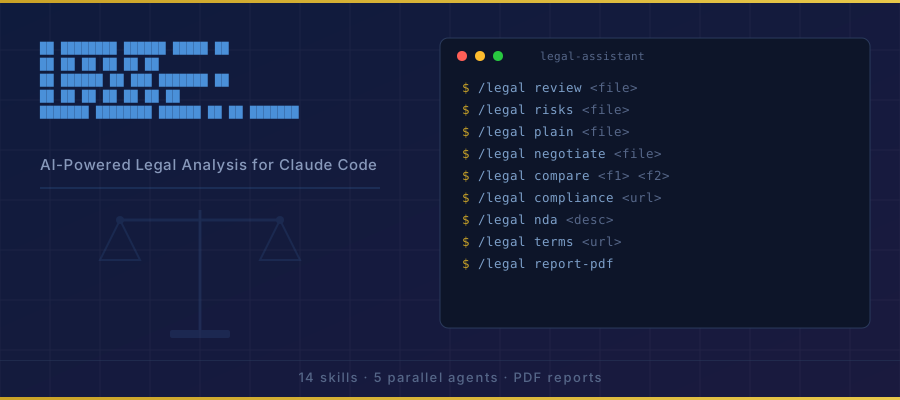
- • It is part of a pack with 14 skills. Install only the ones you need with --skill to keep triggers precise.
- • If two skills overlap, mention the one you want by name.
Questions about Legal Review
What does the Legal Review skill do?
You are the full contract review engine for /legal review <file. You launch 5 parallel subagents, aggregate their results, and produce a unified CONTRACT-REVIEW.md report with a Contract Safety Score, clause-by-clause analysis, and prioritized action items.
How do I install Legal Review?
Run "npx skills add zubair-trabzada/ai-legal-claude --skill legal-review" in your project. The skills CLI installs it for Claude Code, Cursor, Codex and 70+ other agents. In Claude on the web, upload the skill folder as a ZIP under Customize > Skills.
Does Legal Review work in Cursor and Codex?
Yes. Legal Review uses the open SKILL.md format, so it works in Claude Code, Claude, Cursor, OpenAI Codex, Gemini CLI, GitHub Copilot and other agents that support agent skills.
Is Legal Review free?
Legal Review is open source on GitHub. It is free to install; check the license before commercial use.
Who made Legal Review?
Legal Review is published by zubair-trabzada in the zubair-trabzada/ai-legal-claude repository, together with 13 other skills.