 wzyn20051216
Install Solidworks Engineering Drawing
Pick your agent. Every command is ready to paste.
npx skills add wzyn20051216/solidworks-automation-skill --skill solidworks-engineering-drawingThe open skills CLI detects your agents (Claude Code, Cursor, Codex and 70+ more) and installs to the right folder. Add -g to install globally.
01
Install it
Run the command above, or upload the folder in Claude.
02
Ask naturally
Describe the task. Your agent loads solidworks-engineering-drawing when the request matches its description.
03
Name it if needed
If it does not trigger, say “use the solidworks-engineering-drawing skill”. In Codex, type $solidworks-engineering-drawing.
SolidWorks 工程图生成与审视
本子技能专注二维工程图。它依赖根技能 solidworks-automation 提供 SolidWorks COM
会话、模型、导出和通用几何证据;自身负责 DrawingSpec v1、工程图工作流和制造交付审视。
何时调用
- 生成零件工程图或装配工程图。
- 需要 GB/T 图框、第一角投影、尺寸链、孔表、BOM 或标题栏。
- 检查工程图视图重叠、尺寸文字、PDF 文字、标题栏侵入或交付证据。
- 钣金任务需要审视展开图证据时。
默认规则
standard=GB_T默认使用projection=first_angle。- GB/T + 第三角投影会被
DrawingSpec前置检查阻断。 - 所有孔、槽和接口必须有规格、数量和定位信息。
- 工程图交付必须导出 PDF,并将每个 COM 尺寸位置与最终 PDF 的矢量文字框一一关联;PDF 缺失、解析器缺失、关联不完整或文字碰撞都会阻断或要求复核。
- 本子技能不实现强化学习,也不暴露任意 Python/VBA 执行入口。
工作流
- 读取并校验
schemas/drawing_spec.schema.json。 - 运行根技能的 SolidWorks preflight 和能力探测。
- 选择图框,创建图纸页,回读图幅和投影法。
- 按执行器能力创建视图、尺寸、孔表和 BOM,并回读真实实体;不得静默忽略 DrawingSpec 字段。
- 保存
.slddrw,导出 PDF 和 BMP/PNG。 - 运行
drawing_review.py,生成机器证据和人工复核门禁。
能力边界
- 零件和装配工程图为 pilot:跨版本真机回归仍在持续;但在 PDF 尺寸文字框、视图边界、尺寸链、孔表和 BOM 证据全部通过时,工具会返回
pass,不会因 COM 缺少原生文字框而无条件降级。 - 通用 MCP 生成器支持
front/top/right三视图与明确位置、可容纳的比例、模型尺寸导入或结构化原生尺寸、基准/GD&T、注释和模板化 BOM。原生尺寸/GD&T 限 SW2026 单零件;轴测、剖视、局部视图、孔表、螺纹标注、标题栏业务字段和钣金专用选项仍在修改前返回DRAWING_SPEC_CAPABILITY_UNSUPPORTED,由专项脚本执行。 - 审查器按尺寸 ID/视图/种类/数值、孔规格/数量/位置、真实 BOM 类型/数据行/配置及标题栏字段回读做结构化核验;模板候选、任意表格或模糊子串不能作为通过证据。
professionalAnnotations可声明中心标记、中心线、孔标注、基准、GD&T、表面粗糙度和焊接符号。审查器只接受 SolidWorks 专用实体回读;普通 Note 文字不能替代。- SW2026 原生 GD&T 见
references/native-gdt.md:已有单页单零件 A3 毫米图纸可写新副本;从零件自动落图则使用现有solidworks_generate_drawing或scripts/sw_drawing_package.py,支持 A4..A0、结构化尺寸/基本尺寸、基准、14 种符号、独立多框/复合框及基准 M/L/S 修饰。先确认几何目标、设计公差和位置,再执行;保存重开核对持久身份、全部层 XML、实际类型/关联、样式和位置,导出 PDF/BMP 并检查源及依赖哈希。结果保持review_required,须目视复核,不能代替公差设计;自由文字 GD&T 不猜测落图,装配体原生标注和未实现专业字段仍阻断。 - 公共基准/子基准组、投影公差带、轮廓不等分布/偏置、CZ/SZ、局部范围/最大公差、互易要求和其他框内修饰,读取
references/gdt-extended-options.md。各成员须逐个声明,不能把A-B当作一个字母基准;使用结构化options,不传任意 XML。所有新语义都参与保存重开和原生审查,缺失或丢失选项即阻断。 - 通用生成器已支持
centerMarks自动写入:每项必须声明id、标准视图、期望总数和targets(holes/fillets/slots),并通过GetFirstCenterMark2/GetNext实体回读。SW2026 真机确认新建工程图需首次保存后再插入;未保存状态下 API 可能返回True但实体暂不可回读,封装会保持失败。中心线、粗糙度、焊接符号等其他未实现专业标注仍保持能力阻断。 - 跨版本真机矩阵使用
python tests/solidworks_drawing_version_matrix.py --years 2024 2025 2026。脚本只启动已注册的精确版本 ProgID,并核对实际回读年份;未安装版本记为unavailable,不得用默认 ProgID 的结果顶替。 - 钣金工程图只有在本机存在可靠展开图证据时继续;缺证据返回
blocked,不宣称无人值守完成。 - 完整 GD&T 语义求解不在本版本范围内,只检查要求是否存在并可追溯。
依赖根技能
优先复用:scripts/sw_connect.py、scripts/sw_session.py、scripts/sw_export.py、
scripts/sw_review.py、scripts/sw_document_data.py 和 scripts/sw_capability_probe.py。
Tips for Solidworks Engineering Drawing
- • Start a fresh session after installing so your agent picks up the new skill.
- • This skill ships scripts. Read them before the first run, and run it in a project without secrets first.
- • It bundles reference files. The agent reads them only when needed, so they cost no context until then.
- • It is part of a pack with 6 skills. Install only the ones you need with --skill to keep triggers precise.
- • If two skills overlap, mention the one you want by name.
Questions about Solidworks Engineering Drawing
What does the Solidworks Engineering Drawing skill do?
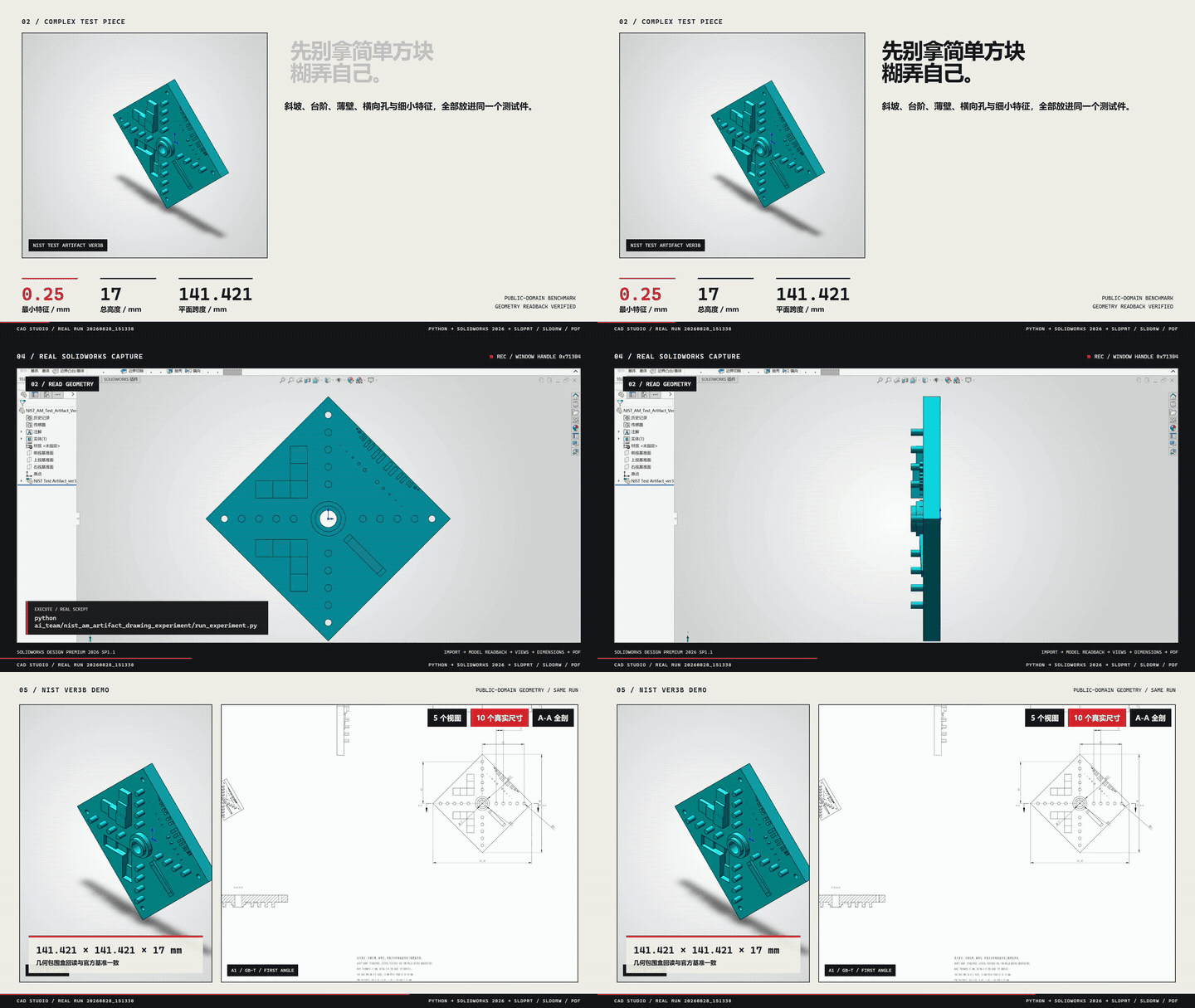
SolidWorks 工程图生成与制造交付审视子技能,支持 GB/T 第一角零件图、装配图、尺寸链、孔表、BOM、PDF/BMP 证据和钣金能力门禁。
How do I install Solidworks Engineering Drawing?
Run "npx skills add wzyn20051216/solidworks-automation-skill --skill solidworks-engineering-drawing" in your project. The skills CLI installs it for Claude Code, Cursor, Codex and 70+ other agents. In Claude on the web, upload the skill folder as a ZIP under Customize > Skills.
Does Solidworks Engineering Drawing work in Cursor and Codex?
Yes. Solidworks Engineering Drawing uses the open SKILL.md format, so it works in Claude Code, Claude, Cursor, OpenAI Codex, Gemini CLI, GitHub Copilot and other agents that support agent skills.
Is Solidworks Engineering Drawing free?
Solidworks Engineering Drawing is open source on GitHub under the MIT license. It is free to install; check the license before commercial use.
Who made Solidworks Engineering Drawing?
Solidworks Engineering Drawing is published by wzyn20051216 in the wzyn20051216/solidworks-automation-skill repository, together with 5 other skills.











