 scaccogatto
Install Visualize
Pick your agent. Every command is ready to paste.
npx skills add scaccogatto/okf-skills --skill visualizeThe open skills CLI detects your agents (Claude Code, Cursor, Codex and 70+ more) and installs to the right folder. Add -g to install globally.
01
Install it
Run the command above, or upload the folder in Claude.
02
Ask naturally
Describe the task. Your agent loads visualize when the request matches its description.
03
Name it if needed
If it does not trigger, say “use the visualize skill”. In Codex, type $visualize.
Visualize an OKF bundle
Generate a self-contained HTML graph of the target bundle. The bundle directory
is required, so pass .okf explicitly when no path is given. No backend, no
install, no bundle content leaves the page. The viewer does need network
access: cytoscape, marked and dompurify load from cdn.jsdelivr.net.
uv run "${CLAUDE_SKILL_DIR}/scripts/okf_visualize.py" $ARGUMENTS
If uv is unavailable:
python3 -m pip install --quiet pyyaml && \
python3 "${CLAUDE_SKILL_DIR}/scripts/okf_visualize.py" $ARGUMENTS
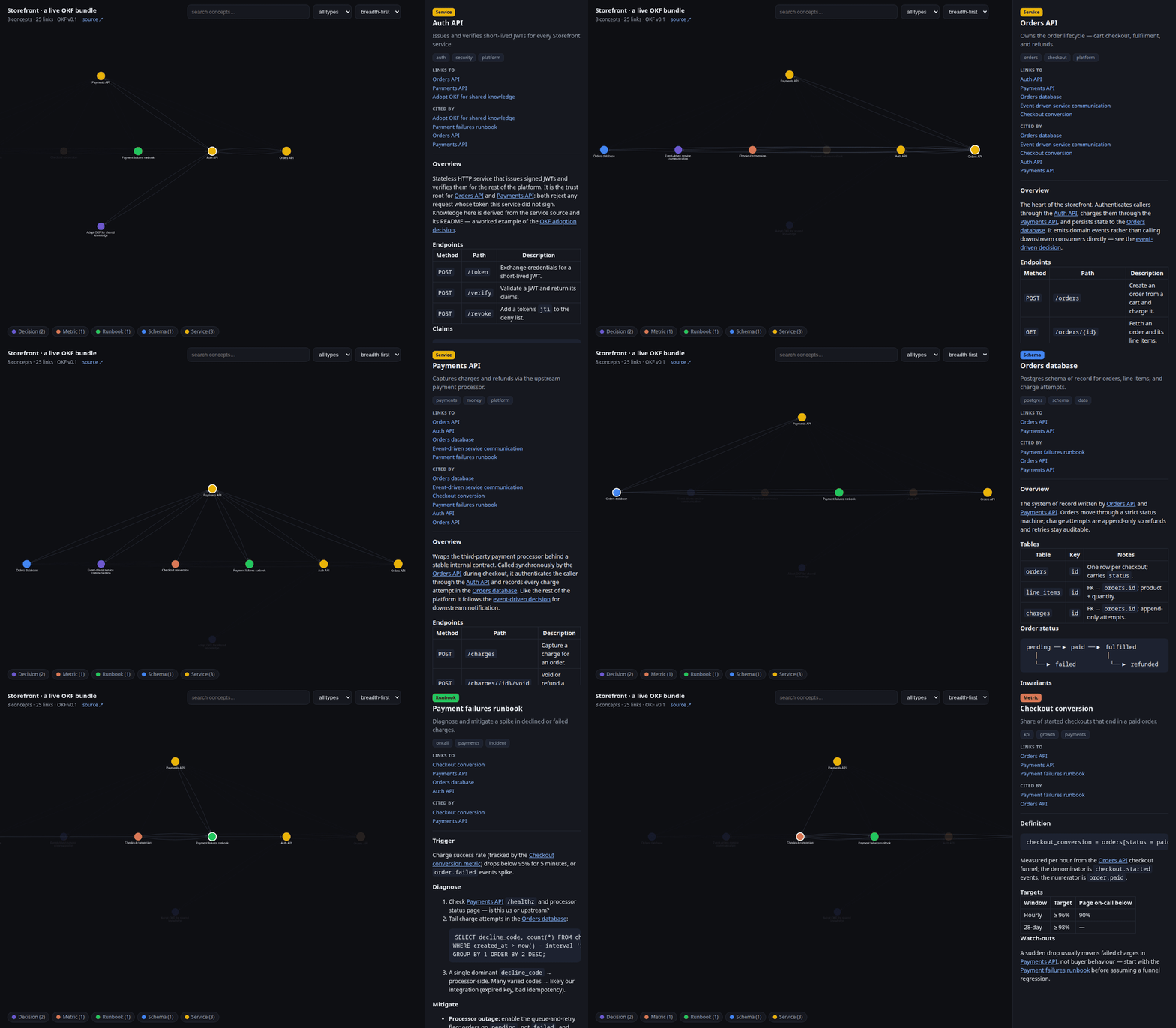
The detail panel shows each concept's type, description, tags, status,
generated, verified, stale_after, sources (with their credibility
signals, a usage_count alongside the usage_window that frames it), and
rendered body; a sources entry pointing at another concept in the bundle also
becomes a graph edge. A v0.1 timestamp is read as generated.at, so legacy
bundles still render fully.
Two badges are derived, not read: the §5.3 trust tier
(unverified / machine-confirmed / human-reviewed, keyed off the human:
prefix in verified[].by) and staleness (now >= stale_after). They are
advisory signals — when reporting on a bundle, say which tier a concept is in
rather than treating any of them as a gate.
| Flag | Effect |
|---|---|
-o <path> |
Output file (default <bundle>/viz.html). |
-t, --title |
Graph title (default parent/bundle dir name). |
-l, --link |
Source URL shown in the header. |
--layout |
cose, concentric, breadthfirst, circle, grid. |
--max-nodes N |
Exit 1 above N concepts (useful in CI). |
--og-image URL |
Absolute URL for the social preview image. |
Above 1,000 concepts the default switches to concentric (force freezes the
page; --layout cose overrides, and the in-page picker asks first). Above
5,000 it warns that the page loads slowly and reads as a hairball, and
suggests rendering a subdirectory.
Open it in any browser; ${CLAUDE_SKILL_DIR} resolves whether this runs as part
of the okf plugin or as a standalone skills.sh skill. The page is
deep-linkable: ?select=<concept-id> or #<concept-id> opens that concept,
?layout=<name> presets the layout.
Tips for Visualize
- • Start a fresh session after installing so your agent picks up the new skill.
- • This skill ships scripts. Read them before the first run, and run it in a project without secrets first.
- • It is part of a pack with 4 skills. Install only the ones you need with --skill to keep triggers precise.
- • If two skills overlap, mention the one you want by name.
Questions about Visualize
What does the Visualize skill do?
Render an Open Knowledge Format (OKF) bundle as a single self-contained, interactive HTML graph (viz.html) — concepts as nodes coloured by type and sized by body length, markdown links and bundle-internal `sources` as edges, a wiki-style detail panel with rendered markdown, v0.2 trust/lifecycle/provenance metadata, and "Links to" / "Cited by" backlinks, layout switching, per-type filter and search. Use when asked to
How do I install Visualize?
Run "npx skills add scaccogatto/okf-skills --skill visualize" in your project. The skills CLI installs it for Claude Code, Cursor, Codex and 70+ other agents. In Claude on the web, upload the skill folder as a ZIP under Customize > Skills.
Does Visualize work in Cursor and Codex?
Yes. Visualize uses the open SKILL.md format, so it works in Claude Code, Claude, Cursor, OpenAI Codex, Gemini CLI, GitHub Copilot and other agents that support agent skills.
Is Visualize free?
Visualize is open source on GitHub under the MIT license. It is free to install; check the license before commercial use.
Who made Visualize?
Visualize is published by scaccogatto in the scaccogatto/okf-skills repository, together with 3 other skills.







