 OpenSenseNova


From the README
How to use SenseNova-Skills
SenseNova-Skills
English | 简体中文
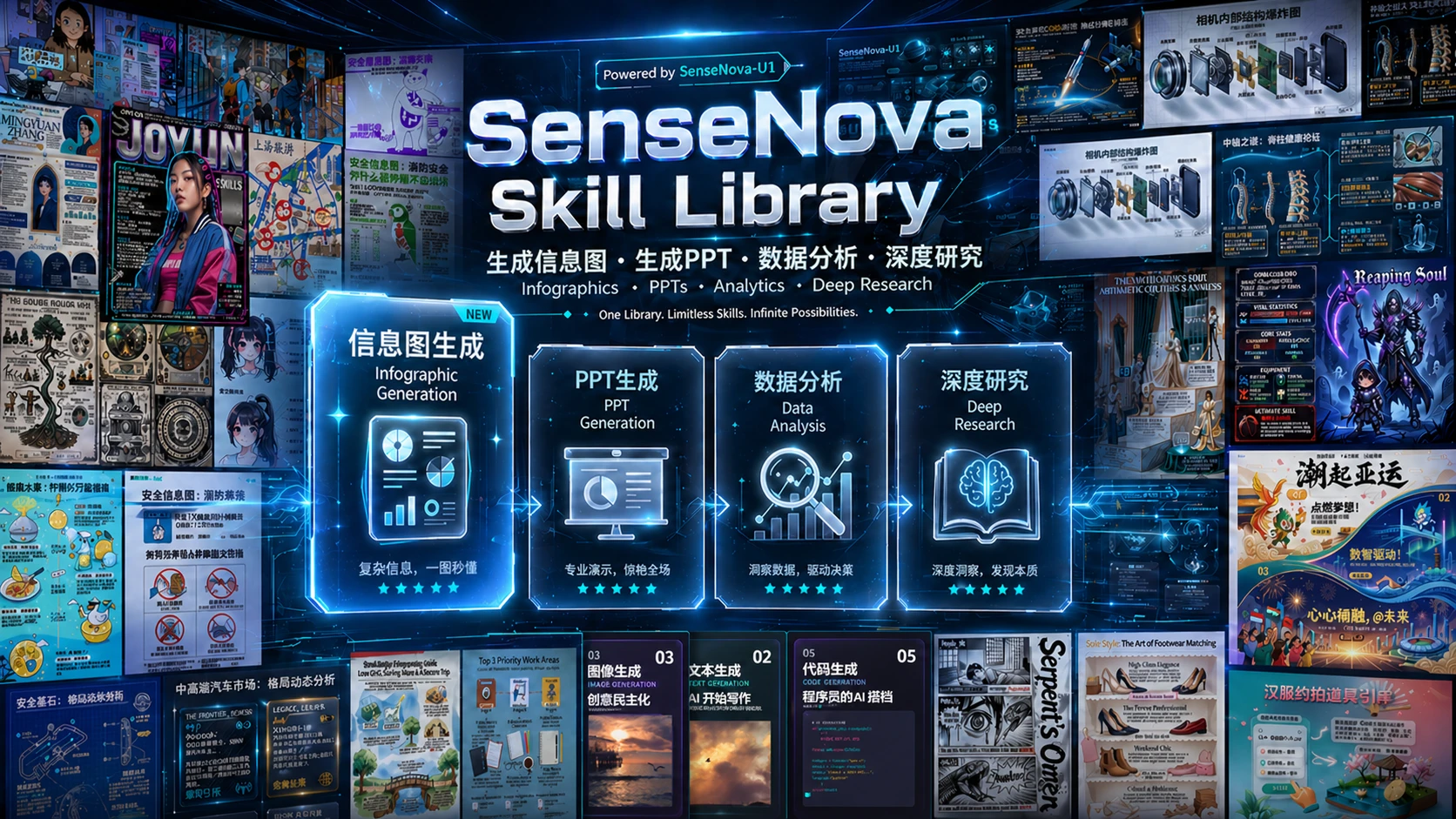





The SenseNova model family plugs directly into agent runtimes such as OpenClaw and hermes-agent, with the skills in this repository extending the models with concrete, end-to-end office capabilities.
In this repository each skill lives in its own directory and declares triggers, capabilities, and execution flow through a SKILL.md file, following the Agent Skills convention.
The skills cover image generation & visualization, slide-deck (PPT) generation, Excel data analysis, deep research, code-driven video creation, HTML experiences, team collaboration, and proactive project tracking — usable standalone or composed into end-to-end workflows.
🎨 Want to see what it can do? Check out our sn-infographic Gallery to explore nearly 100 stunning generation cases and steal their prompt designs !
🦝 Available out-of-the-box in Raccoon
The latest SenseNova models and the full Cowork-Skill suite in this repo are bundled into Raccoon, with enterprise-grade security and a zero-setup experience — if you'd rather not provision env, API keys, and runtimes yourself, you can use these capabilities directly through Raccoon. Free trial available — no payment required to get started.
Raccoon now ships a full upgrade across product capability and client experience:
- Three core office capabilities, strengthened: powered by SenseNova 6.7 Flash + Cowork-Skill, data analysis, PPT generation, and task planning each take a step up — covering the full loop from multi-file cleaning/analysis to formal report decks, industry/competitive research, and investment memos.
- New: infographic generation: built on the SenseNova U1 model, compresses complex data, long reports, and business insights into dense, structured, visual infographics that are easier to digest and share.
- New client + local Agent OS: the cloud model handles heavy reasoning and multimodal understanding; the local Agent OS sits next to your files, work context, and personal habits — delivering a more personalized, local, and secure AI-native office experience.
- Proven at scale: chosen by 15M+ individual users and thousands of enterprise customers.
👉 Try it: xiaohuanxiong.com
How to Use
These skills are designed to run inside an Agent Skills-compatible agent.
- Recommended runtime: pair them with OpenClaw or hermes-agent.
- Recommended LLM: pair them with the SenseNova Platform API.
International: platform.sensenova.ai/docs, Base URL
https://token.sensenova.ai/v1Mainland China: platform.sensenova.cn/token-plan, Base URLhttps://token.sensenova.cn/v1 - Install & configure: follow the full walkthrough in
INSTALL.md.
This repo documents both the international and mainland China SenseNova API flows. Make sure the docs page, API key, base URL, and model name all come from the same region.
Recommended: let the agent install the skills for you. Hand it the repo URL and ask it to clone and drop the skills into the right directory — for example:
"Please install SenseNova-Skills from https://github.com/OpenSenseNova/SenseNova-Skills into your skills directory."
After it finishes, you may need to manually restart the agent service before the new skills are picked up.
| Agent | Target directory |
|---|---|
| OpenClaw | ~/.openclaw/skills/ |
| hermes-agent | ~/.hermes/skills/ |
Prefer to install manually?
Clone this repository, then copy the subdirectories under skills/ into the target directory yourself:
git clone https://github.com/OpenSenseNova/SenseNova-Skills.git --depth=1
mkdir -p ~/.openclaw/skills
cp -r SenseNova-Skills/skills/* ~/.openclaw/skills/
For Hermes, swap the target to ~/.hermes/skills/.
Per-category Python dependencies, API keys, and invocation examples are documented in the 📖 Full guide for each section.
Skills List
🎨 Image & Visualization
📖 Full guide: docs/sn-image-generate_en.md (prerequisites, Quick Start, API config, and invocation samples).
| Name | Label | Description |
|---|---|---|
sn-image-doctor |
Environment Doctor | Validates the SenseNova-Skills environment — checks sn-image-base install, Python deps, and required env vars; interactively fills missing values into .env. |
sn-image-base |
Image Base Layer (Tier 0) | Low-level tools — text-to-image (sn-image-generate), image editing (sn-image-edit), image recognition (sn-image-recognize), and text optimization (sn-text-optimize) — exposed through a unified sn_agent_runner.py, designed to be called by upper-layer skills. |
sn-infographic |
Infographic Generation (Tier 1) | Auto prompt-quality scoring, layout/style selection (87 layouts / 66 styles), multi-round generation with VLM review and quality ranking, producing publication-ready infographics. Supports SenseNova U1.5 Lite, including native 4K output. |
sn-image-imitate |
Image Imitation (Tier 1) | Given one reference image and a target content prompt, generates a new image that imitates the reference. |
sn-image-resume |
Resume Image Generation (Tier 1) | Given resume information, generates a resume image. |
📊 Presentations (PPT)
📖 Full guide: docs/sn-ppt-generate.md (prerequisites, Quick Start, API config, and invocation samples).
| Name | Label | Description |
|---|---|---|
sn-ppt-entry |
PPT Entry Point | Unified entry point for PPT generation. Collects role / audience / scene / page count / mode (standard, dazzle, or creative), parses pdf / docx / md / txt inputs, emits task_pack.json + info_pack.json, and dispatches to the downstream mode. |
sn-ppt-story |
PPT Outline (Story) | Mandatory mid-stage between the entry and the exit modes: turns the query, user materials, and completed research into the single editable outline.md; must not be skipped or written by hand. |
sn-ppt-standard |
PPT Standard Mode | style spec → outline → asset plan + per-slot images + VLM QA → per-page HTML → per-page review → build present.html; exports PPTX via its own HTML→PPTX exporter. |
sn-ppt-dazzle |
PPT Dynamic Mode | Turns a prepared outline.md into a single-file 1280×720 dynamic HTML deck (motion, page transitions, keyboard navigation) for animated/interactive presentations. |
sn-ppt-creative |
PPT Creative Mode | One full-page 16:9 PNG per slide generated from a per-page composed prompt; exports PPTX. |
sn-ppt-doctor |
PPT Environment Doctor | Checks local rendering/export dependencies (Python/Node Playwright, Chromium, PPTX exporter) and Bundled media config; reports only — never writes .env or modifies the task directory. |
sn-ppt-tools |
Bundled Tool Fallback | Provides the fallback (web search, image search, image generation, image download) when the host's native search/image tools are absent or fail; reads SN_PPT_* config from .env. |
sn-ppt-workbench |
PPT Edit Workbench | Opens or reuses the AI PPT editing WebUI for an existing HTML deck: preview, inspect, and visually fine-tune in the browser; never regenerates the deck or edits slide files directly. |
📈 Data Analysis (DA)
📖 Full guide: docs/sn-data-analysis.md (prerequisites, Quick Start, API config, and invocation samples).
| Name | Label | Description |
|---|---|---|
sn-da-excel-workflow |
Excel Analysis Orchestration | End-to-end Excel pipeline — multi-sheet read, large-file detection (≥10k rows triggers Parquet), cleaning, conditional filtering, cross-sheet aggregation, and Excel/CSV export. |
sn-da-image-caption |
Image Understanding & Data Extraction | For image-first inputs — table OCR, chart understanding, screenshot/UI description; parses captions into DataFrames, recreates visualizations, exports Excel/CSV. |
sn-da-large-file-analysis |
High-Performance Large-File Analysis | Streaming reads for ≥10k-row Excel datasets (openpyxl read_only + iter_rows), Parquet conversion, memory optimization, chunked processing, large-file writes. |
🔬 Deep Research
📖 Full guides: docs/sn-deep-research.md and docs/sn-deepresearch-cli.md (prerequisites, Quick Start, CLI setup, and per-stage invocation).
| Name | Label | Description |
|---|---|---|
sn-deep-research |
Deep Research Entry Point | Mode-aware deep-research orchestrator with parallel research work packages, one-pass quick/normal synthesis, and an auditable heavy workflow, producing final report.md. |
sn-deepresearch-cli |
Deep Research CLI | Installs and operates the standalone sensenova-skills-deepresearch CLI, coordinating search, research, monitoring, recovery, and report export through a selected Harness or Agent. |
sn-research-report |
Final Report Writing & Editing | Renders the judgment layer into the final report.md; also handles targeted rewrites — restructuring, polishing, table-augmentation — for an existing draft. |
sn-report-format-discovery |
Presentation-Format Discovery | Optional standalone format recommendation; sn-deep-research uses a single request-level format string instead of format artifacts. |
sn-prepare-citations |
Citation Rendering | Post-processes [^source_id] footnotes into numbered citations and appends references from evidence sources. |
🔍 Search
📖 Search skills are documented together with deep research: docs/sn-deep-research.md (includes per-platform API keys, invocation, and unified JSON output).
| Name | Label | Description |
|---|---|---|
sn-search-academic |
Academic Search | ArXiv (with section-level HTML reading) / Semantic Scholar (with citation counts) / PubMed (with PMC open-access full text) / Wikipedia, in one aggregated interface. |
sn-search-code |
Developer Search | GitHub (repo / code / issue) / Stack Overflow / Hacker News / HuggingFace (models / datasets / spaces), aggregated. |
sn-search-social-cn |
Chinese Social Search | Bilibili / Zhihu / Douyin search; some platforms require cookie auth. |
sn-search-social-en |
English Social Search | Reddit / Twitter (X) / YouTube search. |
🎬 Code-driven Video Creation
📖 Full guide: docs/sn-code-video.md (requirements, setup, rendering, sound, and verification).
| Name | Label | Description |
|---|---|---|
sn-code-video |
Code Video | Creates and revises code-driven MP4 videos with deterministic frame rendering, eight craft guides, optional sound and narration, contact-sheet review, and final-file verification. |
🌐 HTML & Web Experiences
📖 Full guide: docs/sn-motion-html.md (continuous-shot stories, media generation, project setup, and browser QA).
| Name | Label | Description |
|---|---|---|
sn-motion-html |
Motion HTML Storytelling | Builds immersive, scroll-driven web stories with a continuous camera journey, consistent stills, Seedance clips, structured content, and responsive browser delivery. |
sn-md-to-html-report |
Markdown → HTML Report | Reworks a Markdown report into a self-contained HTML feature page with editorial structure, evidence order, responsive layout, and offline-friendly assets. |
🤝 Team Collaboration
📖 Full guide: docs/sn-team-harness.md (self-hosted setup, core concepts, local execution, and security boundaries).
| Name | Label | Description |
|---|---|---|
sn-team-harness |
Team Harness | Explains the self-hosted workspace where people and local Agents share context, projects, work items, resources, and versioned artifacts. |
🔔 Proactive Project Tracking
📖 Full guide: docs/sn-proactive-agent.md (installation, Hermes / OpenClaw integration, Web workbench, data layout, and acceptance checks).
| Name | Label | Description |
|---|---|---|
sn-proactive-agent |
Proactive Agent | Tracks long-running project progress, keeps auditable Project / Item / Event records, and presents next-step suggestions in a Web workbench; accepted suggestions resume the original Hermes or OpenClaw session. |
Both integrations currently require a model-configured Hermes CLI for background processing. OpenClaw uses a Gateway plugin and does not require the Hermes Connector.
Sample Outputs
🎨 Infographic (sn-infographic)
A few sn-infographic outputs (more in docs/sn-infographic-examples.md).

🧩 Memory price analysis — insight → analysis → presentation → end-to-end workflow
examples/memory-price-end2end-analysis. Starting from a raw quote CSV, the agent profiles fields, normalizes categories and timestamps, then attacks the rally from three angles — overall trend, top movers per category, and the gap between server-grade and consumer-grade SKUs — locating a late-February inflection along the way. Treating those findings as the research question, it switches to deep research: planning per-dimension web searches over supply contraction, AI-server demand, and vendor output discipline, then triaging and cross-checking evidence across sources before committing it to the report. The data and research conclusions are then handed to PPT generation, which lays out a 16-page outline, plans per-slot imagery, renders per-page HTML, runs VLM review, and finally composites screenshots into the PPTX. The result is a clear three-step storyline: prices are rising → here is why → here is what to do. This is the only example that exercises the full data analysis → deep research → PPT chain end-to-end.
- Depends on:
sn-da-excel-workflow,sn-deep-research,sn-ppt-entry,sn-ppt-standard,sn-md-to-html-report
📊 Employee performance analysis — data analysis
examples/employee-performance-analysis. The agent reads 10 separate monthly review xlsx files, aligns column schemas across months and joins them into one longitudinal table. From that table it produces aggregate views — monthly average trend, score-distribution boxplots, grade mix change, and a 38-role ranking — and individual views — top performers, needs-attention, and consistently-improving cohorts plus per-employee year trends. The findings are written up with explicit improvement suggestions tied to specific roles and individuals, backed by 8 supporting charts. The same content is delivered as a Word doc (for distribution) and a visualized HTML report (for browsing). The example shows how sn-da-excel-workflow handles "many small spreadsheets that should be one analysis" rather than a single big file.
- Depends on:
sn-da-excel-workflow
🔬 Embodied AI industry research — deep research
examples/embodied-ai-deep-research. Given only an industry name, the agent first commits to a research plan — market size, vendor share, financing, cost structure, development roadmap — instead of jumping straight into search. For each dimension it runs targeted web searches, fetches and reads source pages, and extracts both numeric and qualitative evidence; conflicting figures across sources are explicitly reconciled before being trusted. A synthesis stage organizes per-dimension evidence into a traceable, reader-oriented information structure rather than a stack of disconnected bullets. The output is an illustrated report (Markdown + visualized HTML) with 5 dimension-specific charts. The example shows how sn-deep-research turns "go research X" into a structured plan-then-execute loop with traceable evidence.
- Depends on:
sn-deep-research
🎯 Property fee pricing — PPT generation
examples/property-fee-pricing-ppt. The agent takes a free-form brief — topic (property fee pricing), audience (property staff + committee), 26 pages, black-and-white warm style — and first commits to an outline plus a per-page asset plan that conforms to the style spec. Each slide is then built as semantic per-page HTML rather than free-form image generation: copy, layout, illustrations, icons, and any data charts are reasoned about per slot. Imagery is produced or selected per slot and VLM-checked against the page's intent; each rendered page goes through a review pass with optional rewrite for coherence and copy quality. Final pages are screenshotted and composited into the PPTX, with the per-page HTML kept alongside for direct browser preview or re-editing. The example demonstrates sn-ppt-standard style consistency on a long, prose-heavy deck where every slide must obey the same audience and palette constraints.
- Depends on:
sn-ppt-entry,sn-ppt-standard
Third-Party Quick Try
If you want to try a single skill before setting up the full local stack, here are some community / third-party entry points.
These links are maintained outside this repository and are not part of the official SenseNova-Skills support surface. Availability, account requirements, and platform terms may vary by provider.
sn-infographicon ClawMama (Telegram / WhatsApp) — a lightweight first run for the infographic workflow in an OpenClaw / Hermes-style agent.
FAQ
Common setup and runtime questions (400/401 errors, rate limits, PPT timeouts, infographic quality, model names) are answered in docs/faq.md.
Contributing
Feel free to use the skills here as templates for your own OpenClaw skills. The qualities that make a skill good:
- Clear triggers: state in
descriptionexactly when the skill should and should not run, so the agent recognizes it accurately - Focused scope: each skill does one thing well; complex workflows compose multiple skills
- Solid documentation: examples, artifact contracts, edge cases, failure handling
- Supporting resources: use
references/,scripts/,prompts/to provide additional context
Join the Community
Join our growing community to share feedback, get support, and stay updated on the latest developments. Scan the QR code below to hop into the chat — we'd love to hear from you!
| Discord | Lark Group |
 |
 |
License
MIT — see LICENSE.
Questions
What is OpenSenseNova/SenseNova-Skills?
Modular SenseNova skills for building AI-powered office assistants and productivity workflows
How do I install SenseNova-Skills?
Run "npx skills add OpenSenseNova/SenseNova-Skills" and choose the skills you want. Many packs also document their own install path (for example a Claude Code plugin marketplace) in the README below.
How many skills are in SenseNova-Skills?
84 SKILL.md skills. Alyn lists 30 of them with their own pages.