OpenSenseNova
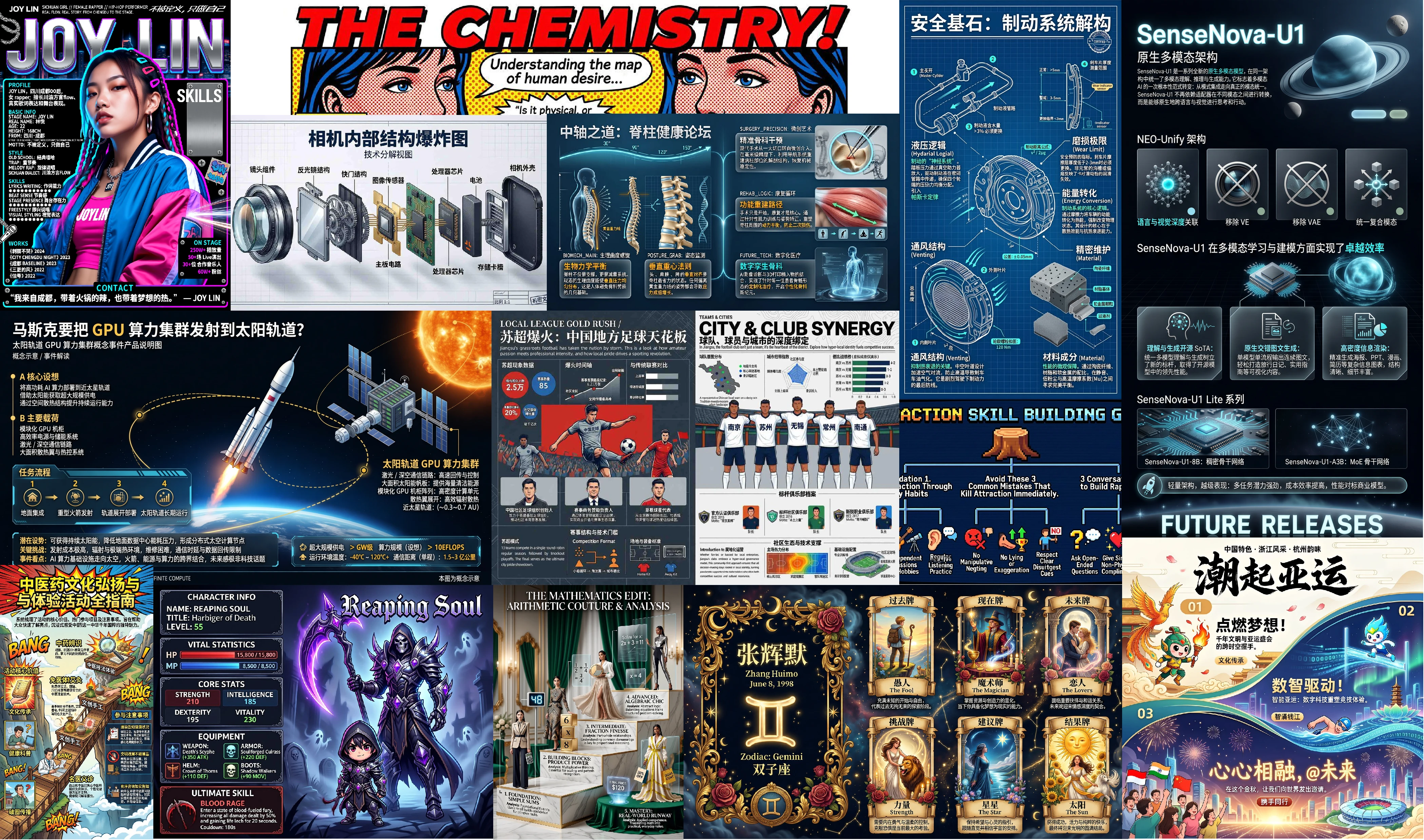
Install Sn Image Resume
Pick your agent. Every command is ready to paste.
npx skills add OpenSenseNova/SenseNova-Skills --skill sn-image-resumeThe open skills CLI detects your agents (Claude Code, Cursor, Codex and 70+ more) and installs to the right folder. Add -g to install globally.
01
Install it
Run the command above, or upload the folder in Claude.
02
Ask naturally
Describe the task. Your agent loads sn-image-resume when the request matches its description.
03
Name it if needed
If it does not trigger, say “use the sn-image-resume skill”. In Codex, type $sn-image-resume.
sn-image-resume
Resume image generation scene skill (tier 1), relying on the sn-text-optimize and sn-image-generate tools provided by sn-image-base (tier 0).
Features:
- Accepts resume content directly from conversational text
- Supports optional user-provided style direction
- Applies the fixed portfolio-resume layout rules in
prompts/resume.md - Generates a tall designed resume image through
sn-image-generate
Non-goals
- Editing or polishing a plain text resume document without generating an image
- Parsing uploaded resume files as the primary input format
- Creating a conventional single-column ATS resume
- Guaranteeing exact preservation of every long paragraph when the image layout requires compression
Input Specification
| Parameter | Type | Default Value | Description |
|---|---|---|---|
resume_content |
string | Required | Resume text provided by the user in conversation, including name, profile, education, experience, skills, projects, contact details, etc. |
style |
string | Optional | User-specified visual style, tone, color palette, profession aesthetic, or reference mood. May be embedded in resume_content. |
aspect_ratio |
string | 9:16 |
Output aspect ratio. Allowed values: 2:3, 3:2, 3:4, 4:3, 4:5, 5:4, 1:1, 16:9, 9:16, 21:9, 9:21. Default is 9:16 (vertical) because the template is a tall stacked portfolio-resume page. |
image_size |
string | 2k |
Image size preset, 1k or 2k. |
output_mode |
string | friendly |
Output mode: friendly or verbose. |
API Configuration
All API calls in this skill are executed through the sn_agent_runner.py of the sn-image-base skill, with authentication parameters using default values (CLI > environment variables > built-in defaults), so they do not need to be passed explicitly in normal use.
| Call Type | Tool | Authentication Parameters | Description |
|---|---|---|---|
| LLM | sn-text-optimize |
Default reads SN_TEXT_API_KEY -> SN_CHAT_API_KEY -> SN_API_KEY |
Converts user resume text into a detailed image generation prompt using prompts/resume.md as the system prompt |
| Image Generation | sn-image-generate |
Default reads SN_IMAGE_GEN_API_KEY -> SN_API_KEY |
Generates the final resume image |
If all capabilities use the same gateway, configure only:
SN_BASE_URL="https://your-api-endpoint.com/v1"
SN_API_KEY="your-api-key"
When encountering MissingApiKeyError or needing to specify a model: pass parameters explicitly via CLI. See $SN_IMAGE_BASE/references/api_spec.md.
$SN_IMAGE_BASE path explanation: $SN_IMAGE_BASE is the installation directory of the sn-image-base skill (SKILL.md exists). The agent can locate this path by skill name sn-image-base.
Architecture: Main Agent + Worker Agent
This skill uses a two-tier agent architecture:
| Role | Responsibility |
|---|---|
| Main Agent | Receive user request, normalize parameters, send preflight, start Worker, collect result, and send final text/image to user |
| Worker Agent | Execute prompt generation and image generation, then return structured JSON |
Responsibility Boundaries:
- Worker Agent does not send any messages to the user directly, only returns structured JSON
- Main Agent is responsible for all user-visible messages
- Worker Agent's last message must be and only be the JSON string defined in the Return Contract
- Worker Agent's low-level API calls execute directly through
sn-image-base, without spawning nested subagents
Workflow
Main Agent Workflow
- Extract
resume_content, optionalstyle,aspect_ratio(default9:16),image_size(default2k), andoutput_mode(defaultfriendly) from the user request - Validate that
resume_contentis non-empty and contains enough resume information to generate a meaningful page - Validate
aspect_ratioagainst the allowed values:2:3,3:2,3:4,4:3,4:5,5:4,1:1,16:9,9:16,21:9,9:21. If the user-provided value is not in this list, inform the user and fall back to the default9:16 - Send uniform preflight message:
"Using sn-image-resume skill to generate a resume image, please wait..." - Start Worker Agent, passing in complete parameters and working directory
- When Worker Agent returns:
status=ok: send a short summary and the generated imagestatus=error: report the realerrorfield content to the user
Worker Agent Workflow
Worker Agent receives resume_content, style, aspect_ratio, image_size, output_mode, and the working directory of this skill (SKILL_DIR).
Step 0 — Initialization
- Generate
task_idusing timestamp formatYYYYMMDD_HHMMSS - Create temporary directory:
/tmp/openclaw/sn-image-resume/<task_id>/asTEMP_DIR - Persist normalized inputs:
echo "$RESUME_CONTENT" > "$TEMP_DIR/resume-content.txt"
echo "$STYLE" > "$TEMP_DIR/style.txt"
Step 1 — Resume Prompt Generation
Use prompts/resume.md as the system prompt and call sn-text-optimize to convert the user resume content into a detailed image generation prompt.
USER_PROMPT=$(cat << EOF
Resume content:
$RESUME_CONTENT

Optional style instruction:
${STYLE:-No explicit style instruction. Infer an appropriate professional visual style from the resume content.}

Task:
Convert the resume content into a complete text-to-image prompt for a tall portfolio-resume image.
Follow the fixed layout, language, content mapping, typography, panel, and style translation rules in the system prompt.
Return only the final image generation prompt. Do not include explanations, markdown fences, or alternative options.
EOF
)

python "$SN_IMAGE_BASE/scripts/sn_agent_runner.py" sn-text-optimize \
  --system-prompt-path "$SKILL_DIR/prompts/resume.md" \
  --user-prompt "$USER_PROMPT" \
  --output-format json
Parse JSON stdout and extract result as generation_prompt. If the process exits non-zero, returns invalid JSON, or result is empty, return status=error with the actual error.
Persist output:
echo "$GENERATION_PROMPT" > "$TEMP_DIR/generation-prompt.txt"
Step 2 — Resume Image Generation
Generate the final image using sn-image-base's sn-image-generate tool.
python "$SN_IMAGE_BASE/scripts/sn_agent_runner.py" sn-image-generate \
  --prompt "$GENERATION_PROMPT" \
  --image-size "$IMAGE_SIZE" \
  --aspect-ratio "$ASPECT_RATIO" \
  --save-path "$TEMP_DIR/resume.png" \
  --output-format json
Parse JSON stdout. If generation fails, return status=error with the actual error. The generated image path is $TEMP_DIR/resume.png.
Error Handling Rules
- If required resume content is missing, ask the user to provide resume text before starting generation
- If
sn-text-optimizefails or returns an empty result, stop and report the real error - If
sn-image-generatefails, stop and report the real error - Do not silently substitute a generic resume prompt when user content is incomplete or prompt generation fails
- Do not invent factual resume details that the user did not provide; only reorganize, condense, and visually map provided information
Return Contract
After Worker Agent completes, its last message must be and only be the following JSON string (bare JSON, no code fences, no preceding or trailing text).
Normal Flow:
{
  "status": "ok",
  "need_main_agent_send": true,
  "output_mode": "friendly|verbose",
  "image": "$TEMP_DIR/resume.png",
  "generation_prompt": "<included only when output_mode=verbose>",
  "timing": {
    "total_elapsed_seconds": 25.12,
    "prompt_generation": { "elapsed_seconds": 5.23, "model": "sensenova-6.8-flash-lite" },
    "image_generation": { "elapsed_seconds": 19.89, "model": "sn_image_model" }
  }
}
Error Flow:
{
  "status": "error",
  "error": "<Actual error information>"
}
Rules:
status=okmust containneed_main_agent_send: truegeneration_promptmust contain whenoutput_mode=verbose; omit it infriendlymodetiming.prompt_generation.elapsed_secondsandtiming.prompt_generation.modelare read fromsn-text-optimizeJSON outputtiming.image_generation.elapsed_secondsis read fromsn-image-generateJSON outputtiming.image_generation.modelis fixed to"sn_image_model"becausesn-image-generatedoes not return a model field
Output Format
friendly mode (default)
Text Summary: one sentence describing that the resume image has been generated, no more than 50 words.
Image: send the single generated resume image.
verbose mode
Resume image generated
---
Aspect ratio: <aspect_ratio>
Image size: <image_size>
---
Generation prompt:
<generation_prompt>
---
Time statistics: Total <total>s | Prompt generation <t>s | Image generation <t>s
---
Image:
<image path>
Call Relationship
- Bottom-level dependency:
sn-image-base→sn-text-optimize,sn-image-generate - System prompt:
prompts/resume.md
References
prompts/resume.md- Fixed portfolio-resume layout and language/content mapping rules../sn-image-base/SKILL.md- Base-layer image/text tool behavior../sn-image-base/references/api_spec.md- CLI parameter details
Tips for Sn Image Resume
- • Start a fresh session after installing so your agent picks up the new skill.
- • It is part of a pack with 30 skills. Install only the ones you need with --skill to keep triggers precise.
- • If two skills overlap, mention the one you want by name.
Questions about Sn Image Resume
What does the Sn Image Resume skill do?
Generates a designed portfolio-resume image from resume content provided in conversation text. Extracts optional style instructions, converts the resume into a fixed portfolio-resume layout prompt, and generates the final image through sn-image-base. Use when user asks to create "resume image", "portfolio resume", "简历图", "简历海报", or "个人简历视觉设计".
How do I install Sn Image Resume?
Run "npx skills add OpenSenseNova/SenseNova-Skills --skill sn-image-resume" in your project. The skills CLI installs it for Claude Code, Cursor, Codex and 70+ other agents. In Claude on the web, upload the skill folder as a ZIP under Customize > Skills.
Does Sn Image Resume work in Cursor and Codex?
Yes. Sn Image Resume uses the open SKILL.md format, so it works in Claude Code, Claude, Cursor, OpenAI Codex, Gemini CLI, GitHub Copilot and other agents that support agent skills.
Is Sn Image Resume free?
Sn Image Resume is open source on GitHub under the MIT license. It is free to install; check the license before commercial use.
Who made Sn Image Resume?
Sn Image Resume is published by OpenSenseNova in the OpenSenseNova/SenseNova-Skills repository, together with 29 other skills.