Microsoft


From the README
How to use skills-for-fabric
Microsoft Fabric Skills
Microsoft Fabric Skills are reusable AI assistant instructions for working with Microsoft Fabric. They help GitHub Copilot CLI and compatible AI coding tools understand Fabric workloads, APIs, query patterns, and operational best practices.
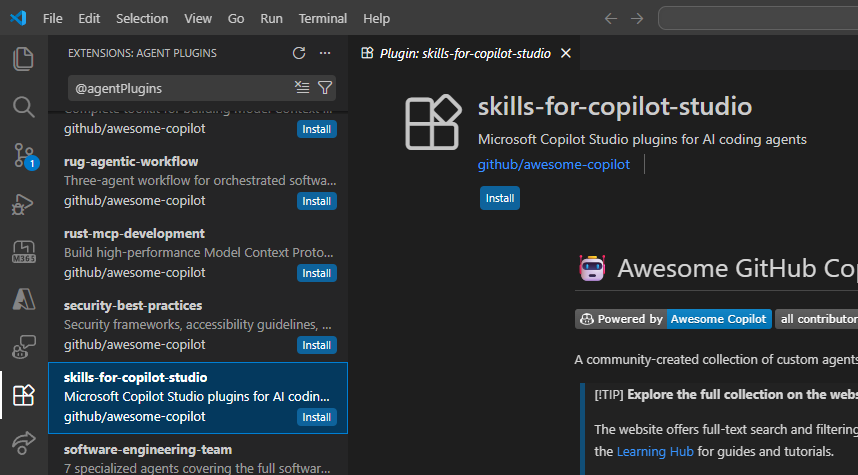
Install with GitHub Copilot CLI
Add the public marketplace:
/plugin marketplace add microsoft/skills-for-fabric
Install the main Fabric bundle. Power BI report authoring is packaged separately:
/plugin install fabric-skills@fabric-collection
Or install the Power BI authoring bundle:
# Power BI authoring: semantic models, Power BI report skills, and PBIP workflows
/plugin install powerbi-authoring@fabric-collection
Copilot CLI installs plugins as complete bundles. To limit installed skills, choose a focused bundle instead of filtering the full bundle.
The persona bundles
fabric-authoring,fabric-consumptionandfabric-operationsare retired. Every skill they carried ships infabric-skills. The three ids still resolve as deprecated aliases offabric-skills, so an existing install keeps working through/plugin update; new installs should usefabric-skills.
Update installed plugins
Update one installed bundle:
/plugin update fabric-skills@fabric-collection
Replace fabric-skills with the focused bundle name to update that bundle. From a terminal, update every installed plugin with:
copilot plugin update --all
Automatic update checking
Updates are handled by the agent host, not by a skill in this repository.
GitHub Copilot CLI -- opt in once by adding autoUpdate to the
fabric-collection entry in your own user settings
(~/.copilot/settings.json, or %USERPROFILE%\.copilot\settings.json on
Windows):
{
  "extraKnownMarketplaces": {
    "fabric-collection": {
      "source": { "source": "github", "repo": "microsoft/skills-for-fabric" },
      "autoUpdate": true
    }
  }
}
Copilot CLI then refreshes the bundle at the start of every session in a trusted working directory. This opt-in is honored only from your personal user settings -- a repository or managed (MDM) setting cannot enable or redirect auto-update for a marketplace. Auto-update is also skipped by default in CI. See the Copilot CLI plugin reference.
Claude Code -- fabric-collection is a third-party marketplace, so enable
auto-update once: run /plugin, open Marketplaces, select
fabric-collection, and choose Enable auto-update. Administrators can
instead set "autoUpdate": true on its extraKnownMarketplaces entry in
managed settings.
Cursor, Windsurf, and other hosts -- re-run the host's plugin or marketplace
update command, or git pull a manual clone.
Every release bumps the version field in each plugin manifest, which lets
Copilot CLI and Claude Code detect a new release after auto-update is enabled.
Install a single skill (APM)
Copilot plugin bundles install as a whole. To activate one skill instead of the whole collection, use APM (Agent Package Manager).
Install the APM CLI:
# Windows (PowerShell)
irm https://aka.ms/apm-windows | iex

# macOS / Linux
curl -sSL https://aka.ms/apm-unix | sh

# or via pip
pip install apm-cli
Install a single skill into your project:
apm install microsoft/skills-for-fabric --skill sqldw-cli --target <tool>
Full documentation reference: consumer guide.
Useful flags:
| Flag | What it does |
|---|---|
--skill NAME |
Install only the named skill instead of every skill in the package. Repeatable. |
--target, -t |
Tools to deploy to: copilot, claude, cursor, codex, etc. Comma-separated for several (-t claude,cursor). |
--global, -g |
Install to user scope (~/.apm/, ~/.agents/skills/) instead of the current project. |
--only apm|mcp |
Install only APM packages or only MCP servers. Both are installed by default, so --only apm deploys the skill without registering any MCP servers. |
--update |
Re-resolve dependencies to the latest version or Git ref allowed by apm.yml and rewrite apm.lock.yaml. |
--dry-run |
Print the install plan without writing anything. |
--verbose, -v |
Show per-file paths and full error context. |
The skill lands in .agents/skills/<name>/, its MCP servers are registered for
your target tool, and links into the shared reference material are rewritten to
the materialized copy under apm_modules/.
Notes:
- Scope matters for Copilot. The
copilottarget writes MCP state to VS Code's.vscode/mcp.jsonat project scope and to Copilot CLI's~/.copilot/mcp-config.jsonat global scope. If you use Copilot CLI and omit-g, the skill installs but its MCP servers never reach the CLI. Project and global are separate installs: a global one keeps its dependency state in~/.apm/apm.yml, not the project's. See the APM MCP install docs. - Install the repository, then narrow with
--skill. Installing a skill path directly leaves the shared reference links dangling, because APM only rewrites links that resolve inside the installed package root.--skillselects what is activated: APM materializes the whole package intoapm_modules/and deploys only the skills you named. - Valid
--skillvalues are the folder names underskills/in the repository. Re-run with a different--skillto add more skills incrementally. - APM adds
apm_modules/to your.gitignore. It holds the shared material the installed skills link to, so keep it or re-runapm installafter cloning. - All Fabric MCP servers are registered on install, regardless of which skill you select. APM reads MCP dependencies only from the repository root manifest. That includes powerbi-modeling-mcp, a stdio server launched through npx. Use --only apm to deploy the skill without registering any MCP server.
- The Fabric agents are deployed alongside any
--skillselection. APM always integrates the agents it discovers in the package, so a single-skill install still gets all five. They may reference skills you did not install; those references are inert until you add the skill. - To drop one skill, edit the
skills:list on that dependency in yourapm.yml(~/.apm/apm.ymlfor a-ginstall) and re-runapm install.apm uninstallremoves the whole package, not a single skill.
What is included
| Bundle | Use it for |
|---|---|
fabric-skills |
Complete Microsoft Fabric skill bundle, including authoring, consumption, operations, migration, and end-to-end architecture skills. |
powerbi-authoring |
Authoring Power BI semantic models, reports, and PBIP workflows, including Power BI report planning, design, authoring, and management. |
The full bundle includes skills for SQL data warehouse, Database Hub cross-engine estate inventory/health/security posture, Spark and Lakehouse, Power BI semantic models, Eventhouse and KQL, Eventstreams, Dataflows Gen2, catalog search, migration scenarios, and medallion architecture workflows.
See CHANGELOG.md for public release notes.
Try an example prompt
After installing a bundle, open Copilot CLI in a project folder and ask for the Fabric task you want to perform, for example:
Use Microsoft Fabric skills to design a medallion architecture for NYC taxi data.
Authentication
Most Fabric operations require Azure authentication. Start with:
az login
az account get-access-token --resource https://api.fabric.microsoft.com
SQL, Spark, Power BI, and KQL workflows may require workload-specific endpoints or token audiences. The installed skills provide the detailed commands and API patterns for each workload.
MCP servers
Skills provide guidance and patterns. MCP servers provide live tool access to data sources and APIs. Some bundles include MCP configuration where supported, and you can register additional Fabric MCP servers if your environment provides them.
See MCP setup.
When running Claude Code locally, the bundled remote Fabric MCPs reuse your existing Azure CLI sign-in. The setup guide covers Codex configuration and older registrations that override the plugin.
Other AI coding tools
GitHub Copilot CLI plugin installation is the recommended path. This repository also includes root-level configuration files for compatible AI coding tools — CLAUDE.md for Claude Code, .cursorrules for Cursor, .windsurfrules for Windsurf, and AGENTS.md for Codex / Jules / OpenCode. They are picked up automatically when the repo is cloned.
Gemini CLI also auto-discovers GEMINI.md when the repo is cloned.
Issues and security
Report product issues in the GitHub issue tracker.
For security vulnerabilities, do not open a public issue. See SECURITY.md for the private reporting path.
License
This project is licensed under the MIT License.
Questions
What is microsoft/skills-for-fabric?
A collection of skills and MCP systems to enable users of CLI, VSCode, Claude to operate over Microsoft Fabric
How do I install skills-for-fabric?
Run "npx skills add microsoft/skills-for-fabric" and choose the skills you want. Many packs also document their own install path (for example a Claude Code plugin marketplace) in the README below.
How many skills are in skills-for-fabric?
53 SKILL.md skills. Alyn lists 26 of them with their own pages.