Agents365-ai
Install Drawio Skill
Pick your agent. Every command is ready to paste.
npx skills add Agents365-ai/drawio-skillThe open skills CLI detects your agents (Claude Code, Cursor, Codex and 70+ more) and installs to the right folder. Add -g to install globally.
01
Install it
Run the command above, or upload the folder in Claude.
02
Ask naturally
Describe the task. Your agent loads drawio-skill when the request matches its description.
03
Name it if needed
If it does not trigger, say “use the drawio-skill skill”. In Codex, type $drawio-skill.
Draw.io Architecture Studio
Produce editable .drawio artifacts, not flattened pictures. The preferred
entrypoint is scripts/diagramctl.py, which unifies generation, incremental
sync, multi-view projection, semantic queries/tests/reviews, failure analysis,
and accessible publishing over a shared Diagram IR.
Choose the workflow
| Request | Route |
|---|---|
| Natural-language diagram with precise styling | Read references/diagram-types.md, then references/xml-authoring.md and author XML |
| Standard flowchart/mindmap/gantt/timeline/etc. with no special styling | If draw.io >=30, read references/mermaid-authoring.md and convert Mermaid to native .drawio |
| Large graph (~15+ nodes) that needs automatic layout | Use autolayout.py; read references/autolayout.md before passing any --layout value |
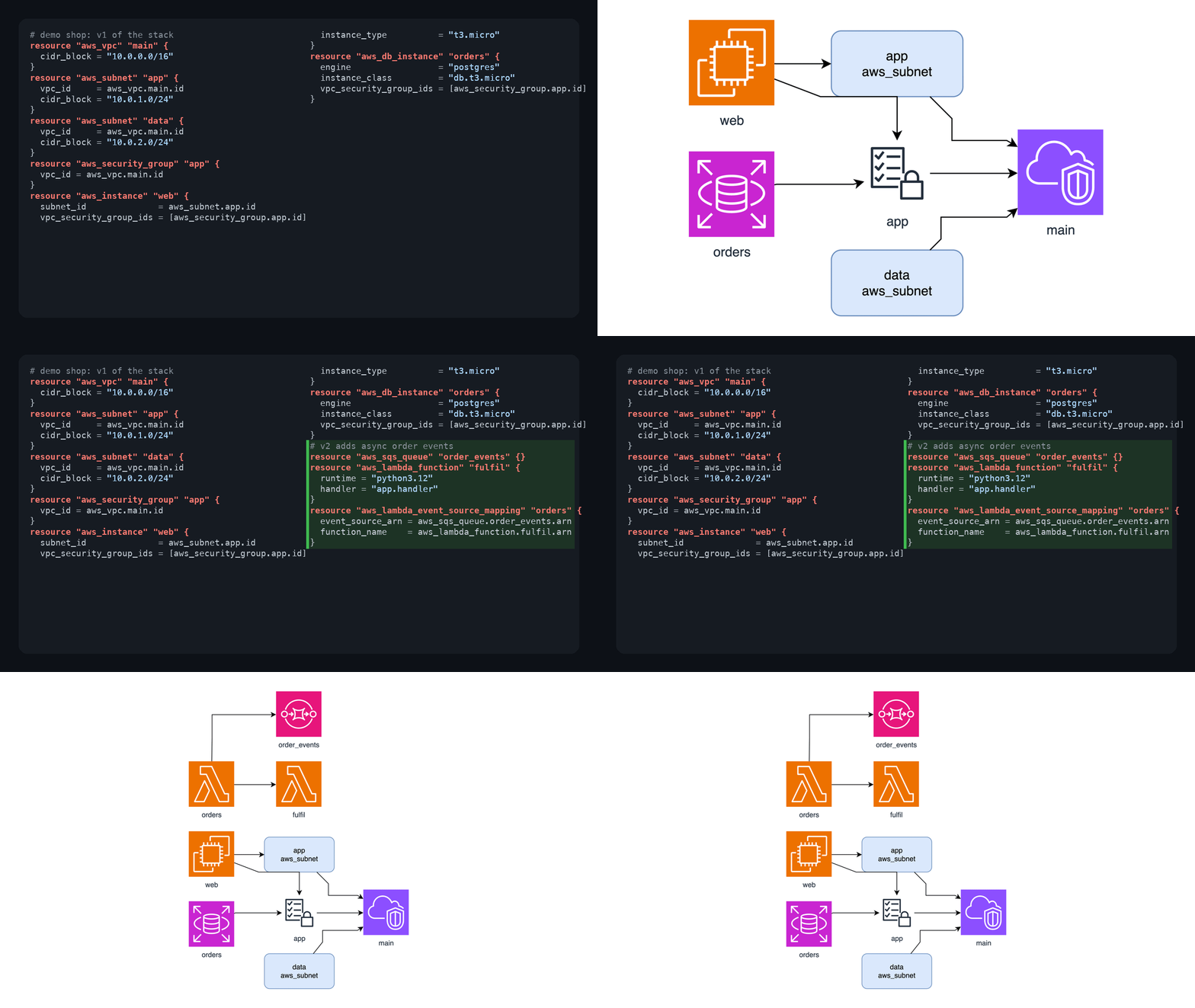
| Code, Terraform, K8s, compose, SQL, OpenAPI, AsyncAPI, or CI source | Use diagramctl.py build; read references/diagram-ir.md |
| Protocol Buffers schema (.proto) | Use protoimports.py or diagramctl.py build; read references/toolbox.md |
| GraphQL SDL schema (.graphql/.gql) or introspection JSON | Use graphqlerd.py or diagramctl.py build; read references/toolbox.md |
| Running cluster/stack/cloud (actual state, not declared config) | Read references/live-infra.md, then use tfstate.py, dockerimports.py, or k8simports.py - |
| Update a generated diagram without losing manual layout | Use diagramctl.py sync; read references/diagram-ir.md |
| Executive/system/deployment/data-flow/security views | Use diagramctl.py views; read references/diagram-ir.md |
| Query, architecture policy, review, what-if, or guided walkthrough | Read references/semantic-workflows.md |
| MCP host (Claude Desktop, Cursor, VS Code, Codex) should call these workflows | Register scripts/diagramctl_mcp.py; read references/mcp.md |
| Prompt phrasing for a diagram type or semantic workflow | Read references/cookbook.md |
| Enforce architecture rules or visual diffs in GitHub Actions CI | Read references/ci-gate.md |
| Rendered before/after/diff images as a PR review comment | Use prdiff.py; read references/pr-bot.md |
Existing .drawio to HTML/PPTX/Mermaid/Markdown/animation/runbook |
Read references/toolbox.md; diagramctl.py transform exposes the existing tools |
| Pipeline, journey, or subsystem map drawn as a metro/subway map | Use tubemap.py; read references/tubemap.md |
| Shape, cloud/vendor, AI, or Databricks icon | Read references/shapes.md or references/databricks.md; never guess shape names |
| Learn/apply/manage a visual style | Read references/style-presets.md |
| Extract a reusable style from an existing diagram or theme | Read references/style-extraction.md |
| Existing image to editable diagram (screenshot, whiteboard photo, legacy PNG) | Read references/derasterize.md |
| Export/platform problem | Read references/troubleshooting.md; for access/network questions read references/security.md |
Unified CLI
Run from this skill directory, or replace scripts/ with the absolute path to
this skill's scripts directory:
python3 scripts/diagramctl.py doctor
python3 scripts/diagramctl.py build model.json --from ir -o architecture.drawio
python3 scripts/diagramctl.py build ./infra --from terraform --group \
  --ir-output architecture.ir.json -o architecture.drawio
python3 scripts/diagramctl.py sync architecture.drawio ./infra --from terraform \
  -o architecture.next.drawio
python3 scripts/diagramctl.py views architecture.ir.json \
  --views executive,system,deployment,dataflow,security -o views.drawio
python3 scripts/diagramctl.py test architecture.drawio --rules policy.yml
python3 scripts/diagramctl.py review architecture.drawio -o review.md
python3 scripts/diagramctl.py query architecture.drawio --from internet --to orders-db
python3 scripts/diagramctl.py whatif architecture.ir.json --fail kafka \
  --drawio kafka-failure.drawio -o impact.json
python3 scripts/diagramctl.py story architecture.ir.json -o walkthrough.html
doctor does not launch GUI tools unless --probe is passed. Core semantic
commands are offline and stdlib-only.
Creation workflow
Before the first native export, resolve the draw.io CLI once (see Export
invariants below). python3 scripts/diagramctl.py doctor prints the absolute
path it found. The bundled exporters resolve it themselves, so a name mismatch
(drawio vs draw.io.exe) no longer blocks them.
Infer the diagram type, audience, scope, output format, and location from the request. Ask only when a missing choice materially changes the result; default to PNG plus
.drawioin the working directory.Select the authoring route from the table above. For a data-backed diagram, prefer Diagram IR and preserve provenance. For a large graph, use an importer or
autolayout.py; do not hand-place more than roughly fifteen nodes.Resolve an explicitly named style preset, or the user's default preset, as documented in
references/style-presets.md. Structural diagram conventions and visual presets compose; they do not replace each other.Generate the
.drawio, then run structural validation:python3 scripts/validate.py diagram.drawio --scoreWhen semantic metadata or an architecture policy is in scope, also run
diagramctl.py test. Do not present inferred semantic findings as verified runtime facts.Export a draft PNG without embedded XML and inspect it visually. Fix obvious overlap, clipping, disconnected edges, edge-through-node routing, stacked edges, and unreadable labels. Stop automatic vision repair after two rounds. When the drawio binary is unavailable or a visual check is inconclusive, verify the renderer's own DOM instead (
--dump-domon the viewer URL, seereferences/troubleshooting.md): read each edge's<path>segments and label anchor coordinates directly — vision alone both misses geometry defects and hallucinates new ones.Show the draft and apply targeted edits. Preserve existing geometry for local changes. Use
syncfor source-backed changes and write a reviewable output; use--pruneonly when deletion was requested.After approval, create final requested formats and report both editable source and export paths.
Export invariants
Resolve the available binary once, to an absolute path, and use that exact
path for the run. scripts/drawio_cli.py does this for every bundled exporter
(buildup.py, drawio2pptx.py, drawiohtml.py, prdiff.py, svgflow.py,
timelapse.py), and diagramctl.py doctor reports the result. It tries both
PATH names, then the macOS app bundle and the Windows install directories:
- macOS Homebrew and Linux packages:
drawio(no dot) - Windows:
draw.io.exe(with the dot).drawiodoes not exist there, andsubprocesscannot launch a.cmd/.batshim, so never pass a bare name. - macOS app bundle:
/Applications/draw.io.app/Contents/MacOS/draw.io - Windows install directories:
%ProgramFiles%\draw.io\draw.io.exe,%LOCALAPPDATA%\Programs\draw.io\draw.io.exe
The commands below use drawio; substitute your resolved path.
# Draft for visual inspection: never use -e here
drawio -x -f png --width 2000 -o diagram.png diagram.drawio

# Final editable PNG
drawio -x -f png -e -s 2 -o diagram.drawio.png diagram.drawio
python3 scripts/repair_png.py diagram.drawio.png

# Final editable SVG/PDF
drawio -x -f svg -e --embed-svg-images -o diagram.svg diagram.drawio
drawio -x -f pdf -e -o diagram.pdf diagram.drawio
Do not combine --width and -s. Embedded PNG exports require
repair_png.py; draft PNGs used by vision must not use -e. On Linux headless,
follow references/troubleshooting.md rather than improvising Electron flags.
If the CLI crashes in a macOS sandbox, try one permitted escalated run, then use
encode_drawio_url.py or deliver XML; do not repeatedly launch it.
Editing and identity
- Use stable semantic IDs and never reuse reserved IDs
0or1. - Every edge requires
<mxGeometry relative="1" as="geometry"/>. - For a local edit, change the matching cell only; for a global direction change, regenerate/re-layout the page.
- Keep provenance,
data-model-id, semantic properties, manual geometry, and manual styles intact unless the user requests otherwise. - When reconciling, retain removals as reviewable faded elements by default.
- For edges stacked at a boundary, run
edgeports.py; add waypoints when an edge still crosses an unrelated shape. There is no CLI-only edge rerouter that preserves node positions.
Quality and trust
An attractive diagram can still be wrong. Prefer source-backed relationships, show provenance where useful, distinguish exact extraction from AI inference, and keep architecture review findings framed as prompts. Story HTML must remain self-contained, keyboard usable, and include a text alternative. Never include secrets in node properties or provenance because they are embedded in outputs.
For all focused scripts and composition patterns, read references/toolbox.md;
load only the task-specific reference needed for the current request.
Tips for Drawio Skill
- • Start a fresh session after installing so your agent picks up the new skill.
- • This skill ships scripts. Read them before the first run, and run it in a project without secrets first.
- • It bundles reference files. The agent reads them only when needed, so they cost no context until then.
- • If two skills overlap, mention the one you want by name.
Questions about Drawio Skill
What does the Drawio Skill skill do?
Create and edit draw.io/diagrams.net diagrams as editable `.drawio` files. Covers architecture, UML/ERD/sequence, BPMN, network, and swimlane views authored from a description or converted from code, IaC, SQL, and API schemas, plus sync, query, test, review, export, and publish of existing diagrams. Use when the user asks for draw.io/diagrams.net or an editable diagram; prefer Mermaid/PlantUML when diagrams-as-code i
How do I install Drawio Skill?
Run "npx skills add Agents365-ai/drawio-skill" in your project. The skills CLI installs it for Claude Code, Cursor, Codex and 70+ other agents. In Claude on the web, upload the skill folder as a ZIP under Customize > Skills.
Does Drawio Skill work in Cursor and Codex?
Yes. Drawio Skill uses the open SKILL.md format, so it works in Claude Code, Claude, Cursor, OpenAI Codex, Gemini CLI, GitHub Copilot and other agents that support agent skills.
Is Drawio Skill free?
Drawio Skill is open source on GitHub under the MIT license. It is free to install; check the license before commercial use.
Who made Drawio Skill?
Drawio Skill is published by Agents365-ai in the Agents365-ai/drawio-skill repository.