phuryn
Install Dummy Dataset
Pick your agent. Every command is ready to paste.
npx skills add phuryn/pm-skills --skill dummy-datasetThe open skills CLI detects your agents (Claude Code, Cursor, Codex and 70+ more) and installs to the right folder. Add -g to install globally.
01
Install it
Run the command above, or upload the folder in Claude.
02
Ask naturally
Describe the task. Your agent loads dummy-dataset when the request matches its description.
03
Name it if needed
If it does not trigger, say “use the dummy-dataset skill”. In Codex, type $dummy-dataset.
The skill itself
SKILL.md
Dummy Dataset Generation
Generate realistic dummy datasets for testing with customizable columns, constraints, and output formats (CSV, JSON, SQL, Python script). Creates executable scripts or direct data files for immediate use.
Use when: Creating test data, generating sample datasets, building realistic mock data for development, or populating test environments.
Arguments:
$PRODUCT: The product or system name$DATASET_TYPE: Type of data (e.g., customer feedback, transactions, user profiles)$ROWS: Number of rows to generate (default: 100)$COLUMNS: Specific columns or fields to include$FORMAT: Output format (CSV, JSON, SQL, Python script)$CONSTRAINTS: Additional constraints or business rules
Step-by-Step Process
- Identify dataset type - Understand the data domain
- Define column specifications - Names, data types, and value ranges
- Determine row count - How many sample records needed
- Select output format - CSV, JSON, SQL INSERT, or Python script
- Apply realistic patterns - Ensure data looks authentic and valid
- Add business constraints - Respect business logic and relationships
- Generate or script data - Create executable output
- Validate output - Ensure data quality and completeness
Template: Python Script Output
import csv
import json
from datetime import datetime, timedelta
import random

# Configuration
ROWS = $ROWS
FILENAME = "$DATASET_TYPE.csv"

# Column definitions with realistic value generators
columns = {
    "id": "auto-increment",
    "name": "first_last_name",
    "email": "email",
    "created_at": "timestamp",
    # Add more columns...
}

def generate_dataset():
    """Generate realistic dummy dataset"""
    data = []
    for i in range(1, ROWS + 1):
        record = {
            "id": f"U{i:06d}",
            # Generate values based on column definitions
        }
        data.append(record)
    return data

def save_as_csv(data, filename):
    """Save dataset as CSV"""
    with open(filename, 'w', newline='') as f:
        writer = csv.DictWriter(f, fieldnames=data[0].keys())
        writer.writeheader()
        writer.writerows(data)

if __name__ == "__main__":
    dataset = generate_dataset()
    save_as_csv(dataset, FILENAME)
    print(f"Generated {len(dataset)} records in {FILENAME}")
Example Dataset Specification
Dataset Type: Customer Feedback
Columns:
- feedback_id (auto-increment, U001, U002...)
- customer_name (realistic names)
- email (valid email format)
- feedback_date (dates last 90 days)
- rating (1-5 stars)
- category (Bug, Feature Request, Complaint, Praise)
- text (realistic feedback)
- product (electronics, clothing, home)
Constraints:
- Ratings skewed: 40% 5-star, 30% 4-star, 20% 3-star, 10% 1-2 star
- Bug category only with ratings 1-3
- Feature requests only with ratings 3-5
- Email domains realistic (gmail, yahoo, company.com)
Output Deliverables
- Ready-to-execute Python script OR direct data file
- CSV file with proper headers and formatting
- JSON file with valid structure and types
- SQL INSERT statements for database population
- Data validation and constraint compliance
- Realistic, business-appropriate values
- Documentation of data generation logic
- Quick-start instructions for using the dataset
Output Formats
CSV: Flat tabular format, easy to import into spreadsheets and databases
JSON: Nested structure, ideal for APIs and NoSQL databases
SQL: INSERT statements, directly executable on relational databases
Python Script: Executable generator for custom or large datasets
Tips for Dummy Dataset
- • Start a fresh session after installing so your agent picks up the new skill.
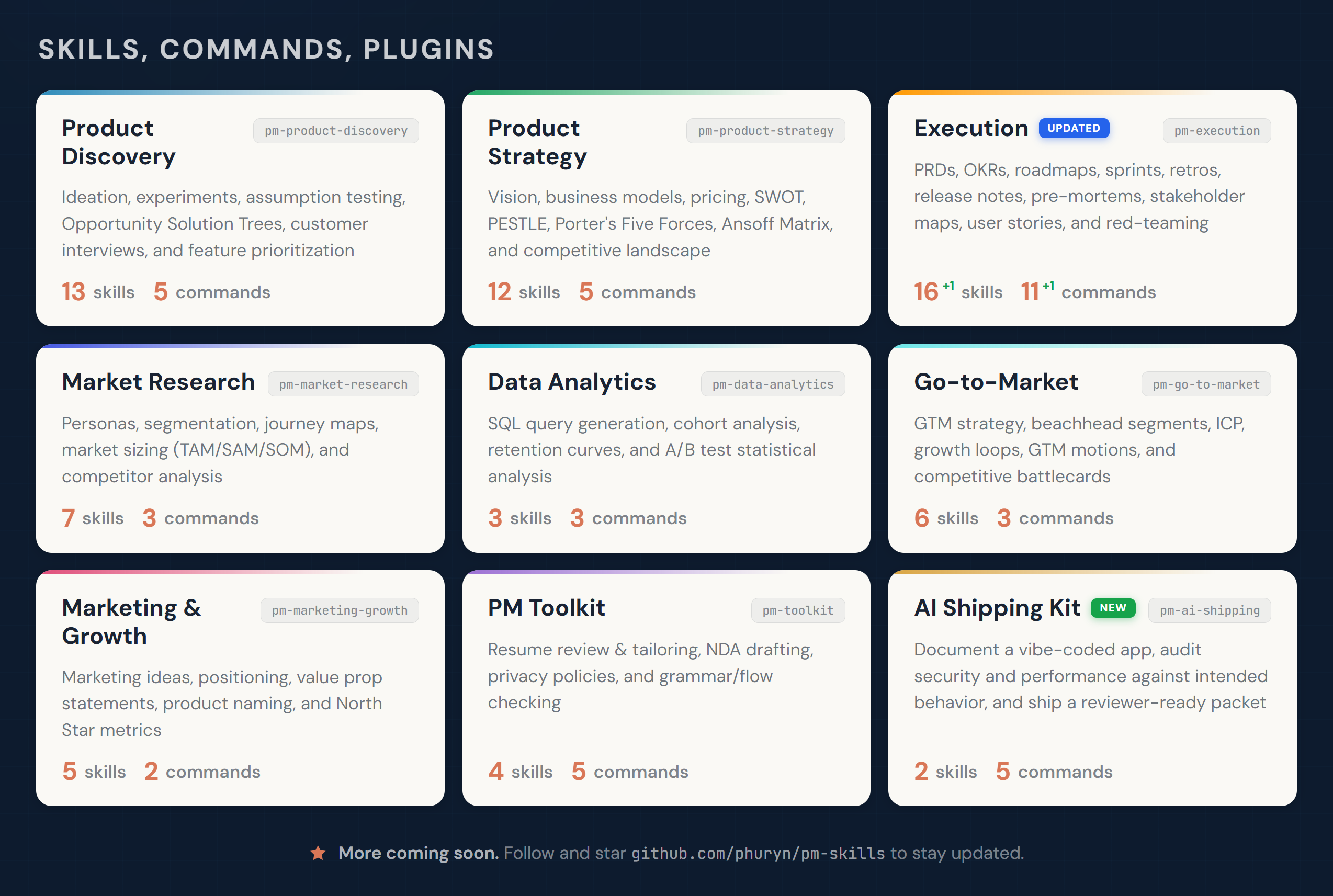
- • It is part of a pack with 40 skills. Install only the ones you need with --skill to keep triggers precise.
- • If two skills overlap, mention the one you want by name.
Questions about Dummy Dataset
What does the Dummy Dataset skill do?
Generate realistic dummy datasets for testing with customizable columns, constraints, and output formats (CSV, JSON, SQL, Python script). Use when creating test data, building mock datasets, or generating sample data for development and demos.
How do I install Dummy Dataset?
Run "npx skills add phuryn/pm-skills --skill dummy-dataset" in your project. The skills CLI installs it for Claude Code, Cursor, Codex and 70+ other agents. In Claude on the web, upload the skill folder as a ZIP under Customize > Skills.
Does Dummy Dataset work in Cursor and Codex?
Yes. Dummy Dataset uses the open SKILL.md format, so it works in Claude Code, Claude, Cursor, OpenAI Codex, Gemini CLI, GitHub Copilot and other agents that support agent skills.
Is Dummy Dataset free?
Dummy Dataset is open source on GitHub under the MIT license. It is free to install; check the license before commercial use.
Who made Dummy Dataset?
Dummy Dataset is published by phuryn in the phuryn/pm-skills repository, together with 39 other skills.