 komal-SkyNET
Install Home Assistant Manager
Pick your agent. Every command is ready to paste.
npx skills add komal-SkyNET/claude-skill-homeassistantThe open skills CLI detects your agents (Claude Code, Cursor, Codex and 70+ more) and installs to the right folder. Add -g to install globally.
01
Install it
Run the command above, or upload the folder in Claude.
02
Ask naturally
Describe the task. Your agent loads home-assistant-manager when the request matches its description.
03
Name it if needed
If it does not trigger, say “use the home-assistant-manager skill”. In Codex, type $home-assistant-manager.
Home Assistant Manager
Operate a remote Home Assistant instance precisely: make a change, get it live, prove it worked. Optimize for the fewest safe round-trips.
Assumptions
- The repo you're editing is the HA
/configdir, git-connected to the instance. Edits aren't live until pulled on the instance. root@homeassistant.localin examples is a placeholder. Resolve the real user/host once (project CLAUDE.md,~/.ssh/config, or ask) and if it isn't recorded in the project CLAUDE.md yet, add it so future sessions skip this step.- Access via one or more of:
hass-cli(REST), SSHha, or an MCP server (see below). - Only edit
.yaml/.yml/.md. Never read/write.envorsecrets.yaml; use!secret.
Remote access — pick the right tool
- SSH
ha— always works, needs no local env. Use forha core check|restart|logs|info. hass-cli(REST) — state/service calls, but needsHASS_SERVER/HASS_TOKENin the shell before the session starts. If they're unset, hass-cli falls back to the wrong host (localhost) and errors — don't retry, check[ -n "$HASS_TOKEN" ]once, then use SSH or MCP instead.- MCP (preferred when available) — first-class tools for live state/control, no env
juggling. Official
mcp_serverintegration (HA core ≥2025.2) or communityha-mcp(richer, 80+ tools). Use it instead of shelling out when present.
The deploy pipeline (the one canonical flow)
Changes are not live until step 4.
- Edit YAML locally.
- Validate:
ssh root@homeassistant.local "ha core check"(slow, ~30-60s — see "when to skip" below). - Commit + push:
git add … && git commit -m "…" && git push. - Make it live:
ssh root@homeassistant.local "cd /config && git pull". - Apply: reload if possible, else restart (table below).
- Verify (next section).
Rapid iteration: skip git and scp straight to the instance, then reload — good for
dashboards and tight test loops. Commit to git only once stable.
scp automations.yaml root@homeassistant.local:/config/ → reload.
When to skip ha core check: it parses the whole config and is slow. For an isolated
YAML edit you're confident in, a domain reload surfaces errors faster and the logs tell
you immediately. Always run it before a restart or for configuration.yaml changes.
Reload vs restart
| Change | Action |
|---|---|
| automations, scripts, scenes, groups, template entities, themes | reload the domain (hass-cli service call automation.reload, etc.) |
configuration.yaml core, new integrations, platform sensors (min/max), MQTT sensor/binary_sensor platforms, dashboard registry (lovelace_dashboards) |
restart (ssh … "ha core restart", ~30s) |
Prefer reload. Never restart without a passing ha core check. Before risky changes
(core configuration.yaml surgery, removing an integration), snapshot first — it's cheap:
ssh root@homeassistant.local "ha backups new --name pre-<change>".
Verify — don't assume it worked
- Reload/restart the right domain.
- For automations, trigger manually for instant feedback:
hass-cli service call automation.trigger --arguments entity_id=automation.<id>(or call the service via MCP). This bypassesconditionsby default — it proves the actions, not the gate. To test conditions too, passskip_condition: falseor exercise the real trigger, then read the automation's trace in the UI. - Read the logs filtered to your change:
ssh root@homeassistant.local "ha core logs | grep -iE '<name>|error' | tail -20". Good:Running automation actions,Executing step …. Bad:Invalid data for call_service,TypeError,Template variable warning,Error executing script. - Confirm the real outcome: device/sensor state (
hass-cli state get <entity>), or ask the user for notification-type actions. - On error: fix → re-pull/scp → reload → re-check. Loop until clean.
Automations — write modern syntax
HA 2024.10 renamed the keys; legacy syntax still works but don't emit it in new code:
top-level triggers:/conditions:/actions: (plural), trigger: not platform: inside a
trigger, action: not service: for calls. Every automation gets a stable id: (traces
and UI editing need it) plus an alias.
Full automation reference (syntax table, mode: behavior, blueprints, trace debugging,
pitfalls) → read reference/automations.md when writing or
debugging automations.
Templates — the precision rules
- Always coerce types before comparing:
states('sensor.x') | int(0) < 7. Bare states are strings;'5' < 7raisesTypeError. Provide a default (int(0)) so startupNonedoesn't error. - Test in Developer Tools → Template before committing.
state_attr(...)returnsNoneif the entity/attr is missing — guard it.
Conventions
- Surgical edits; preserve comments; 2-space indent.
- Validate before restart; prefer reload; verify from logs.
- Use context7 MCP for current HA docs before non-trivial or unfamiliar config.
Dashboards
Lovelace dashboards live in .storage/lovelace.* (JSON). UI edits show on a browser refresh;
direct file edits (scp/git) may not appear until a ha core restart — HA caches the
lovelace store in memory. Adding a new dashboard to .storage/lovelace_dashboards also needs
a restart. scp + refresh is the fast loop; validate JSON first:
python3 -m json.tool .storage/lovelace.x > /dev/null. After deploying, validate the UI
visually in the browser (see the reference) — logs/state won't catch a broken card or a
mis-sorted popup.
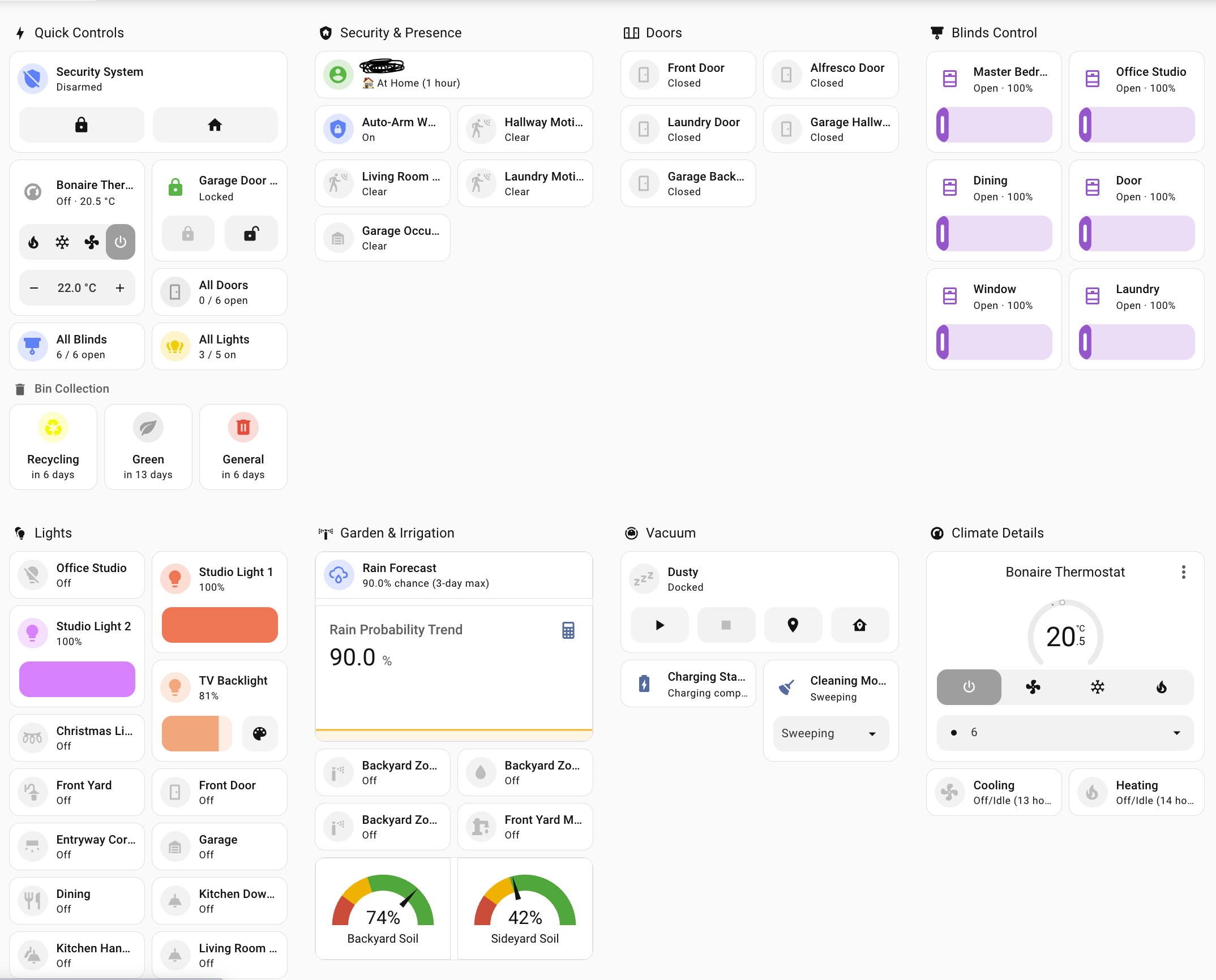
Full dashboard reference (view types, card catalog, template cards, tablet layout,
pitfalls, debugging) → read reference/dashboards.md when doing
UI work. Modern HA: native sections view (drag-drop grid, badges, heading cards) and
feature-rich tile cards now cover most needs without custom cards; reach for Mushroom
only when you want its specific look.
Quick reference
# Validate / apply
ssh root@homeassistant.local "ha core check"
ssh root@homeassistant.local "ha core restart"
ssh root@homeassistant.local "cd /config && git pull"     # make pushed changes live

# Logs
ssh root@homeassistant.local "ha core logs | grep -iE 'error|<name>' | tail -20"

# State / services (needs env loaded, or use MCP)
hass-cli state get <entity>
hass-cli service call <domain>.reload
hass-cli service call automation.trigger --arguments entity_id=automation.<id>

# Rapid deploy
scp <file>.yaml root@homeassistant.local:/config/ && hass-cli service call automation.reload
Tips for Home Assistant Manager
- • Start a fresh session after installing so your agent picks up the new skill.
- • It bundles reference files. The agent reads them only when needed, so they cost no context until then.
- • If two skills overlap, mention the one you want by name.
Questions about Home Assistant Manager
What does the Home Assistant Manager skill do?
Manage Home Assistant configuration safely and fast — edit and deploy YAML (automations, blueprints, scripts, scenes, templates, MQTT), validate with ha core check, deploy via git or rapid scp, reload-vs-restart correctly, verify changes from logs, traces and entity state, and build Lovelace dashboards. Use for any Home Assistant config, automation, template, or dashboard work over SSH/hass-cli/MCP.
How do I install Home Assistant Manager?
Run "npx skills add komal-SkyNET/claude-skill-homeassistant" in your project. The skills CLI installs it for Claude Code, Cursor, Codex and 70+ other agents. In Claude on the web, upload the skill folder as a ZIP under Customize > Skills.
Does Home Assistant Manager work in Cursor and Codex?
Yes. Home Assistant Manager uses the open SKILL.md format, so it works in Claude Code, Claude, Cursor, OpenAI Codex, Gemini CLI, GitHub Copilot and other agents that support agent skills.
Is Home Assistant Manager free?
Home Assistant Manager is open source on GitHub under the MIT license. It is free to install; check the license before commercial use.
Who made Home Assistant Manager?
Home Assistant Manager is published by komal-SkyNET in the komal-SkyNET/claude-skill-homeassistant repository.







