 Weizhena
Install Research Deep
Pick your agent. Every command is ready to paste.
npx skills add Weizhena/Deep-Research-skills --skill research-deepThe open skills CLI detects your agents (Claude Code, Cursor, Codex and 70+ more) and installs to the right folder. Add -g to install globally.
01
Install it
Run the command above, or upload the folder in Claude.
02
Ask naturally
Describe the task. Your agent loads research-deep when the request matches its description.
03
Name it if needed
If it does not trigger, say “use the research-deep skill”. In Codex, type $research-deep.
The skill itself
SKILL.md
Research Deep - Deep Research
Trigger
/research-deep
Workflow
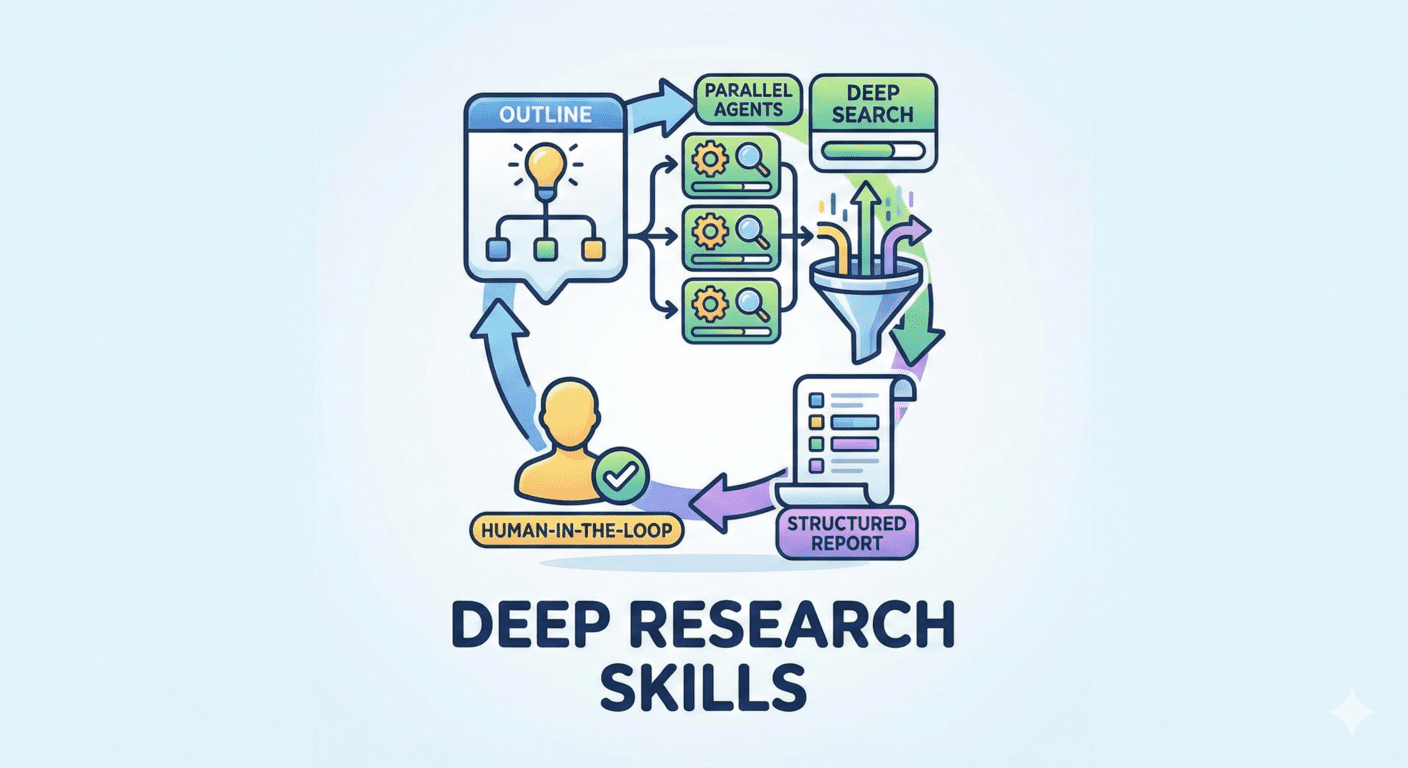
Step 1: Auto-locate Outline
Find */outline.yaml file in current working directory, read items list, execution config (including items_per_agent).
Step 2: Resume Check
- Check completed JSON files in output_dir
- Skip completed items
Step 3: Batch Execution
- Batch by batch_size (need user approval before next batch)
- Each agent handles items_per_agent items
- Launch web-search-agent (background parallel, disable task output)
Parameter Retrieval:
{topic}: topic field from outline.yaml{item_name}: item's name field{item_related_info}: item's complete yaml content (name + category + description etc.){output_dir}: execution.output_dir from outline.yaml (default: ./results){fields_path}: absolute path to {topic}/fields.yaml{output_path}: absolute path to {output_dir}/{item_name_slug}.json (slugify item_name: replace spaces with _, remove special chars)
Hard Constraint: The following prompt must be strictly reproduced, only replacing variables in {xxx}, do not modify structure or wording.
Prompt Template:
prompt = f"""## Task
Research {item_related_info}, output structured JSON to {output_path}

## Field Definitions
Read {fields_path} to get all field definitions

## Output Requirements
1. Output JSON according to fields defined in fields.yaml
2. Mark uncertain field values with [uncertain]
3. Add uncertain array at the end of JSON, listing all uncertain field names
4. All field values must be in English

## Output Path
{output_path}

## Validation
After completing JSON output, run validation script to ensure complete field coverage:
python ~/.codex/skills/research/validate_json.py -f {fields_path} -j {output_path}
Task is complete only after validation passes.
"""
One-shot Example (assuming researching GitHub Copilot):
## Task
Research name: GitHub Copilot
category: International Product
description: Developed by Microsoft/GitHub, first mainstream AI coding assistant, ~40% market share, output structured JSON to {project_dir}/results/GitHub_Copilot.json

## Field Definitions
Read {project_dir}/fields.yaml to get all field definitions

## Output Requirements
1. Output JSON according to fields defined in fields.yaml
2. Mark uncertain field values with [uncertain]
3. Add uncertain array at the end of JSON, listing all uncertain field names
4. All field values must be in English

## Output Path
{project_dir}/results/GitHub_Copilot.json

## Validation
After completing JSON output, run validation script to ensure complete field coverage:
python ~/.codex/skills/research/validate_json.py -f {project_dir}/fields.yaml -j {project_dir}/results/GitHub_Copilot.json
Task is complete only after validation passes.
Step 4: Wait and Monitor
- Wait for current batch to complete
- Launch next batch
- Display progress
Step 5: Summary Report
After all complete, output:
- Completion count
- Failed/uncertain marked items
- Output directory
Agent Config
- Background execution: Yes
- Task Output: Disabled (agent has explicit output file when complete)
- Resume support: Yes
Tips for Research Deep
- • Start a fresh session after installing so your agent picks up the new skill.
- • It is part of a pack with 5 skills. Install only the ones you need with --skill to keep triggers precise.
- • If two skills overlap, mention the one you want by name.
Questions about Research Deep
What does the Research Deep skill do?
Read research outline, launch independent agent for each item for deep research. Disable task output.
How do I install Research Deep?
Run "npx skills add Weizhena/Deep-Research-skills --skill research-deep" in your project. The skills CLI installs it for Claude Code, Cursor, Codex and 70+ other agents. In Claude on the web, upload the skill folder as a ZIP under Customize > Skills.
Does Research Deep work in Cursor and Codex?
Yes. Research Deep uses the open SKILL.md format, so it works in Claude Code, Claude, Cursor, OpenAI Codex, Gemini CLI, GitHub Copilot and other agents that support agent skills.
Is Research Deep free?
Research Deep is open source on GitHub under the MIT license. It is free to install; check the license before commercial use.
Who made Research Deep?
Research Deep is published by Weizhena in the Weizhena/Deep-Research-skills repository, together with 4 other skills.









