 ai-evals-course
Install Evals Start
Pick your agent. Every command is ready to paste.
npx skills add ai-evals-course/evals-skills --skill evals-startThe open skills CLI detects your agents (Claude Code, Cursor, Codex and 70+ more) and installs to the right folder. Add -g to install globally.
01
Install it
Run the command above, or upload the folder in Claude.
02
Ask naturally
Describe the task. Your agent loads evals-start when the request matches its description.
03
Name it if needed
If it does not trigger, say “use the evals-start skill”. In Codex, type $evals-start.
Evals Start
This plugin splits eval work into targeted skills. Your job here is small: find the row below that matches the user's situation, tell the user which skill you are loading and why, then load that skill and follow its workflow from start to finish instead of improvising your own version of it.
| Situation | Skill to load |
|---|---|
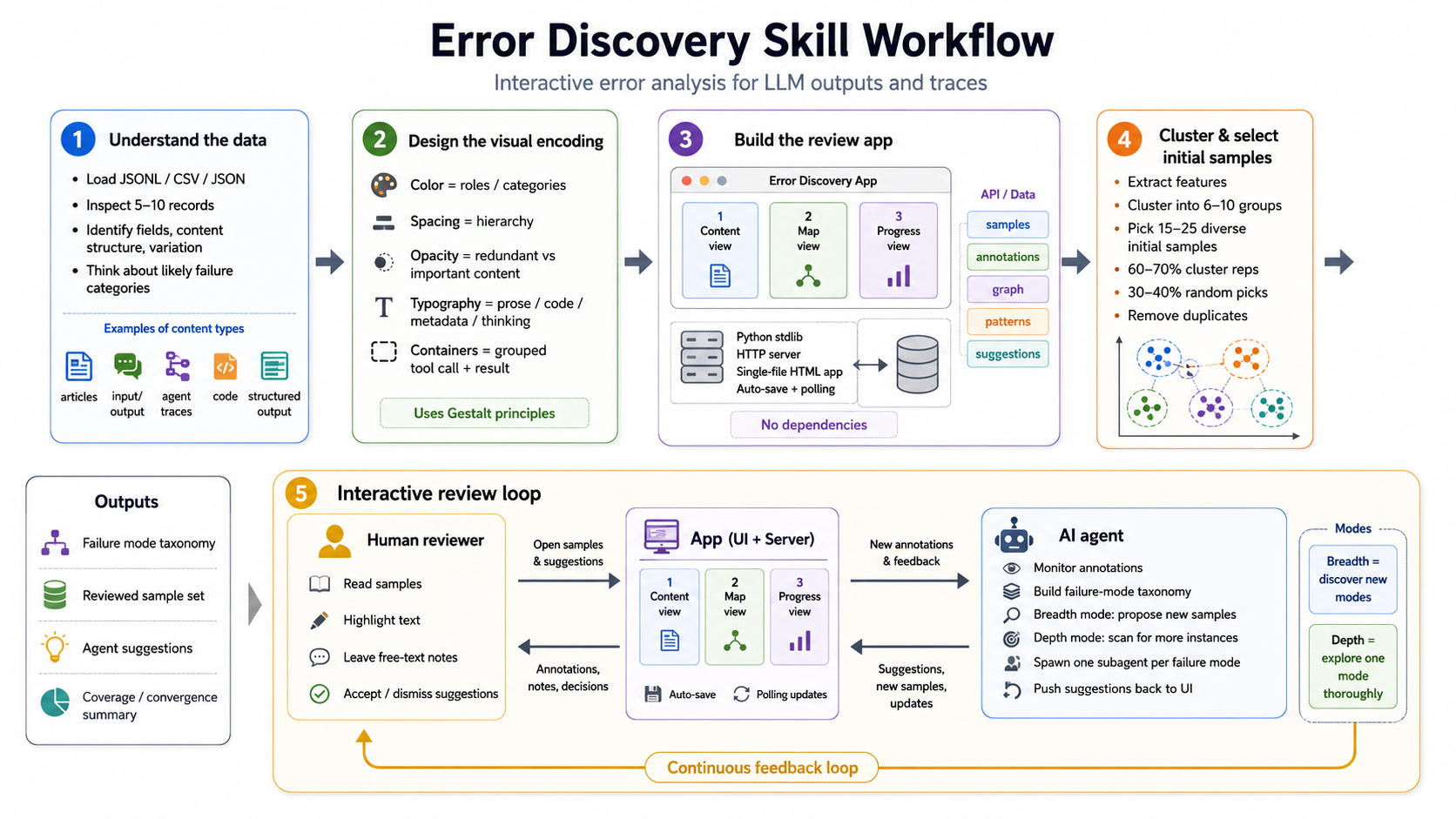
| Has traces, wants to find failure modes, no established taxonomy yet | error-discovery |
| Has an existing eval pipeline and wants to know if it can be trusted | eval-audit |
| Has a known failure mode that code can check (e.g., format, schema, regex, execution) | write-code-eval |
| Has a known failure mode and wants an LLM judge for it | write-judge-prompt |
| Has an LLM judge or evaluator and wants to check its quality | validate-evaluator |
| Has no traces to review yet | generate-synthetic-data, then error-discovery |
| Wants a custom annotation interface for some other labeling task | build-review-interface |
| Wants to evaluate a RAG pipeline | evaluate-rag |
Most requests that mention error analysis with traces in hand mean error-discovery. New users with an existing pipeline usually need eval-audit first. This file holds only routing. When in doubt about which row fits, ask the user instead of guessing. The workflow lives in the targeted skill.
Tips for Evals Start
- • Start a fresh session after installing so your agent picks up the new skill.
- • It is part of a pack with 9 skills. Install only the ones you need with --skill to keep triggers precise.
- • If two skills overlap, mention the one you want by name.
Questions about Evals Start
What does the Evals Start skill do?
Entry point for evals. Use when the user asks for help with evals, does not know where to begin, or asks for something no other skill in this plugin matches. Do NOT use when a more specific skill in this plugin already matches; load that skill directly.
How do I install Evals Start?
Run "npx skills add ai-evals-course/evals-skills --skill evals-start" in your project. The skills CLI installs it for Claude Code, Cursor, Codex and 70+ other agents. In Claude on the web, upload the skill folder as a ZIP under Customize > Skills.
Does Evals Start work in Cursor and Codex?
Yes. Evals Start uses the open SKILL.md format, so it works in Claude Code, Claude, Cursor, OpenAI Codex, Gemini CLI, GitHub Copilot and other agents that support agent skills.
Is Evals Start free?
Evals Start is open source on GitHub under the Apache-2.0 license. It is free to install; check the license before commercial use.
Who made Evals Start?
Evals Start is published by ai-evals-course in the ai-evals-course/evals-skills repository, together with 8 other skills.









