Jakeschincariol
Install Li Inbox
Pick your agent. Every command is ready to paste.
npx skills add Jakeschincariol/linkedin-agent-skill --skill li-inboxThe open skills CLI detects your agents (Claude Code, Cursor, Codex and 70+ more) and installs to the right folder. Add -g to install globally.
01
Install it
Run the command above, or upload the folder in Claude.
02
Ask naturally
Describe the task. Your agent loads li-inbox when the request matches its description.
03
Name it if needed
If it does not trigger, say “use the li-inbox skill”. In Codex, type $li-inbox.
li-inbox
Most LinkedIn inboxes are 80% noise, and the cost of that noise is that the 20% goes unanswered for a week. This skill separates them, then writes only what is worth writing.
Input
The user pastes the messages. Screenshots are fine. Do not log into their account or read their inbox with a browser tool.
Sort into five
| bucket | signal | action |
|---|---|---|
| LEAD | describes a problem the user solves, or asks about working together | reply today, full answer |
| RECRUITER | a role, a company, a salary band | reply if the role is real, one line if not |
| PEER | someone in the same field with something to say | reply this week, keep it human |
| ASK | wants advice, time, an intro, a favour | reply if it is cheap and specific, decline cleanly if not |
| SPAM | agency pitch, lead-gen sequence, crypto, "quick question" with no question | archive, no reply |
Print the counts first. Seeing "3 leads, 2 recruiters, 41 spam" is most of the value.
Detecting a sequence
Automated outreach has a shape: an invite note with no specifics, a message that arrives within minutes of the accept, "quick question", "I noticed you're in {industry}", a calendar link in message one, then a bump exactly four days later. When you see it, mark it SPAM and say which tell gave it away. The user does not owe a reply to a script.
Replies
- LEAD - answer the actual question in the message, in full, for free. If it is a fit, the offer is one sentence at the end. If it is not, say so and point them somewhere useful. Both outcomes are good.
- RECRUITER - if the role is genuinely interesting, ask the three things the message left out: comp band, level, and whether it is in-office. If it is not, one line: not looking, happy to refer, and mean the refer.
- ASK - if it costs under ten minutes and is specific, do it. If it is "can I pick your brain", decline in one warm sentence and give them the one answer you would have given on the call. That is the polite version and it is also the more useful one.
- DECLINES are short, warm and final. No "let's revisit in Q3" if there is no Q3.
Output
Grouped by bucket, counts first, drafts only for the buckets that get replies, each one humanized. Then the gate: the user sends them.
INBOX  ·  52 items  ·  3 LEAD, 2 RECRUITER, 4 PEER, 2 ASK, 41 SPAM

SPAM  (41) - archive. 38 are the same sequence: no-specifics invite,
"quick question" within 4 minutes of accept, calendar link in message one.
Tips for Li Inbox
- • Start a fresh session after installing so your agent picks up the new skill.
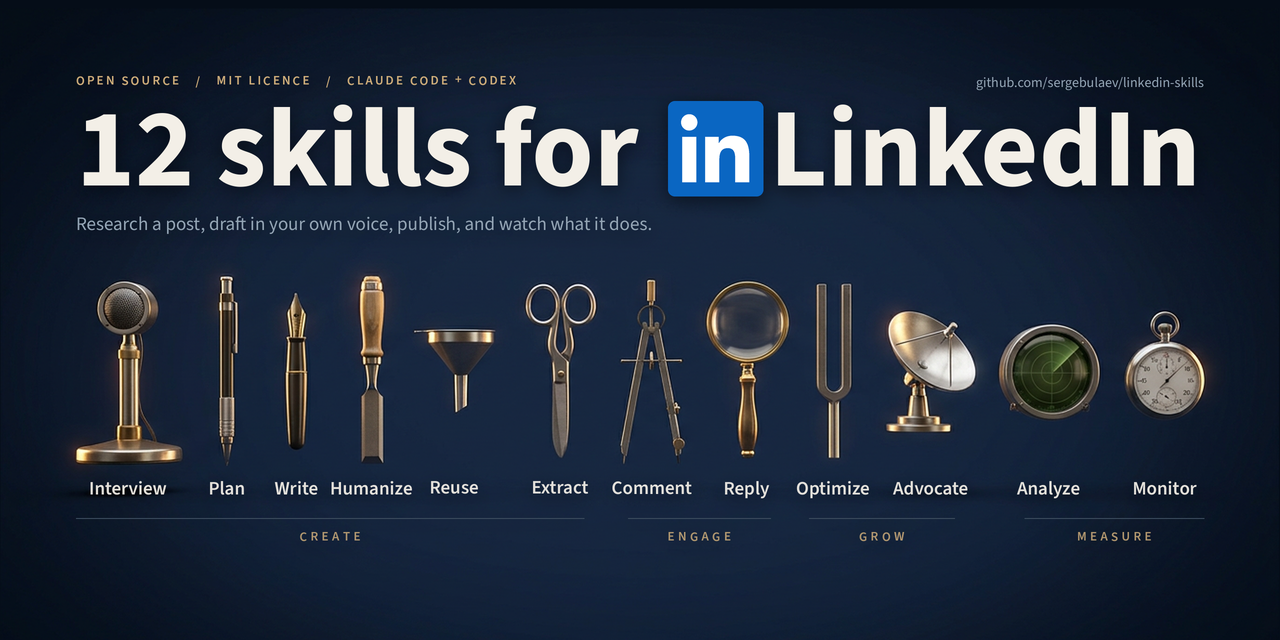
- • It is part of a pack with 11 skills. Install only the ones you need with --skill to keep triggers precise.
- • If two skills overlap, mention the one you want by name.
Questions about Li Inbox
What does the Li Inbox skill do?
Triage the LinkedIn inbox - sort connection requests and DMs into leads, recruiters, peers and spam, and draft the replies worth sending. Use when the user says "my inbox is a mess", "triage my DMs", "should I reply to this", pastes a batch of LinkedIn messages, or is drowning in connection requests.
How do I install Li Inbox?
Run "npx skills add Jakeschincariol/linkedin-agent-skill --skill li-inbox" in your project. The skills CLI installs it for Claude Code, Cursor, Codex and 70+ other agents. In Claude on the web, upload the skill folder as a ZIP under Customize > Skills.
Does Li Inbox work in Cursor and Codex?
Yes. Li Inbox uses the open SKILL.md format, so it works in Claude Code, Claude, Cursor, OpenAI Codex, Gemini CLI, GitHub Copilot and other agents that support agent skills.
Is Li Inbox free?
Li Inbox is open source on GitHub under the MIT license. It is free to install; check the license before commercial use.
Who made Li Inbox?
Li Inbox is published by Jakeschincariol in the Jakeschincariol/linkedin-agent-skill repository, together with 10 other skills.