vibe-motion
Install Light Spotlight Render
Pick your agent. Every command is ready to paste.
npx skills add vibe-motion/skills --skill light-spotlight-renderThe open skills CLI detects your agents (Claude Code, Cursor, Codex and 70+ more) and installs to the right folder. Add -g to install globally.
01
Install it
Run the command above, or upload the folder in Claude.
02
Ask naturally
Describe the task. Your agent loads light-spotlight-render when the request matches its description.
03
Name it if needed
If it does not trigger, say “use the light-spotlight-render skill”. In Codex, type $light-spotlight-render.
Light Spotlight Render
Workflow
- Collect the animation parameters:
label_textswing_angle_degreesswing_cycle_secondslamp_scaleglow_opacitymask_colortext_colorbackground_colorvideo_widthvideo_height- optional
output
- Resolve the installed skill directory and run
scripts/render_light_spotlight.py. - Return the final absolute HTML path printed by the script.
Command
python3 scripts/render_light_spotlight.py \
  --label-text "vibe-motion" \
  --output "out/light-spotlight-vibe-motion.html"
Installed Skill Resolution
Use the installed skill copy, not the source repo checkout:
skill_dir=""
for base in "${AGENTS_HOME:-$HOME/.agents}" "${CLAUDE_HOME:-$HOME/.claude}" "${CODEX_HOME:-$HOME/.codex}"; do
  if [ -d "$base/skills/light-spotlight-render" ]; then
    skill_dir="$base/skills/light-spotlight-render"
    break
  fi
done
[ -n "$skill_dir" ] || { echo "light-spotlight-render skill not found under ~/.agents, ~/.claude, or ~/.codex"; exit 1; }

python3 "$skill_dir/scripts/render_light_spotlight.py" \
  --label-text "vibe-motion" \
  --output "$(pwd)/out/light-spotlight-vibe-motion.html"
Behavior
- Read
assets/light_spotlight_template.html. - Replace template placeholders with sanitized parameter values.
- Keep the SVG spotlight animation self-contained in one HTML file.
- Default output name is derived from
label_text. - Preserve the top-vertex lamp scale pivot so the spotlight grows from the lamp tip rather than the swing axis.
- Allow
background_color=transparentfor transparent-background workflows.
Output
- Primary output: a standalone
.htmlanimation file. - Tell the user to open the HTML file in a browser to preview the animation.
- If the user wants video output after generating the HTML, suggest rendering it with another tool or browser capture flow rather than rewriting the skill.
Tips for Light Spotlight Render
- • Start a fresh session after installing so your agent picks up the new skill.
- • This skill ships scripts. Read them before the first run, and run it in a project without secrets first.
- • It bundles reference files. The agent reads them only when needed, so they cost no context until then.
- • It is part of a pack with 15 skills. Install only the ones you need with --skill to keep triggers precise.
- • If two skills overlap, mention the one you want by name.
Questions about Light Spotlight Render
What does the Light Spotlight Render skill do?
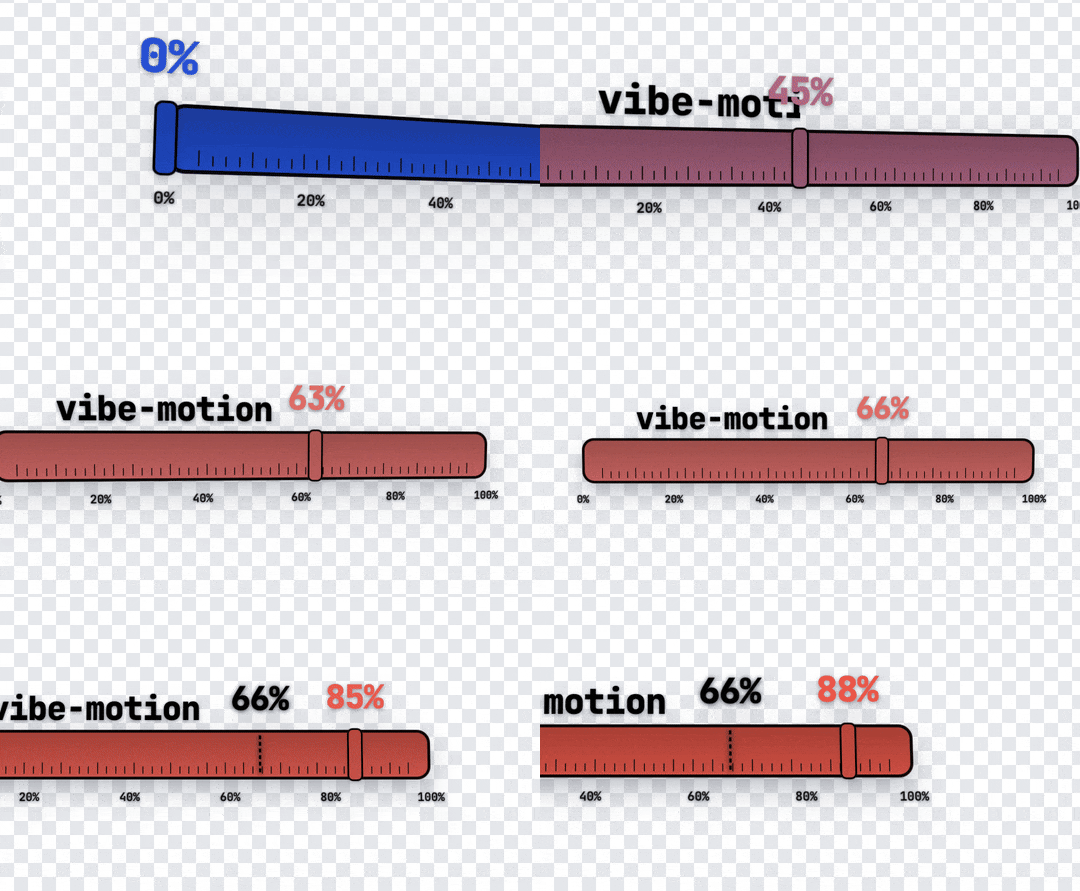
Generate a swinging spotlight text-reveal HTML animation with configurable text, swing angle, lamp scale, glow, and colors. Use when users ask for 聚光灯扫字动画, spotlight text reveal, light logo reveal, 发光文字揭示动画, or want a reusable HTML animation instead of a static image.
How do I install Light Spotlight Render?
Run "npx skills add vibe-motion/skills --skill light-spotlight-render" in your project. The skills CLI installs it for Claude Code, Cursor, Codex and 70+ other agents. In Claude on the web, upload the skill folder as a ZIP under Customize > Skills.
Does Light Spotlight Render work in Cursor and Codex?
Yes. Light Spotlight Render uses the open SKILL.md format, so it works in Claude Code, Claude, Cursor, OpenAI Codex, Gemini CLI, GitHub Copilot and other agents that support agent skills.
Is Light Spotlight Render free?
Light Spotlight Render is open source on GitHub. It is free to install; check the license before commercial use.
Who made Light Spotlight Render?
Light Spotlight Render is published by vibe-motion in the vibe-motion/skills repository, together with 14 other skills.