product-on-purpose
Install Foundation Persona
Pick your agent. Every command is ready to paste.
npx skills add product-on-purpose/pm-skills --skill foundation-personaThe open skills CLI detects your agents (Claude Code, Cursor, Codex and 70+ more) and installs to the right folder. Add -g to install globally.
01
Install it
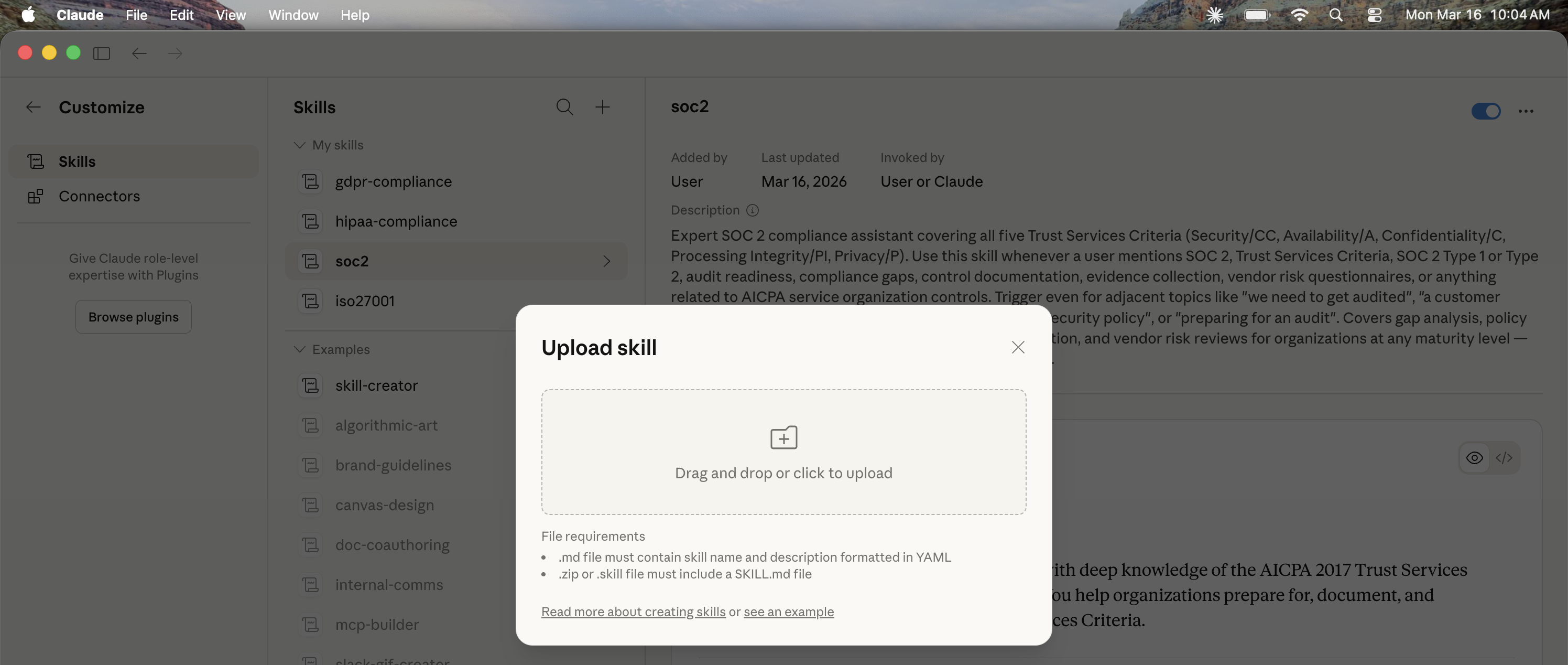
Run the command above, or upload the folder in Claude.
02
Ask naturally
Describe the task. Your agent loads foundation-persona when the request matches its description.
03
Name it if needed
If it does not trigger, say “use the foundation-persona skill”. In Codex, type $foundation-persona.
Persona Builder
This skill produces decision-usable personas from one canonical template pack.
Supported Modes
productmarketingbuyeras input alias formarketing(output remains labeledMarketing)
Generated agent mode is out of scope for v2.5.0.
If the user asks for agent, ask them to choose product or marketing.
When to Use
- Before drafting PM or GTM artifacts that need a clear persona viewpoint
- When teams disagree on priorities and need behavior-grounded tradeoff framing
- When assumptions and confidence levels must be explicit for decision review
- When tailoring downstream work (PRD, stories, launch, messaging, enablement) to a specific user or buyer profile
When NOT to Use
- You need the job context rather than the person -> use
define-jtbd-canvas; the canvas captures what customers hire products to do, the persona captures who they are - You are mapping internal stakeholders, not customers -> use
discover-stakeholder-summary - You have raw interviews to synthesize first -> use
discover-interview-synthesis; a persona built on unsynthesized notes inherits their noise - No evidence exists at all and a real decision rides on the persona: gather research first; the skill labels assumptions honestly but cannot substitute for evidence
Instructions
When asked to generate a persona, follow these steps:
Resolve mode and intent Determine whether the request is
productormarketing(buyeralias allowed). If mode is omitted, ask for mode selection. If execution must continue without reply, default toproductand state that fallback explicitly.Collect context and evidence Use user-provided context first (goals, audience, domain, constraints, sources). If evidence is thin, continue generation but mark gaps and calibrate confidence.
Select exactly one template Use
references/TEMPLATE.mdand choose exactly one of:Product Persona TemplateMarketing Persona Template
Generate a complete artifact Fill the selected template end-to-end:
- header + one-sentence core-reality statement
- metadata table
Persona Card- sections
1through11 Evidence & Confidence
Enforce mode boundaries
- Product mode: focus on workflow behavior, decision patterns, friction, quality bar, and product tradeoffs.
- Marketing mode: focus on buying triggers, evaluation criteria, committee dynamics, objections, messaging, and GTM implications.
Apply evidence and confidence policy
- Use
High|Medium|Lowconfidence with rationale. - Distinguish validated evidence from assumptions.
- State open questions and governance follow-up.
- Use
Finalize for direct use Remove template guidance blockquotes (
>notes) from the final output. Ensure narrative entries are concrete and decision-changing, not placeholder bullets.
Output Contract (v2.5.0)
- Use one mode only (
ProductorMarketing) per output. - Keep section numbering and headings from the selected template.
- Preserve the evidence table plus validated/assumed/open-questions/governance blocks.
Quality Checklist
Before finalizing, verify:
- Exactly one mode is used and clearly labeled
-
buyerinputs are normalized toMarketing - Header, core-reality statement, metadata table, and
Persona Cardare present - All
1through11sections from the selected template are present and complete - Includes/not-valid boundaries are explicit in the metadata and narrative
- Evidence table is populated with concrete sources
- Confidence is
High,Medium, orLowwith rationale -
Validated,Assumed,Open questions, andGovernanceblocks are present - Template authoring notes (
>guidance lines) are removed from the completed output
Examples
See references/EXAMPLE.md for a completed sample output.
Tips for Foundation Persona
- • Start a fresh session after installing so your agent picks up the new skill.
- • It bundles reference files. The agent reads them only when needed, so they cost no context until then.
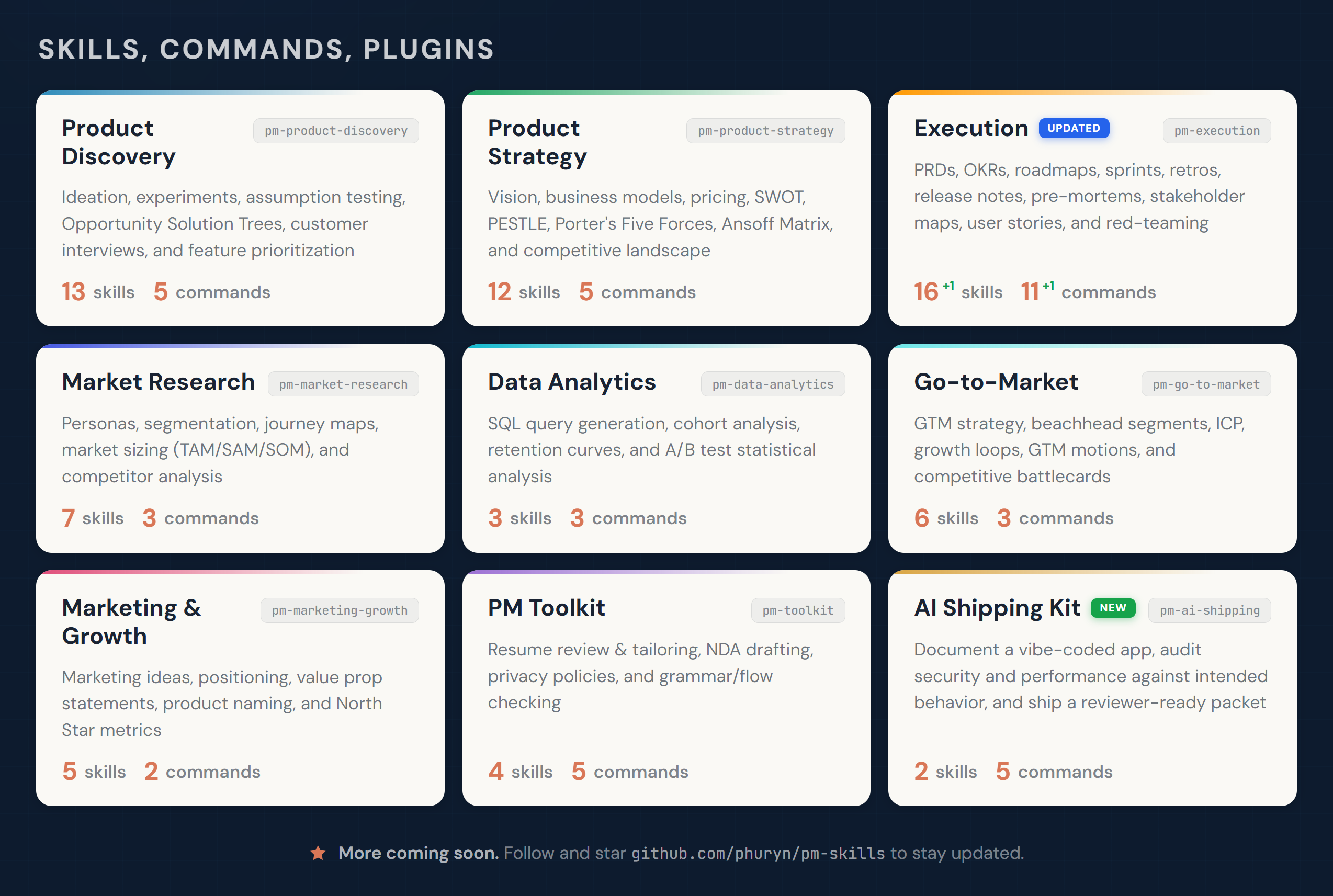
- • It is part of a pack with 30 skills. Install only the ones you need with --skill to keep triggers precise.
- • If two skills overlap, mention the one you want by name.
Questions about Foundation Persona
What does the Foundation Persona skill do?
Generates an evidence-calibrated product or marketing persona using the canonical v2.5 output contract. Use when shaping artifact perspective, stress-testing decisions, or framing product and GTM strategy.
How do I install Foundation Persona?
Run "npx skills add product-on-purpose/pm-skills --skill foundation-persona" in your project. The skills CLI installs it for Claude Code, Cursor, Codex and 70+ other agents. In Claude on the web, upload the skill folder as a ZIP under Customize > Skills.
Does Foundation Persona work in Cursor and Codex?
Yes. Foundation Persona uses the open SKILL.md format, so it works in Claude Code, Claude, Cursor, OpenAI Codex, Gemini CLI, GitHub Copilot and other agents that support agent skills.
Is Foundation Persona free?
Foundation Persona is open source on GitHub under the Apache-2.0 license. It is free to install; check the license before commercial use.
Who made Foundation Persona?
Foundation Persona is published by product-on-purpose in the product-on-purpose/pm-skills repository, together with 29 other skills.