 artemnovitckii
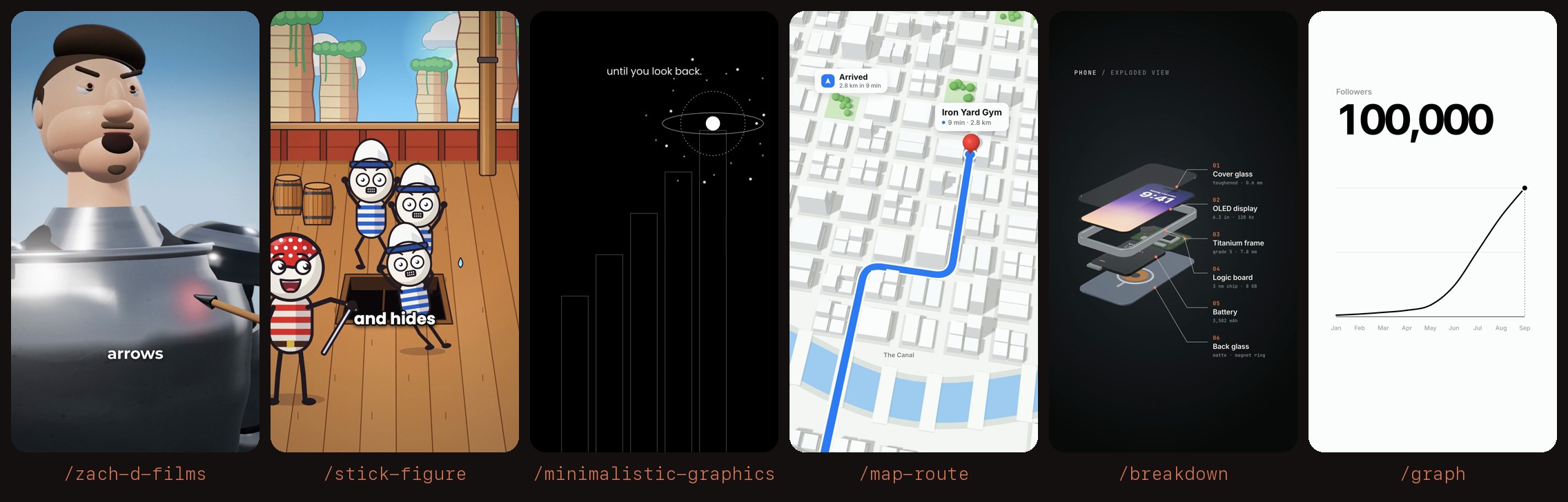
Install Stick Figure
Pick your agent. Every command is ready to paste.
npx skills add artemnovitckii/claude-animation-skills --skill stick-figureThe open skills CLI detects your agents (Claude Code, Cursor, Codex and 70+ more) and installs to the right folder. Add -g to install globally.
01
Install it
Run the command above, or upload the folder in Claude.
02
Ask naturally
Describe the task. Your agent loads stick-figure when the request matches its description.
03
Name it if needed
If it does not trigger, say “use the stick-figure skill”. In Codex, type $stick-figure.
/stick-figure
┌──────────────────────┐
│   ☀      ☁           │  bright sky, sea, props drawn in code
│      ◯   ◯           │  stick people with big white heads, expressive faces
│     /|\ /|\          │
│     / \ / \  🛢       │
│     eye patch        │  1-2 word captions, lowercase, ~70% down
└──────────────────────┘
A worked example comes with it: engine/template is a finished 37 s reel, "What if pirate eye patches had nothing to do with missing eyes?"
First use
This skill's folder is the "Base directory" Claude Code shows when it loads it.
SKILL_DIR="<base directory of this skill>"
ENGINE="$SKILL_DIR/engine"
KIT=$(python3 -c 'import os,sys;print(os.path.realpath(os.path.join(sys.argv[1],"..","..","kit")))' "$SKILL_DIR")
[ -x "$KIT/.venv/bin/python" ] && [ -d "$KIT/models" ] || bash "$KIT/setup.sh" --voice   # ~1 GB of voice models, once
PY="$KIT/.venv/bin/python"; export NODE_PATH="$KIT/node_modules"
Needs ffmpeg, Node and Python 3.9+. To see the example: cp -r "$ENGINE/template" ~/reels/pirate && bash "$ENGINE/make.sh" ~/reels/pirate.
How it fits together
A reel is one folder:
script.json: the voiceover, one sentence per entry.captions.json: optional text swaps for captions ({"twenty five": "25"}).web/shots.js: the shot list. Each shot isSHOTS.push({start, end, tr, draw(ctx, lt, t)})in seconds of the voiceover;ltis time inside the shot,tris the transition out ('whip'or'cut').web/lib.js(easing, keyframeskf, shapes, text),web/chars.js(the stick rigdrawStick, hats, faces, arm IK, the eye patch),web/env.js(sky, clouds, sea, ships, deck, barrels, cannon, lantern, below deck),web/main.js(whip blur, vignette, grain, captions). Add new props toenv.jsor a newenv2.js(list it inweb/index.html).audio.py: music and SFX, all synthesised in code and placed in voiceover seconds.
make.sh makes the voice, aligns every word (audio/words_new.json), mixes the sound, renders the shots in parallel and writes <folder>/<folder name>.mp4.
Timing: audio/words_ref.json is the voice the shots were timed against. When the voice changes but the words don't, make.sh warps the shots onto the new take, so a new recording needs no edits. If the script changes, delete audio/words_ref.json (the next take becomes the reference) and re-time shots.js.
Steps
- Script. About 110 to 120 words for 38 to 40 seconds, one idea per sentence: a "what if" hook, the common belief, a turn on "But", examples that build, one shot that shows the mechanism, and a payoff that answers the hook. Show it to the user before animating.
- Facts. Check every claim with sources. Hedge theories ("scientists think").
- Folder.
cp -r "$ENGINE/template" <reel>, then empty itsaudio/and replacescript.json(andcaptions.json). - Voice. In the folder:
"$PY" "$ENGINE/tools/tts_kokoro.py"(free) or the user's own recording, or ElevenLabs withELEVENLABS_API_KEY("$PY" "$ENGINE/tools/tts_elevenlabs.py" audio/vo_el.mp3). Put the take ataudio/vo.wav, then"$PY" "$ENGINE/tools/align.py" audio/vo.wavand read the word times inaudio/words_new.json. - Shots. Rewrite
web/shots.js: about 10 to 12 setups, most 2 to 4 s, the explainer shot longer. A new idea gets a new setup. Start the hook in action on frame 1. Keep faces and key props out of the caption band (y about 1250 to 1420) and inside Instagram's safe area (x 100 to 980, y 220 to 1500). - Stills. From the folder:
node "$ENGINE/tools/render.js" stills 1.5,4.2,9.0writesstills/. Look at the busiest moments and fix them before a full render. - Sound. Edit the cues in
audio.pyagainst the word times. - Build.
bash "$ENGINE/make.sh" <reel>(keepsaudio/vo.wav; passkokoro,elevenlabsor a file to replace it).WORKERS=8on a machine with more cores.AUDIO_ONLY=1remixes the sound without re-rendering. - Hand over
<reel>/<name>.mp4.
Style
- Captions: Poppins Bold, white with a dark outline, 1 to 2 words, lowercase, no punctuation (
capText()inmain.jsdoes it; digits and%stay). No em dashes anywhere on screen. - Bright saturated palette, ink outlines (
#221c22), soft contact shadows, slow push-ins with handheld drift, whip transitions with motion blur. An impact is a burst, a shake and a flash. - SFX sit under the voice (gain about 0.38). The music is a quiet plucked underscore, ducked under the voice, never a loud loop at the start.
Tips for Stick Figure
- • Start a fresh session after installing so your agent picks up the new skill.
- • This skill ships scripts. Read them before the first run, and run it in a project without secrets first.
- • It bundles reference files. The agent reads them only when needed, so they cost no context until then.
- • It is part of a pack with 6 skills. Install only the ones you need with --skill to keep triggers precise.
- • If two skills overlap, mention the one you want by name.
Questions about Stick Figure
What does the Stick Figure skill do?
Makes a code-animated stick-figure explainer reel (9:16, 30 to 45 s) from a question or topic. A bright cartoon world with thick outlines, stick people with big white heads and faces, constant camera motion, whip transitions, 1 to 2 word captions, a playful underscore and cartoon sound effects, all generated in code and timed to the voiceover word by word. Use when the user runs /stick-figure or asks for a stick-figu
How do I install Stick Figure?
Run "npx skills add artemnovitckii/claude-animation-skills --skill stick-figure" in your project. The skills CLI installs it for Claude Code, Cursor, Codex and 70+ other agents. In Claude on the web, upload the skill folder as a ZIP under Customize > Skills.
Does Stick Figure work in Cursor and Codex?
Yes. Stick Figure uses the open SKILL.md format, so it works in Claude Code, Claude, Cursor, OpenAI Codex, Gemini CLI, GitHub Copilot and other agents that support agent skills.
Is Stick Figure free?
Stick Figure is open source on GitHub. It is free to install; check the license before commercial use.
Who made Stick Figure?
Stick Figure is published by artemnovitckii in the artemnovitckii/claude-animation-skills repository, together with 5 other skills.










