 artemnovitckii
Install Graph
Pick your agent. Every command is ready to paste.
npx skills add artemnovitckii/claude-animation-skills --skill graphThe open skills CLI detects your agents (Claude Code, Cursor, Codex and 70+ more) and installs to the right folder. Add -g to install globally.
01
Install it
Run the command above, or upload the folder in Claude.
02
Ask naturally
Describe the task. Your agent loads graph when the request matches its description.
03
Name it if needed
If it does not trigger, say “use the graph skill”. In Codex, type $graph.
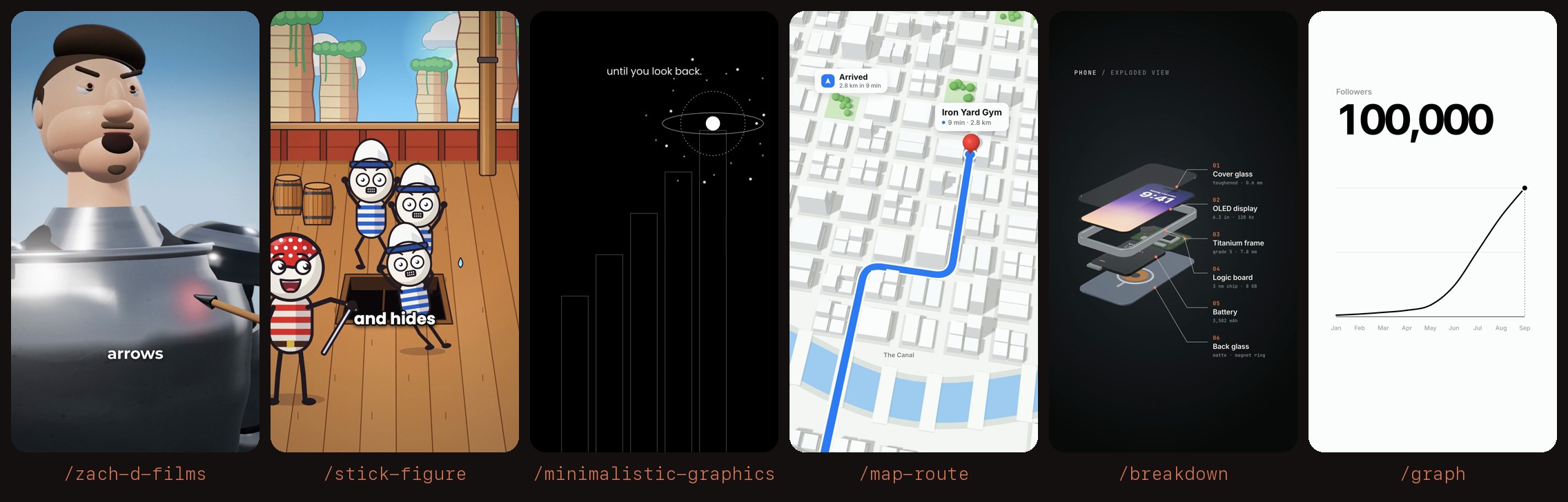
/graph
┌──────────────────────┐
│ Followers            │  plain label
│ 100,000              │  counts up with the tip of the line
│                  •   │
│                 /    │  smooth line draws itself
│            ___/      │
│ ______----           │
│ Jan Feb ... Sep      │
└──────────────────────┘
First use
This skill's folder is the "Base directory" Claude Code shows when it loads it.
SKILL_DIR="<base directory of this skill>"
KIT=$(python3 -c 'import os,sys;print(os.path.realpath(os.path.join(sys.argv[1],"..","..","kit")))' "$SKILL_DIR")
[ -s "$KIT/vendor/gsap.min.js" ] || bash "$KIT/setup.sh"
Needs ffmpeg and Node.
Steps
- Numbers. Get the real numbers from the user (or their screenshot). One value per point, oldest first. Never invent data; if they only give a start and an end, ask for the points in between or say the curve is illustrative.
- Spec. Write
<name>.graph.json(below) in the user's folder. - Build. Run
python3 "$SKILL_DIR/build.py" <spec.json>. It takes about 10 seconds. Add--snap 3.5for a quick PNG instead of a video. - Check
<name>.graph.sheet.jpg: the number fits on one line and the last frame shows the final value. - Hand over the mp4 path.
Spec
{
  "label": "Followers",
  "values": [1.2, 2.1, 3.4, 5, 9, 24, 51, 78, 100],
  "labels": ["Jan", "Feb", "Mar", "Apr", "May", "Jun", "Jul", "Aug", "Sep"],
  "final": 100000,
  "prefix": "", "suffix": "", "decimals": 0,
  "dark": false
}
values: 2 or more numbers, 0 or above. The highest one touches the top gridline.labels(optional): one per value, shown under the axis. More than 12 shows every other one.final(optional): the number the count lands on. The count is the value under the tip timesfinal / last value, so you can givevaluesin thousands andfinalin full. Leave it out to count in the units ofvalues.prefix,suffix,decimals:"$","%"," kg", and so on. The number shrinks itself if it gets long.dark: white line on black.hold(optional): extra seconds to hold the last frame.out(optional): the output path.
Taste
- One number, one line. The label is a plain noun ("Followers", "Monthly revenue"), not a slogan.
- No callouts, no "83x growth" chips and no marketing words on the graphic.
- Values that grow late (slow, then steep) make the best curve, but show the real shape.
Tips for Graph
- • Start a fresh session after installing so your agent picks up the new skill.
- • This skill ships scripts. Read them before the first run, and run it in a project without secrets first.
- • It is part of a pack with 6 skills. Install only the ones you need with --skill to keep triggers precise.
- • If two skills overlap, mention the one you want by name.
Questions about Graph
What does the Graph skill do?
Makes a minimal line-graph animation for a reel. A smooth black line draws itself on white (or white on black) while one big number counts up with the tip, then lands on the final value. Use when the user runs /graph or asks for a growth chart, a "0 to 100K" number animation or an animated stat.
How do I install Graph?
Run "npx skills add artemnovitckii/claude-animation-skills --skill graph" in your project. The skills CLI installs it for Claude Code, Cursor, Codex and 70+ other agents. In Claude on the web, upload the skill folder as a ZIP under Customize > Skills.
Does Graph work in Cursor and Codex?
Yes. Graph uses the open SKILL.md format, so it works in Claude Code, Claude, Cursor, OpenAI Codex, Gemini CLI, GitHub Copilot and other agents that support agent skills.
Is Graph free?
Graph is open source on GitHub. It is free to install; check the license before commercial use.
Who made Graph?
Graph is published by artemnovitckii in the artemnovitckii/claude-animation-skills repository, together with 5 other skills.





