 artemnovitckii
Install Map Route
Pick your agent. Every command is ready to paste.
npx skills add artemnovitckii/claude-animation-skills --skill map-routeThe open skills CLI detects your agents (Claude Code, Cursor, Codex and 70+ more) and installs to the right folder. Add -g to install globally.
01
Install it
Run the command above, or upload the folder in Claude.
02
Ask naturally
Describe the task. Your agent loads map-route when the request matches its description.
03
Name it if needed
If it does not trigger, say “use the map-route skill”. In Codex, type $map-route.
/map-route
┌──────────────────────┐
│ [▲ 9 min]            │  ETA card counts down, then "Arrived"
│      ┌Iron Yard Gym┐ │  destination card after the pin lands
│  ▒▒   ▒▒   📍  ▒▒    │  white 3D blocks, parks, a river
│  ▒▒ ━━━━━━━┛   ▒▒    │  the route draws itself, the camera rides along
│  ▒▒ ┃  ▒▒      ▒▒    │  and pulls back at the end
└──────────────────────┘
First use
This skill's folder is the "Base directory" Claude Code shows when it loads it.
SKILL_DIR="<base directory of this skill>"
KIT=$(python3 -c 'import os,sys;print(os.path.realpath(os.path.join(sys.argv[1],"..","..","kit")))' "$SKILL_DIR")
[ -s "$KIT/node_modules/three/build/three.module.js" ] || bash "$KIT/setup.sh"
Needs ffmpeg and Node. It renders with WebGL in headless Chrome.
Steps
- Trip. Get the destination name, the minutes and the distance from the user ("home to the gym, 2.8 km, 9 min"). If they only give one of minutes or distance, estimate the other (walking about 12 min per km, cycling about 4, driving in town about 2) and say so.
- Spec. Write
<name>.map.json(below). - Build. Run
python3 "$SKILL_DIR/build.py" <spec.json>. A 3D render takes about 1.5 minutes, most of it HyperFrames waiting on WebGL (asub_timeline_readiness_timeoutwarning is normal). Add--snap 3.8to check the last frame first. - Check the sheet: the destination card is fully on screen and the street labels don't sit on the ETA card.
- Hand over the mp4 path.
Spec
{
  "destination": "Iron Yard Gym", "minutes": 9, "distance": 2.8, "unit": "km",
  "places": ["North Quay", "Botanic Gardens", "Market Hall", "Elm Park", "The Canal"],
  "accent": "#2f7cf6", "seed": 7
}
destination,minutes,distance: required.unit:"km"or"mi".places: 5 small grey labels at fixed spots on the map. In order: near the start, a park at the far left, a block mid-route, a park at the far right, the river. Use names that fit the user's city, or""to hide one. They are decoration, not real geography.accent: the route, the moving dot and the ETA icon (hex). The pin stays red.seed: a different whole number gives a different arrangement of buildings and parks.hold(optional): extra seconds at the end.out(optional): the output path.
Changing the route
The route shape is fixed: up, right, up, right, ending at the pin. To change it, copy "$SKILL_DIR/template.html" next to the spec, edit WP in the copy ([x, z] points; every corner must sit on a street, which run along multiples of 4; x from -36 to 36, z from -88 to 24, and north is negative z), and add "template": "template.html" to the spec. The camera's final pull-back target (new THREE.Vector3(3, 0, -27)) and the label spots (LBL) are tuned for the default route, so move them with it and check with --snap.
Taste
- Short, real-sounding names. The destination card holds about 26 characters.
- Keep it calm: one route, one pin, no extra arrows or callouts.
Tips for Map Route
- • Start a fresh session after installing so your agent picks up the new skill.
- • This skill ships scripts. Read them before the first run, and run it in a project without secrets first.
- • It is part of a pack with 6 skills. Install only the ones you need with --skill to keep triggers precise.
- • If two skills overlap, mention the one you want by name.
Questions about Map Route
What does the Map Route skill do?
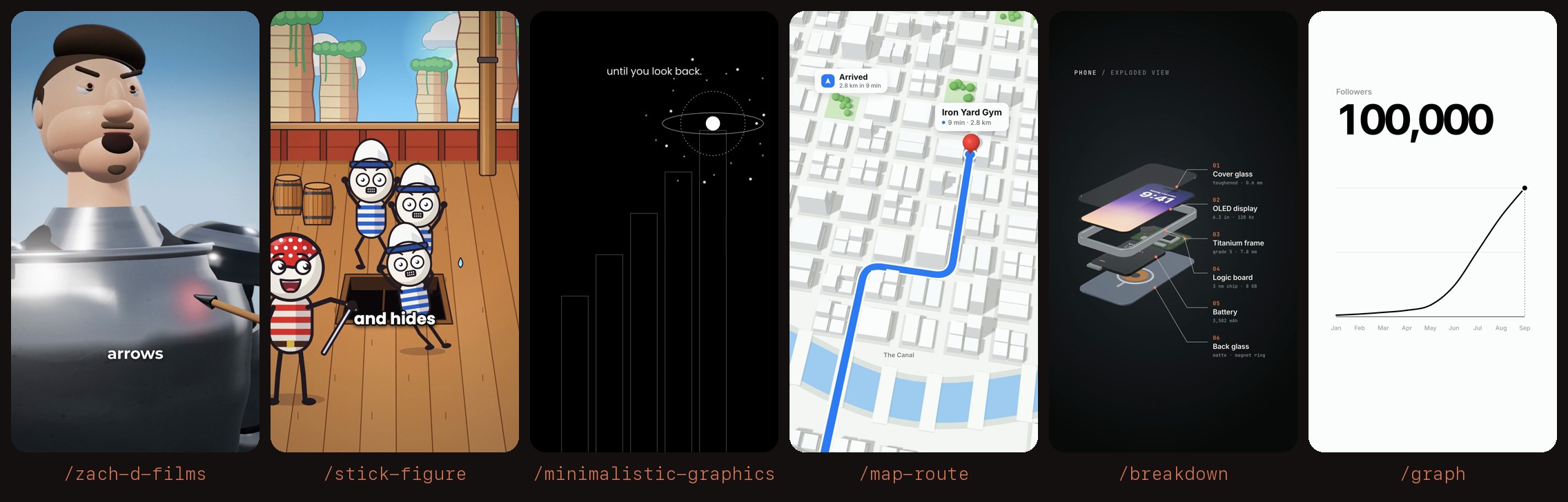
Makes a 3D map animation for a reel. A clean white city with parks and a river, a coloured route that draws itself from start to destination while the camera follows, a red pin that drops with a bounce, an ETA card that counts down and a destination card. Use when the user runs /map-route or asks for an animated route, a "from A to B" map, a journey or a commute animation.
How do I install Map Route?
Run "npx skills add artemnovitckii/claude-animation-skills --skill map-route" in your project. The skills CLI installs it for Claude Code, Cursor, Codex and 70+ other agents. In Claude on the web, upload the skill folder as a ZIP under Customize > Skills.
Does Map Route work in Cursor and Codex?
Yes. Map Route uses the open SKILL.md format, so it works in Claude Code, Claude, Cursor, OpenAI Codex, Gemini CLI, GitHub Copilot and other agents that support agent skills.
Is Map Route free?
Map Route is open source on GitHub. It is free to install; check the license before commercial use.
Who made Map Route?
Map Route is published by artemnovitckii in the artemnovitckii/claude-animation-skills repository, together with 5 other skills.





